Access a Moodle course space
Students can access their Moddle course space from the “Course” application. Courses with open course space in Moddle are indicated by a specific icon.
Access the Moodle space of a course
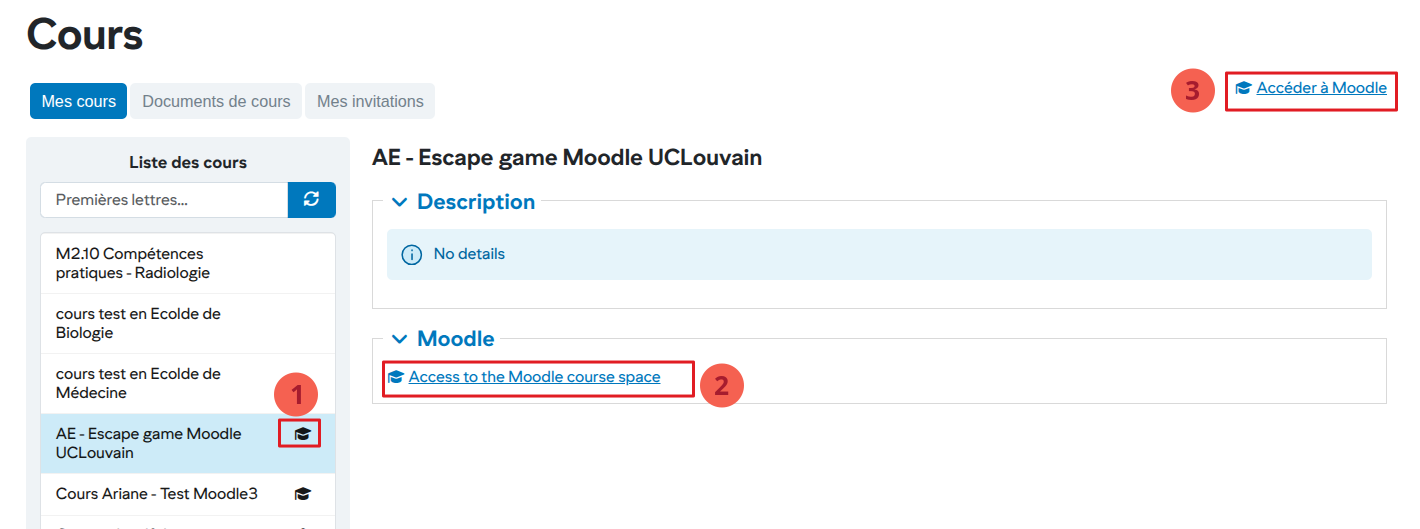
- In the left menu, all courses with an open Moodle space are indicated by the icon
- After selecting a course from the list on the left, access to the corresponding Moodle space is displayed
- General access to Moodle