# Add a video to news and events
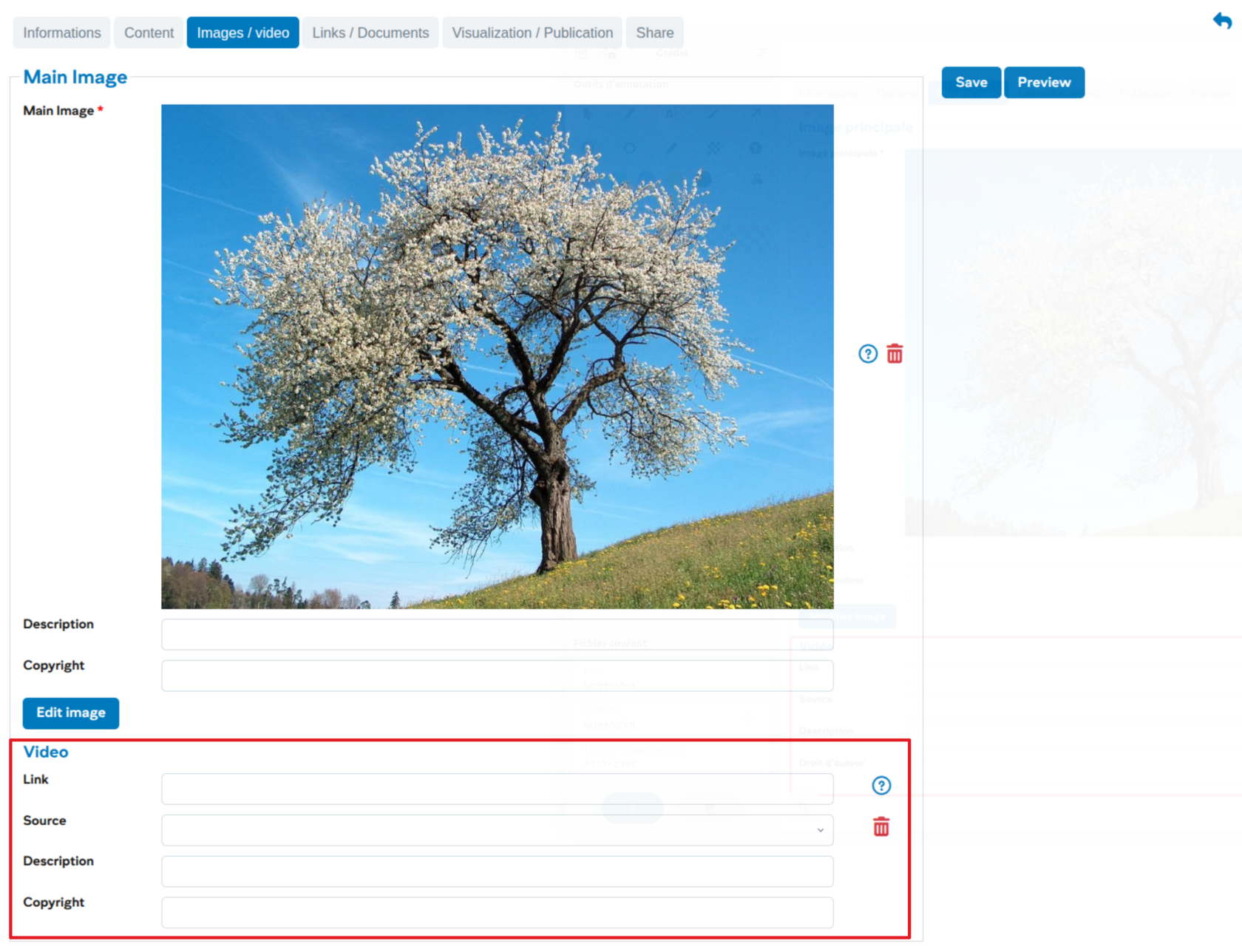
Users can add a video to illustrate a news / event. This video will take the place of the main image.
#### Workflow step: Images / video
[](https://wiki.unil.ch/ci/uploads/images/gallery/2026-01/wZrimage.png)
Several sources are available, and the links are generally obtained from the sharing buttons of the respective platforms and must follow these forms:
- REC Unil : **https://rec.unil.ch/permalink/...**
- RTS : **https://www.rts.ch/play/embed?urn=urn:rts:video:...** (use the value of attribute "src" from the "Embed" sharing)
- Youtube : **https://youtu.be/...** for a video or **https://youtube.com/playlist?list=...** for a series of videos
- Vimeo : **https://vimeo.com/...**
- HVA : **https://av.unil.ch/hva/...**
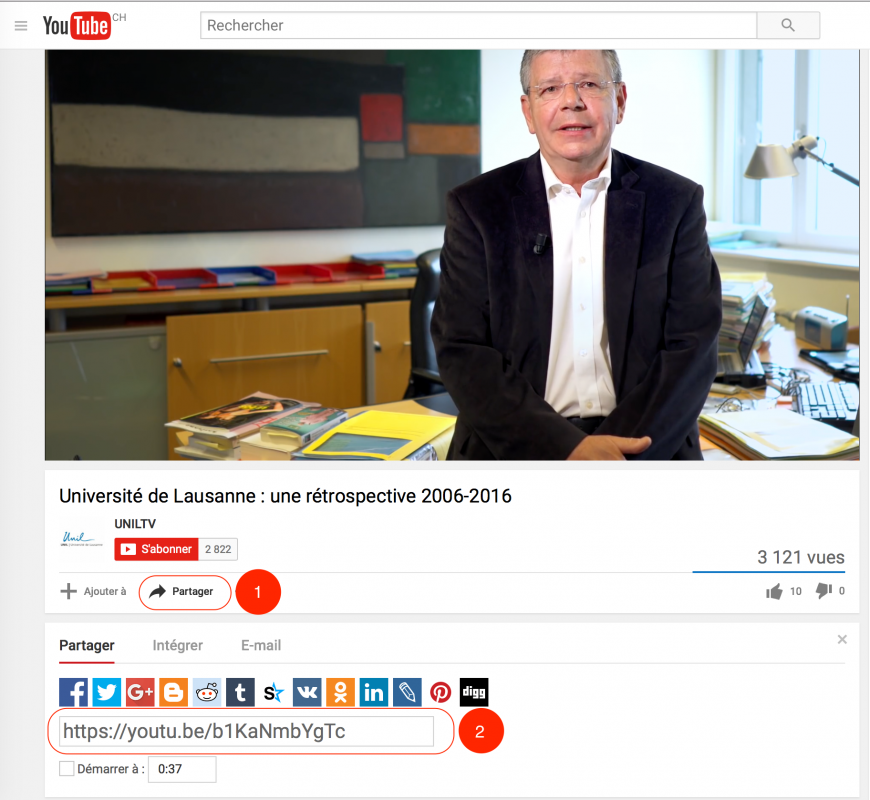
#### Example of adding a Youtube video
[](https://wiki.unil.ch/ci/uploads/images/gallery/2023-08/newsunil-video-youtube.png)
1. Click on the sharing link in Youtube
2. Copy the generic link of the video