# Jahia Unil - accès à une page protégée par mot de passe
Access to a password-protected page
# Accéder à une page protégée par mot de passe sur le site www.unil.ch
[View this page in English.](https://wiki.unil.ch/ci/books/sites-web-jahia/page/how-to-access-a-password-protected-page-on-the-website-wwwunilch "How to access a password-protected page on the website www.unil.ch")
Si vous devez accéder à une page protégée par mot de passe sur nos sites web dont l'adresse commence par [www.unil.ch](https://www.unil.ch) , voici comment procéder :
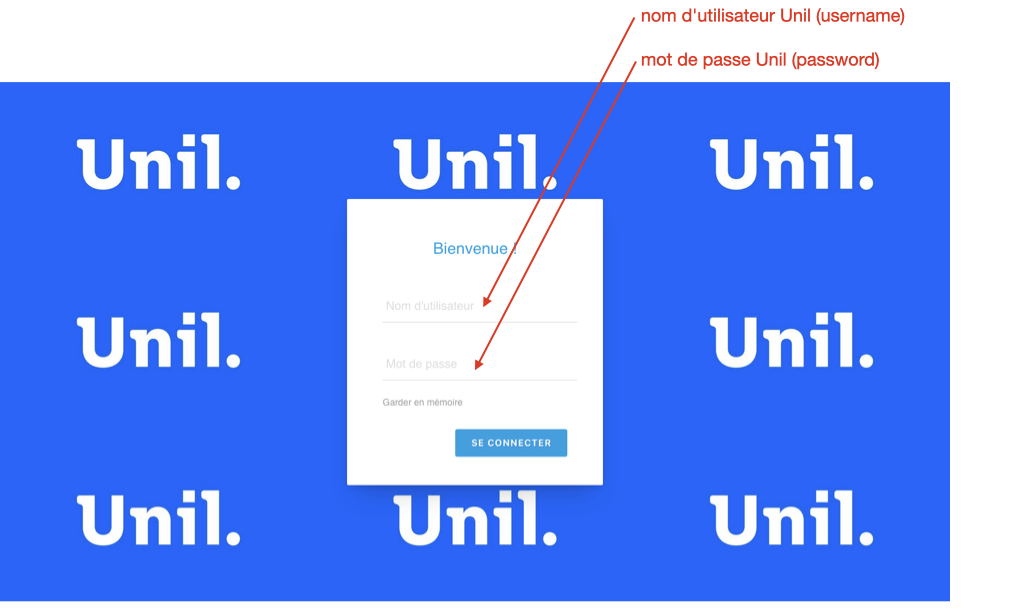
1\) Sur la page de login, entrer vos identifiants Unil
- **nom d'utilisateur Unil** = votre username Unil , il se compose de 8 caractères, généralement l'initiale de votre prénom suivi des 7 premières lettres de votre nom de famille ; il y parfois des exceptions, par exemple il inclut un chiffre si d'autres utilisateurs ont un username dont la première partie est identique au vôtre
- **mot de passe Unil** = le mot de passe associé à votre username Unil
votre username Unil n'est pas égal à votre adresse email Unil
exemple fictif : Ines Palermo aura le username "ipalerm" et l'adresse email
[](https://wiki.unil.ch/ci/uploads/images/gallery/2026-07/jahia-protected-login-fr-1.png)
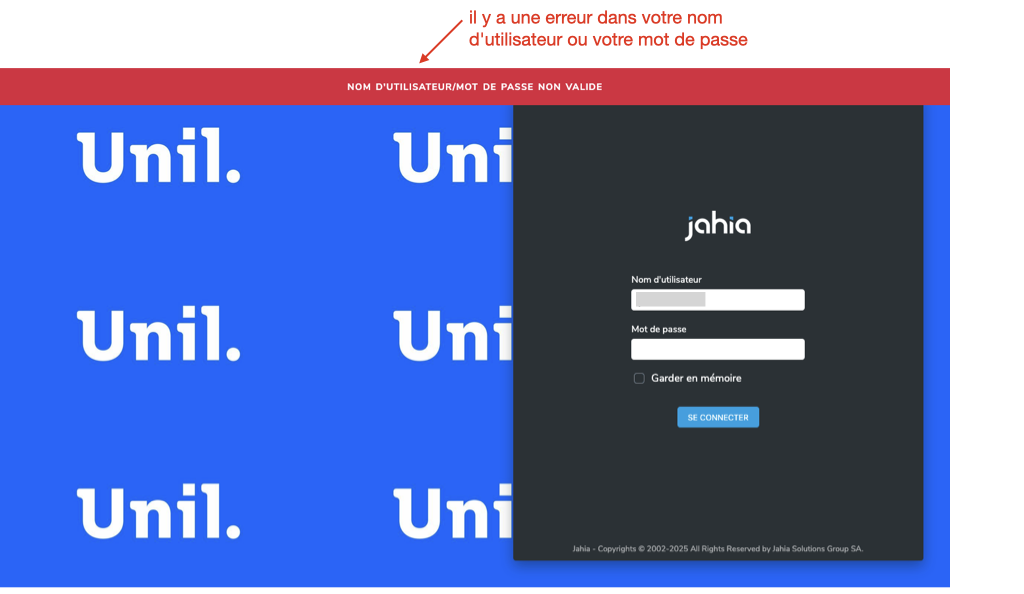
2\) Si vous rencontrez le message d'erreur ci-dessous, qui s'affiche sur une page avec l'adresse [https://www.unil.ch/cms/login](https://www.unil.ch/cms/login) , cela signifie qu'il y a une erreur dans votre nom d'utilisateur ou dans votre mot de passe.
Si vous ne retrouvez pas vos identifiants corrects, aller sur la page [https://id.unil.ch/start/](https://id.unil.ch/start/) pour obtenir un nouveau mot de passe.
[](https://wiki.unil.ch/ci/uploads/images/gallery/2026-07/jahia-protected-login-fr-2.png)
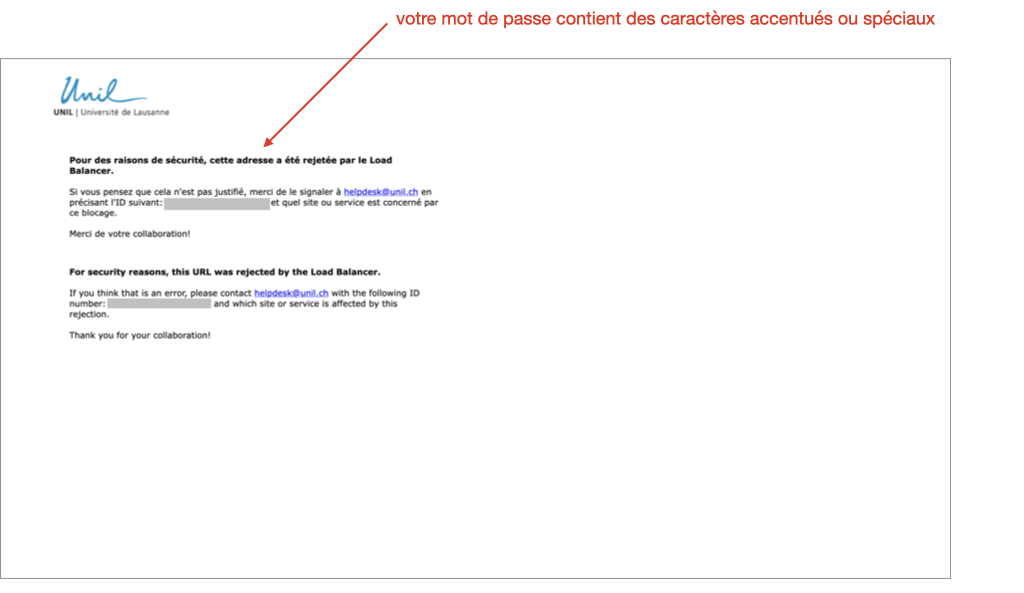
3\) Si vous rencontrez le message d'erreur ci-dessous, c'est que votre mot de passe Unil contient des caractères accentués ou spéciaux, qui ne sont pas supportés par notre version actuelle de Jahia, le système utilisé pour gérer nos sites web.
Il vous faut alors aller sur la page [https://id.unil.ch/start/](https://id.unil.ch/start/) pour changer votre mot de passe Unil.
[](https://wiki.unil.ch/ci/uploads/images/gallery/2026-02/intranet-jahia-accents.png)
# How to access a password-protected page on the website www.unil.ch
[Voir cette page en français.](https://wiki.unil.ch/ci/books/sites-web-jahia/page/acceder-a-une-page-protegee-par-mot-de-passe-sur-le-site-wwwunilch "Accéder à une page protégée par mot de passe sur le site www.unil.ch")
If you need to access a password-protected page on our websites whose address begins with [www.unil.ch](https://www.unil.ch) , here is how to proceed :
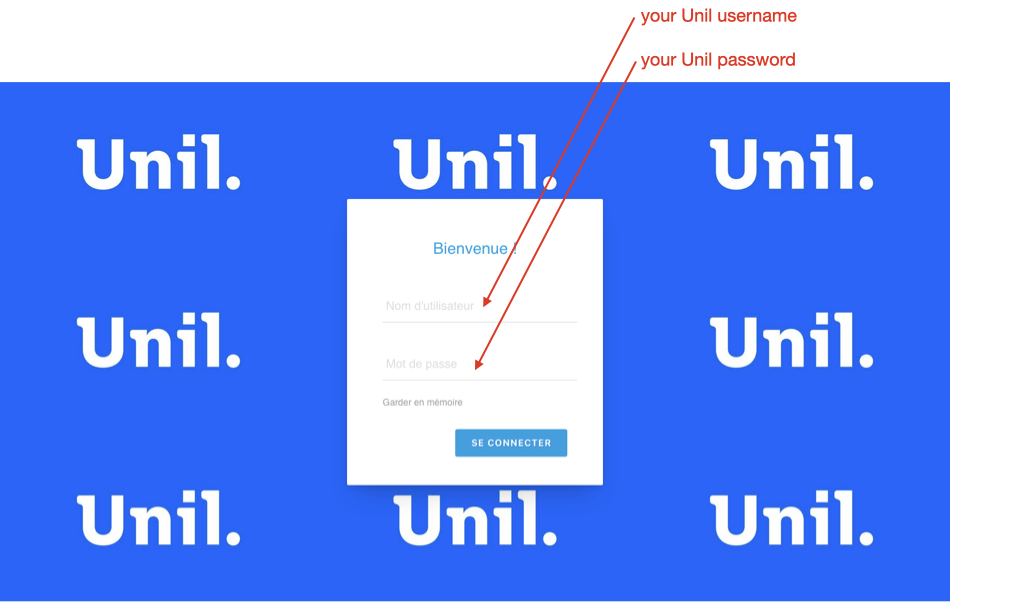
1\) On the login page, enter your Unil credentials
- **Unil username** = your Unil username, which consists of 8 characters, usually the initial of your first name followed by the first 7 letters of your surname ; there are sometimes exceptions, for example it may include a number if other users have a username which a first part identical to yours
- **Unil password** = the password associated with your Unil username
Your Unil username is not the same as your Unil email address.
Fictitious example : Ines Palermo will have the username "ipalerm" and the email address ines.palermo@unil.ch.
[](https://wiki.unil.ch/ci/uploads/images/gallery/2026-07/jahia-protected-login-en-1.png)
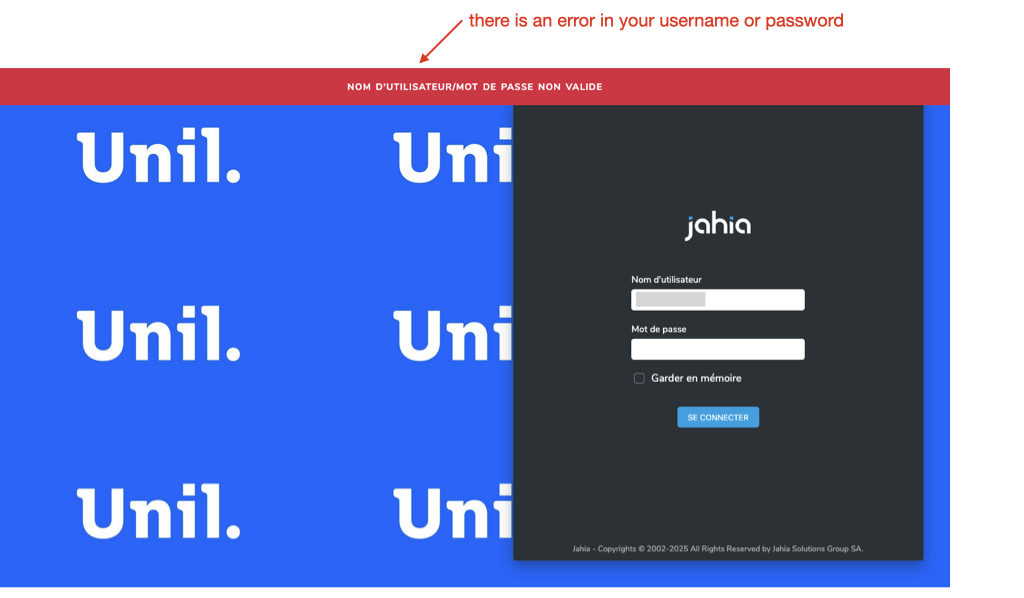
2\) If you encounter the error message below, which appears on a page with the address [https://www.unil.ch/cms/login](https://www.unil.ch/cms/login) , this means that there is an error in your username or password.
If you cannot find your correct login details, go to [https://id.unil.ch/start/?lang=en](https://id.unil.ch/start/?lang=en) to obtain a new password.
[](https://wiki.unil.ch/ci/uploads/images/gallery/2026-07/jahia-protected-login-en-2.png)
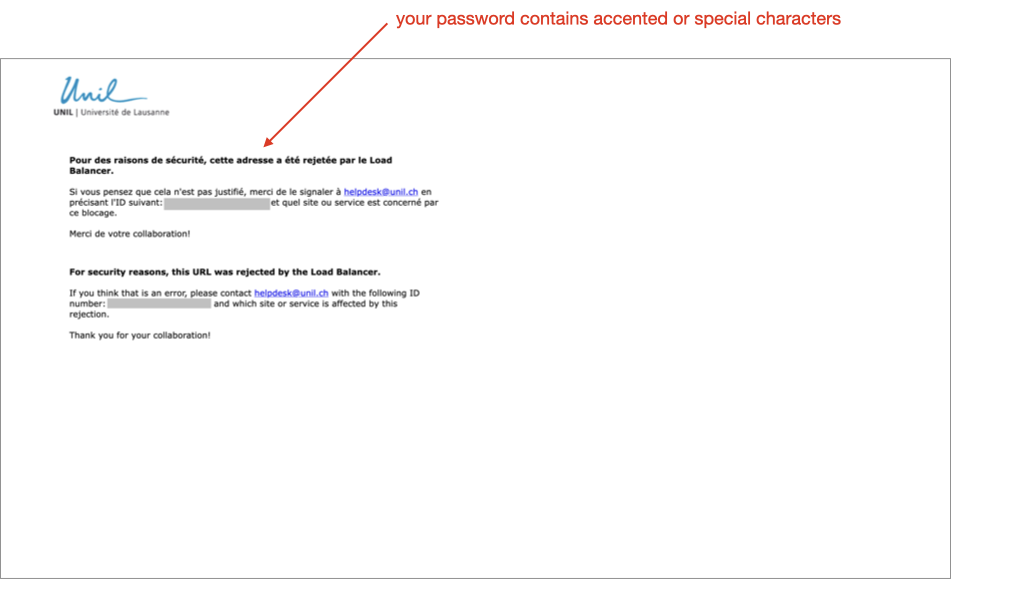
3\) If you encounter the error message below, it means that your Unil password contains accented or special characters that are not supported by our current version of Jahia, the system used to manage our websites.
You will need to go to [https://id.unil.ch/start/?lang=en](https://id.unil.ch/start/?lang=en) to change your Unil password.
[](https://wiki.unil.ch/ci/uploads/images/gallery/2026-02/intranet-jahia-accents-en.png)