# Adding extra time with user or group overrides
### Access to the override pages
If necessary, it is possible to grant **exemptions** to **specific students** or **groups of students** (e.g. students with extra time).
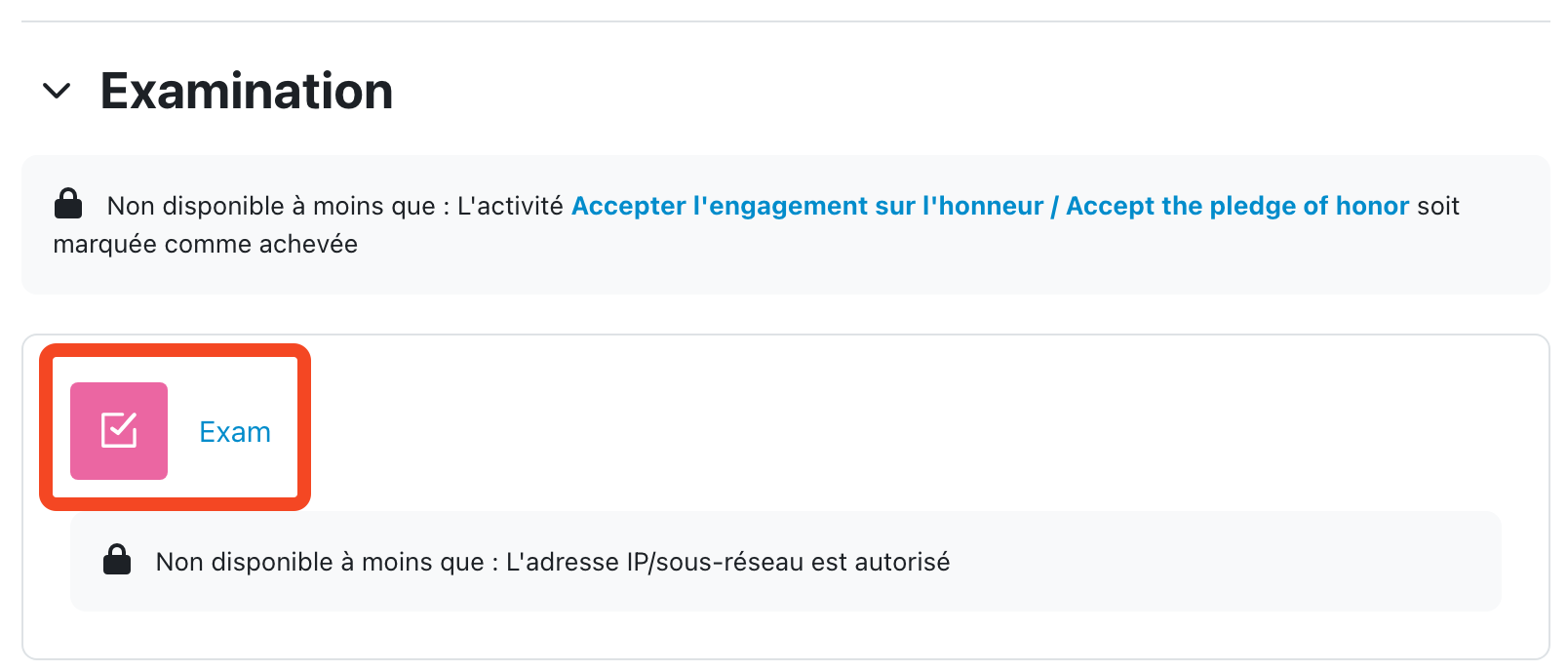
To do this, go to the "**Test**" page of the exam.
[](https://wiki.unil.ch/cse/uploads/images/gallery/2022-06/UVOWBEG12KW0y7KJ-capture-decran-2022-06-08-a-09-32-56.png)
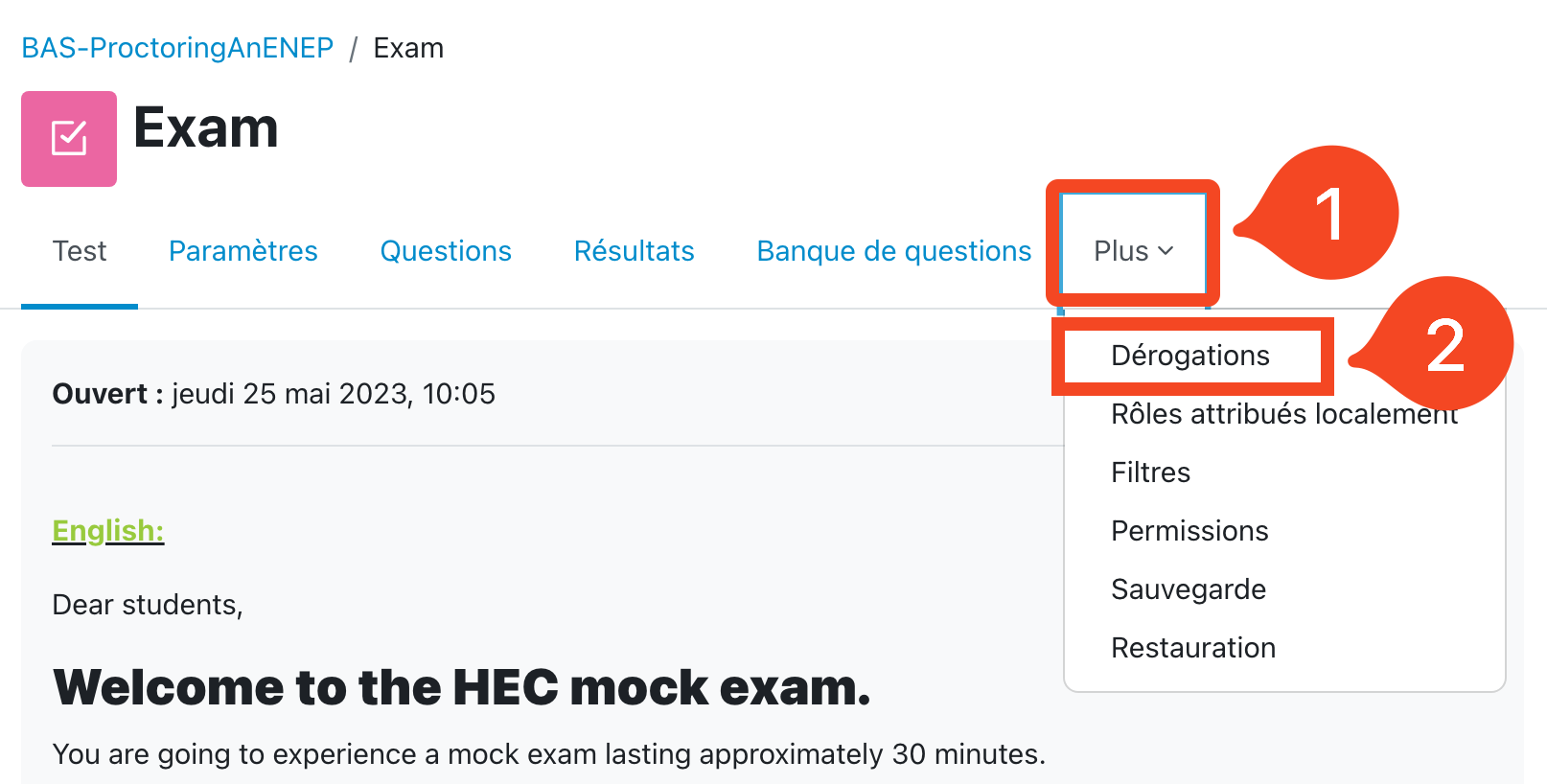
Then, in the **"More"** menu (1), click on "**Overrides**" (2).
[](https://wiki.unil.ch/cse/uploads/images/gallery/2022-06/xawBh2NdHvDrRxVa-capture-decran-2022-06-08-a-09-26-40.png)
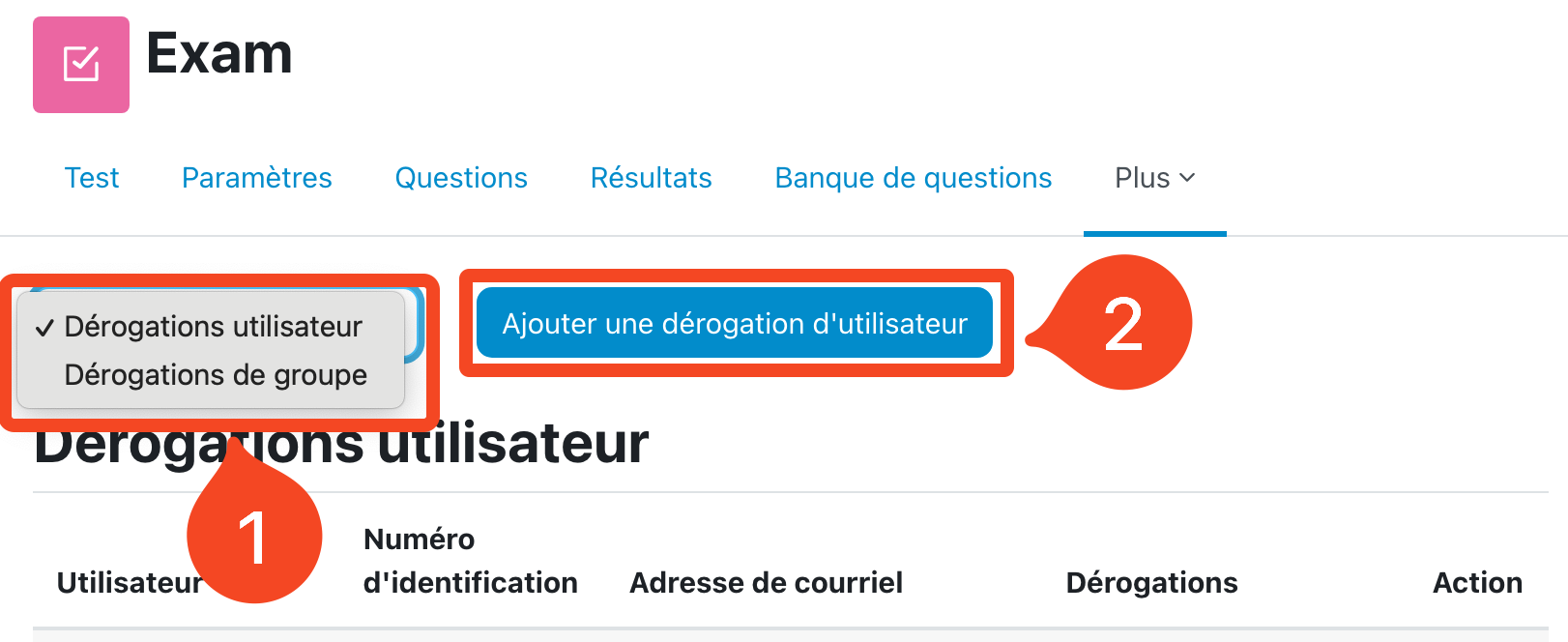
Then you have to click on the button "**Add a user override**" (2). If needed you can access the group overrides in the drop down menu (1).
[](https://wiki.unil.ch/cse/uploads/images/gallery/2023-01/tpABNqWsRUcPbrdr-capture-decran-2023-01-10-a-12-59-50.png)
### Add a user override
In the page that appears, you must first **enter the name of the student** (the one to whom an exemption is granted). To do this, in the "Search" box, **enter the first few letters of the student's name**, then select him or her from the list that appears.
Then **modify the following parameters** in accordance with the override granted.
In general, we will modify the "**Close the quiz**" parameter by adding a few minutes. You have to activate the parameter with the checkbox "**Enable**" on the right of the parameter, then manually calculate the official end time of the test + the few extra minutes (for example, 5 min of exemption for a test ending at 12:05, gives a test closing time at 12:10), and finally, **modify the time of "close the test"**.
In exceptional situations (e.g., a test that is set up incorrectly and closes prematurely) where the participant can no longer access the test, it may be necessary to change the number of attempts allowed. In this case, add a 2nd attempt.
Once the form is filled, **don't forget to save**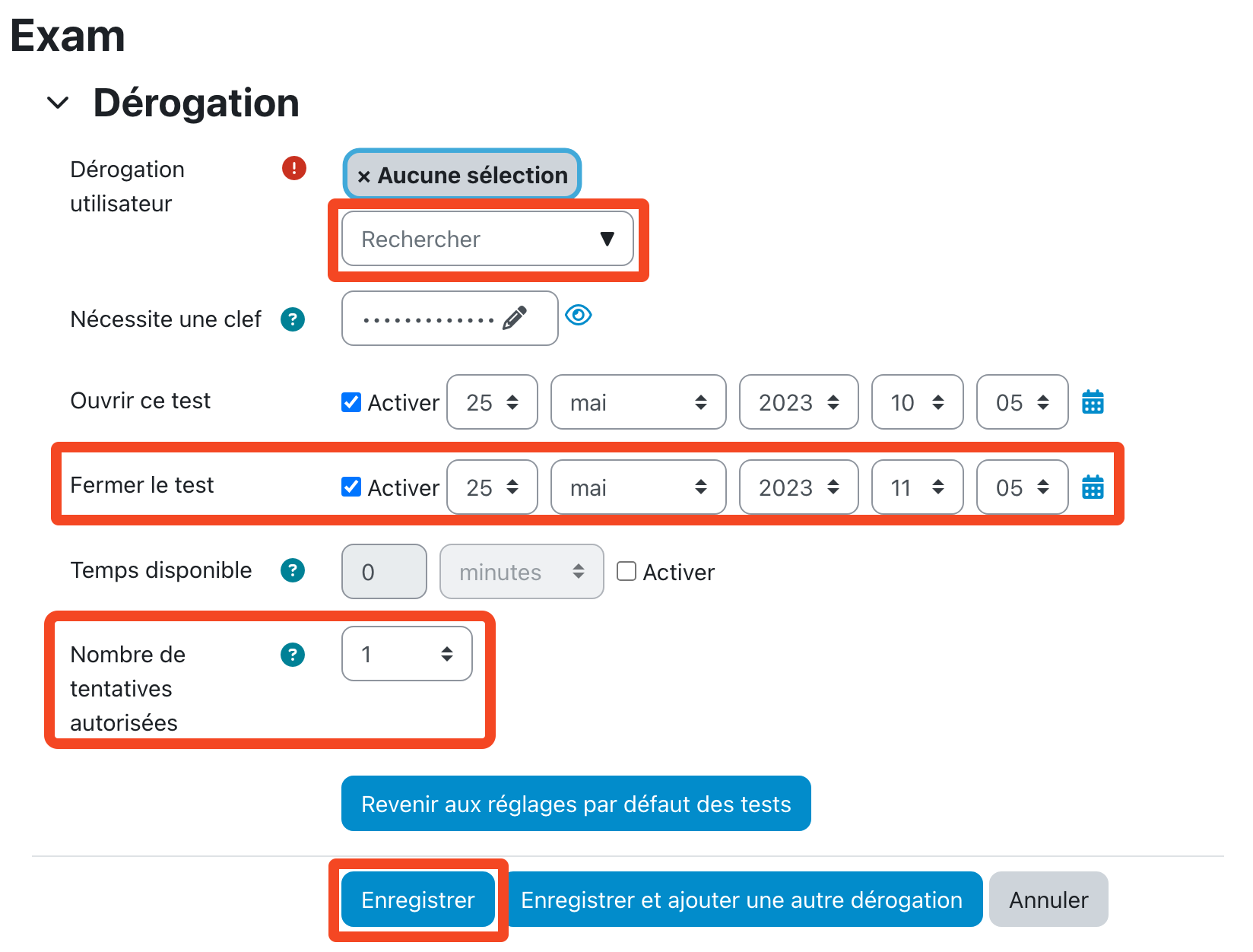](https://wiki.unil.ch/cse/uploads/images/gallery/2023-11/XRk1TfEgeQVz4a5t-capture-decran-2023-11-06-a-14-44-58.png)