# La barre des tâches

<p class="callout danger">Une fois qu’une **tentative d’examen** a **commencé**, il est **impossible de modifier les paramètres de SEB**. Dès lors, la seule façon de les modifier est de supprimer l’ensemble des tentatives d’examen. **Vérifiez bien vos paramètres en amont de l’examen**.</p>

Sur cette page, vous trouverez une **présentation** et **quelques explications** concernant la **barre des tâches de Safe Exam Browser**.

### **Permettre le rechargement de page durant l’examen**

**[![Rechargement-page.png](https://wiki.unil.ch/cse/uploads/images/gallery/2022-03/scaled-1680-/rohaU1IS6uH5Bphz-rechargement-page.png)](https://wiki.unil.ch/cse/uploads/images/gallery/2022-03/rohaU1IS6uH5Bphz-rechargement-page.png)**
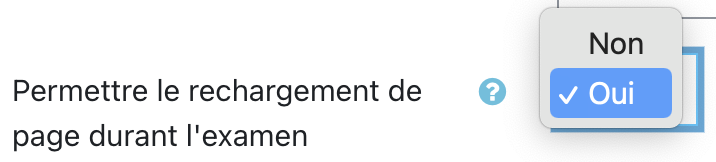
<table border="1" class="align-center" id="bkmrk-nom-du-param%C3%A8tre-des-5" style="width: 100%; border-collapse: collapse; height: 82px;"><tbody><tr style="height: 46px;"><td style="width: 28.3951%; height: 46px;">**Nom du paramètre**</td><td style="width: 35.4321%; height: 46px;">**Description**</td><td style="width: 36.1728%; height: 46px;">**Options disponibles** (recommandation en<span style="background-color: #ffcc99;"> **gras**</span>)</td></tr><tr style="height: 84px;"><td class="align-left" style="width: 28.3951%; height: 36px;">Permettre le rechargement de page durant l'examen</td><td class="align-left" style="width: 35.4321%; height: 36px;">Autorise le rafraichissement de page (= actualiser la page) avec le bouton de la barre d'outils, le bouton de la barre des tâches ou le raccourcis</td><td class="align-left" style="width: 36.1728%; height: 36px;">- Non
- <span style="background-color: #ffcc99;">**Oui**</span> (par défaut)

</td></tr></tbody></table>

<p class="callout info">Moodle peut parfois avoir quelques erreurs, facilement corrigées par un rechargement de la page. Aussi la possibilité de pouvoir de **recharger une page** permet un **support technique facile et rapide**.</p>

### **Afficher la barre des tâches SEB**

**[![barre-taches.png](https://wiki.unil.ch/cse/uploads/images/gallery/2022-03/scaled-1680-/AWiTrGQ3MzLLWVHG-barre-taches.png)](https://wiki.unil.ch/cse/uploads/images/gallery/2022-03/AWiTrGQ3MzLLWVHG-barre-taches.png)**

<table border="1" class="align-center" id="bkmrk-nom-du-param%C3%A8tre-des-6" style="width: 100%; border-collapse: collapse; height: 88px;"><tbody><tr style="height: 46px;"><td style="width: 28.3951%; height: 46px;">**Nom du paramètre**</td><td style="width: 38.2716%; height: 46px;">**Description**</td><td style="width: 34.6087%; height: 46px;">**Options disponibles** (recommandation en<span style="background-color: #ffcc99;"> **gras**</span>)</td></tr><tr style="height: 70px;"><td class="align-left" style="width: 28.3951%; height: 42px;">Afficher la barre des tâches SEB</td><td class="align-left" style="width: 38.2716%; height: 42px;">Permet d'afficher et rendre accessible la barre des tâches en bas du navigateur </td><td class="align-left" style="width: 34.6087%; height: 42px;">- Non
- <span style="background-color: #ffcc99;">**Oui**</span> (par défaut)

</td></tr></tbody></table>

<p class="callout info">La **barre d’actions** de Safe Exam Browser permet plusieurs actions dont quitter l’examen, rafraîchir les pages, afficher l’heure ou encore vérifier l’état de connexion au Wifi. Il est **fortement recommandé** de la laisser accessible car ses **fonctionnalités** sont **importantes** pour **assurer un support technique rapide durant l’examen**, ainsi que pour quitter simplement le navigateur en cas de besoin ou à la fin de l’examen.</p>

#### **Afficher bouton recharger** (disponible uniquement si barre des tâches affichée)

[![bouton-recharger.png](https://wiki.unil.ch/cse/uploads/images/gallery/2022-03/scaled-1680-/zgpmRBNBQAuz1NUp-bouton-recharger.png)](https://wiki.unil.ch/cse/uploads/images/gallery/2022-03/zgpmRBNBQAuz1NUp-bouton-recharger.png)

<table border="1" class="align-center" id="bkmrk-nom-du-param%C3%A8tre-des-7" style="width: 100%; border-collapse: collapse; height: 66px;"><tbody><tr style="height: 46px;"><td style="width: 172.273px; height: 46px;">**Nom du paramètre**</td><td style="width: 232.211px; height: 46px;">**Description**</td><td style="width: 202.25px; height: 46px;">**Options disponibles** (recommandation en<span style="background-color: #ffcc99;"> **gras**</span>)</td><td style="width: 202.266px; height: 46px;">**Commentaires**</td></tr><tr style="height: 84px;"><td class="align-left" style="width: 172.273px; height: 20px;">Afficher bouton recharger</td><td class="align-left" style="width: 232.211px; height: 20px;">Affiche le bouton "Recharger la page" dans la barre des tâches</td><td class="align-left" style="width: 202.25px; height: 20px;">- Non
- <span style="background-color: #ffcc99;">**Oui**</span> (par défaut)

</td><td class="align-left" style="width: 202.266px; height: 20px;">  
</td></tr></tbody></table>

#### **Afficher l’heure** (disponible uniquement si barre des tâches affichée)

[![heure.png](https://wiki.unil.ch/cse/uploads/images/gallery/2022-03/scaled-1680-/gG3bSwqXQRn3Wo0M-heure.png)](https://wiki.unil.ch/cse/uploads/images/gallery/2022-03/gG3bSwqXQRn3Wo0M-heure.png)
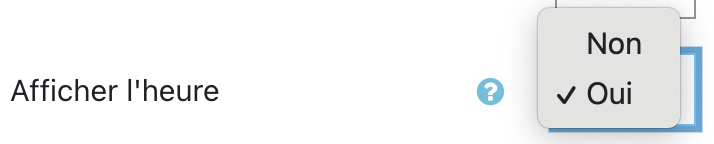
<table border="1" class="align-center" id="bkmrk-nom-du-param%C3%A8tre-des-8" style="width: 99.1358%; border-collapse: collapse; height: 130px;"><tbody><tr style="height: 46px;"><td style="width: 20.8599%; height: 46px;">**Nom du paramètre**</td><td style="width: 28.1438%; height: 46px;">**Description**</td><td style="width: 24.4402%; height: 46px;">**Options disponibles** (recommandation en<span style="background-color: #ffcc99;"> **gras**</span>)</td><td style="width: 25.6919%; height: 46px;">**Commentaires**</td></tr><tr style="height: 84px;"><td class="align-left" style="width: 20.8599%; height: 84px;">Afficher l'heure</td><td class="align-left" style="width: 28.1438%; height: 84px;">Affiche l'heure et la date dans la barre des tâches</td><td class="align-left" style="width: 24.4402%; height: 84px;">- Non
- <span style="background-color: #ffcc99;">**Oui**</span> (par défaut)

</td><td class="align-left" style="width: 25.6919%; height: 84px;">Recommandé pour favoriser l'auto-régulation des étudiants durant le test</td></tr></tbody></table>

#### **Afficher la configuration du clavier** (disponible uniquement si barre des tâches affichée)

[![config-clavier.png](https://wiki.unil.ch/cse/uploads/images/gallery/2022-03/scaled-1680-/BdMtJu4gBaFDZU82-config-clavier.png)](https://wiki.unil.ch/cse/uploads/images/gallery/2022-03/BdMtJu4gBaFDZU82-config-clavier.png)
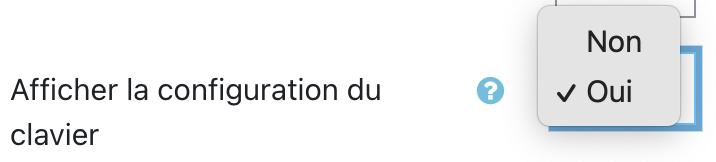
<table border="1" class="align-center" id="bkmrk-nom-du-param%C3%A8tre-des-9" style="width: 99.6296%; border-collapse: collapse; height: 108px;"><tbody><tr style="height: 46px;"><td style="width: 28.3951%; height: 24px;">**Nom du paramètre**</td><td style="width: 38.2716%; height: 24px;">**Description**</td><td style="width: 32.9629%; height: 24px;">**Options disponibles**</td></tr><tr style="height: 84px;"><td class="align-left" style="width: 28.3951%; height: 84px;">Afficher la configuration du clavier</td><td class="align-left" style="width: 38.2716%; height: 84px;">Affiche et permet de modifier la configuration du clavier (si disponible)</td><td class="align-left" style="width: 32.9629%; height: 84px;">- Non
- Oui (par défaut)

</td></tr></tbody></table>

#### **Afficher la commande Wi-Fi** (disponible uniquement si barre des tâches affichée)

[![afficher-wifi.png](https://wiki.unil.ch/cse/uploads/images/gallery/2022-03/scaled-1680-/tHDWitUTLTGZhngR-afficher-wifi.png)](https://wiki.unil.ch/cse/uploads/images/gallery/2022-03/tHDWitUTLTGZhngR-afficher-wifi.png)
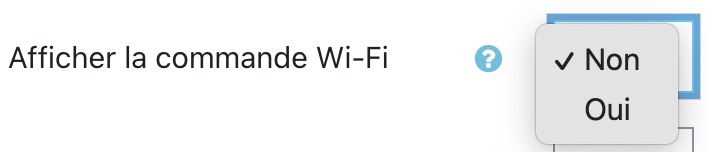
<table border="1" class="align-center" id="bkmrk-nom-du-param%C3%A8tre-des-10" style="width: 100%; border-collapse: collapse; height: 130px;"><tbody><tr style="height: 46px;"><td style="width: 172.273px; height: 46px;">**Nom du paramètre**</td><td style="width: 232.211px; height: 46px;">**Description**</td><td style="width: 202.25px; height: 46px;">**Options disponibles** (recommandation en <span style="background-color: #ffcc99;">**gras**</span>)</td><td style="width: 202.266px; height: 46px;">**Commentaires**</td></tr><tr style="height: 84px;"><td class="align-left" style="width: 172.273px; height: 84px;">Afficher la commande Wi-Fi</td><td class="align-left" style="width: 232.211px; height: 84px;">Permet d'afficher la liste des réseaux wifi disponibles et de s'y connecter</td><td class="align-left" style="width: 202.25px; height: 84px;">- Non
- <span style="background-color: #ffcc99;">**Oui**</span> (par défaut)

</td><td class="align-left" style="width: 202.266px; height: 84px;">**Indispensable** en cas de déconnexion du réseau</td></tr></tbody></table>

### **Activer les contrôles audio**

**[![controles-audio.png](https://wiki.unil.ch/cse/uploads/images/gallery/2022-03/scaled-1680-/5q2BKZvmH8iZiZlN-controles-audio.png)](https://wiki.unil.ch/cse/uploads/images/gallery/2022-03/5q2BKZvmH8iZiZlN-controles-audio.png)**
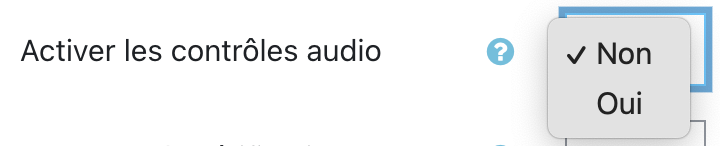
<table border="1" class="align-center" id="bkmrk-nom-du-param%C3%A8tre-des-11" style="width: 100%; border-collapse: collapse; height: 111px;"><tbody><tr style="height: 46px;"><td style="width: 172.273px; height: 27px;">**Nom du paramètre**</td><td style="width: 232.211px; height: 27px;">**Description**</td><td style="width: 202.25px; height: 27px;">**Options disponibles**</td><td style="width: 202.266px; height: 27px;">**Commentaires**</td></tr><tr style="height: 84px;"><td class="align-left" style="width: 172.273px; height: 84px;">Activer les contrôles audio</td><td class="align-left" style="width: 232.211px; height: 84px;">Affiche les contrôles audio dans la barre des tâches</td><td class="align-left" style="width: 202.25px; height: 84px;">- Non (par défaut)
- Oui

</td><td class="align-left" style="width: 202.266px; height: 84px;">**Oui indispensable** **si** le test **contient** du **matériel audio ou vidéo**.</td></tr></tbody></table>

#### **Muet au démarrage** (disponible uniquement si contrôles audio activés)

**[![muet.png](https://wiki.unil.ch/cse/uploads/images/gallery/2022-03/scaled-1680-/61HcycP9DHJYJqDU-muet.png)](https://wiki.unil.ch/cse/uploads/images/gallery/2022-03/61HcycP9DHJYJqDU-muet.png)**
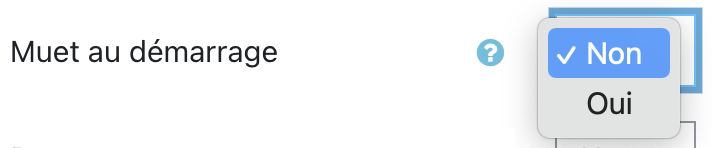
<table border="1" class="align-center" id="bkmrk-nom-du-param%C3%A8tre-des-12" style="width: 100%; border-collapse: collapse; height: 130px;"><tbody><tr style="height: 46px;"><td style="width: 172.273px; height: 46px;">**Nom du paramètre**</td><td style="width: 232.211px; height: 46px;">**Description**</td><td style="width: 202.25px; height: 46px;">**Options disponibles** (recommandation en <span style="background-color: #ffcc99;">**gras**</span>)</td><td style="width: 202.266px; height: 46px;">**Commentaires**</td></tr><tr style="height: 84px;"><td class="align-left" style="width: 172.273px; height: 84px;">Muet au démarrage</td><td class="align-left" style="width: 232.211px; height: 84px;">Volume de l'ordinateur mis à 0 au démarrage de SEB</td><td class="align-left" style="width: 202.25px; height: 84px;">- <span style="background-color: #ffcc99;">**Non**</span> (par défaut)
- Oui

</td><td class="align-left" style="width: 202.266px; height: 84px;">  
</td></tr></tbody></table>

### **Permettre la vérification orthographique**

**[![verif-ortho.png](https://wiki.unil.ch/cse/uploads/images/gallery/2022-03/scaled-1680-/DFmVDyHfG3mLx9Cn-verif-ortho.png)](https://wiki.unil.ch/cse/uploads/images/gallery/2022-03/DFmVDyHfG3mLx9Cn-verif-ortho.png)**
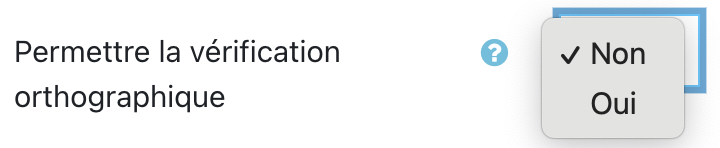
<table border="1" class="align-center" id="bkmrk-nom-du-param%C3%A8tre-des-13" style="width: 100%; border-collapse: collapse; height: 110px;"><tbody><tr style="height: 46px;"><td style="width: 172.273px; height: 46px;">**Nom du paramètre**</td><td style="width: 232.211px; height: 46px;">**Description**</td><td style="width: 202.25px; height: 46px;">**Options disponibles** (recommandation en <span style="background-color: #ffcc99;">**gras**</span>)</td><td style="width: 202.266px; height: 46px;">**Commentaires**</td></tr><tr style="height: 84px;"><td class="align-left" style="width: 172.273px; height: 64px;">Permettre la vérification orthographique</td><td class="align-left" style="width: 232.211px; height: 64px;">Autorise la vérification orthographique des textes rédigés par l'utilisateur</td><td class="align-left" style="width: 202.25px; height: 64px;">- Non (par défaut)
- <span style="background-color: #ffcc99;">**Oui**</span>

</td><td class="align-left" style="width: 202.266px; height: 64px;">Recommandé si le test contient des questions ouvertes qui demandent aux étudiant·e·s de rédiger un texte</td></tr></tbody></table>