# Lier son compte ORCID avec Unisciences
### **Tutoriel Textuel** | Étape par étape
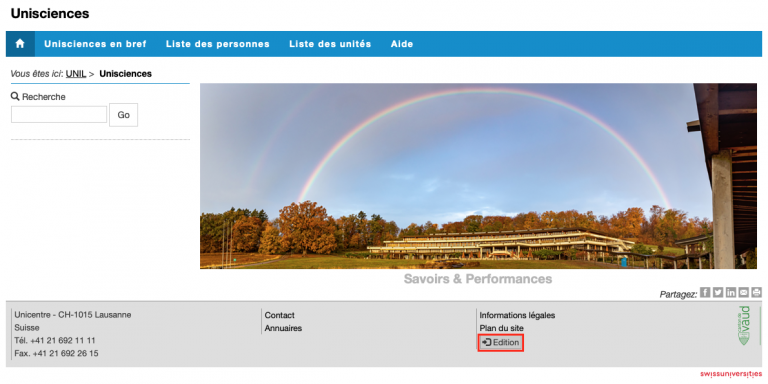
Créez votre profil ORCID (si vous ne l’avez pas encore) sur [https://orcid.org](https://orcid.org) et connectez-vous à [Unisciences.](https://applicationspub.unil.ch/interpub/noauth/php/Un/UnIndex.php?SY_CACHEMODE=1&LanCode=37)
[](https://wiki.unil.ch/recherche/uploads/images/gallery/2024-01/orcid1.png)
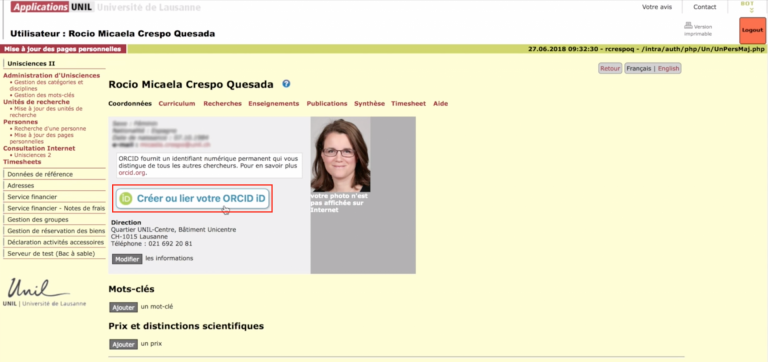
Appuyez sur le bouton « **Créer ou lier votre ORCID iD** »
[](https://wiki.unil.ch/recherche/uploads/images/gallery/2024-01/orcid2.png)
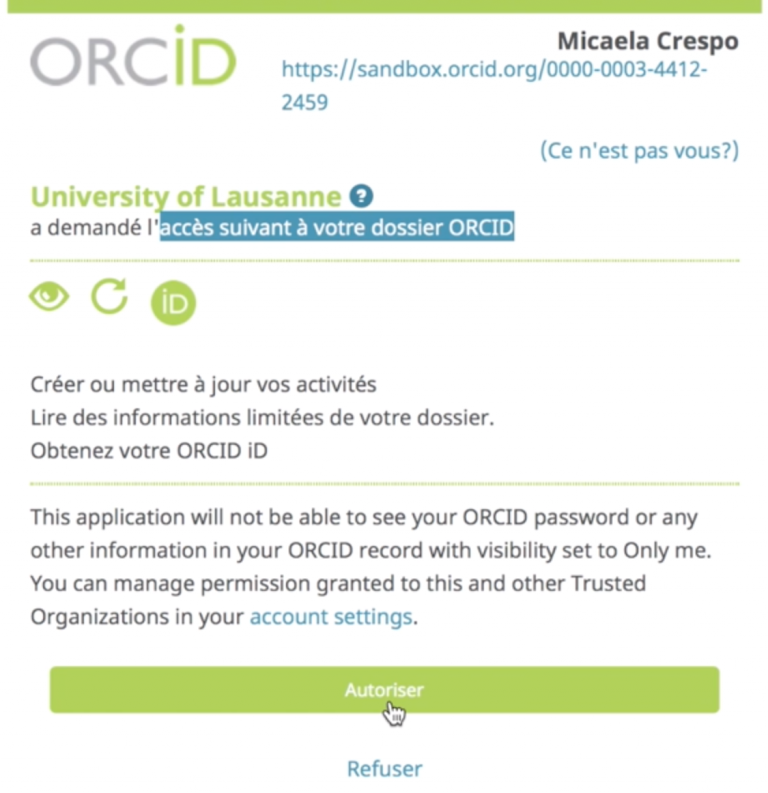
Autorisez à l’UNIL à accéder à votre profil ORCID.
**Si vous n’étiez pas connecté à ORCID, vous serez d’abord invité à vous authentifier dans ORCID.**
**[](https://wiki.unil.ch/recherche/uploads/images/gallery/2024-01/orcid3.png)**
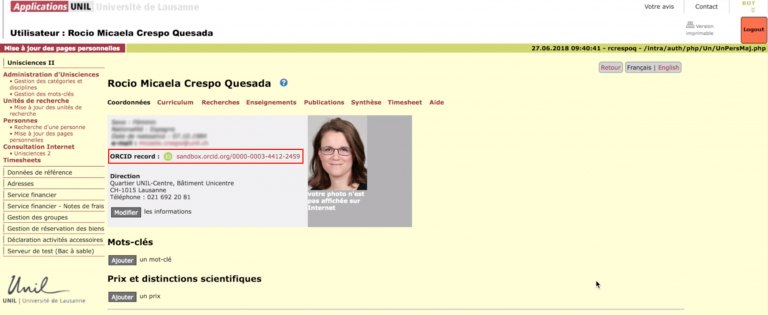
Votre profil ORCID et Unisciences sont désormais liés.
Vous pouvez **importer/exporter entre ORCID et SERVAL** ainsi que **profiter d’un système d’identification des auteurs amélioré dans SERVAL** (si vous publiez avec votre ORCID et que votre éditeur inclut ces données dans les métadonnées de l’article).
**[](https://wiki.unil.ch/recherche/uploads/images/gallery/2024-01/orcid4.png)**