*The voice in this video was generated by artificial intelligence.*
#### Access Your Workspace 1. Click on “My workspace.” 2. You will be redirected to the “Records I created” page, where you will find the record you saved as “Submission in progress.” [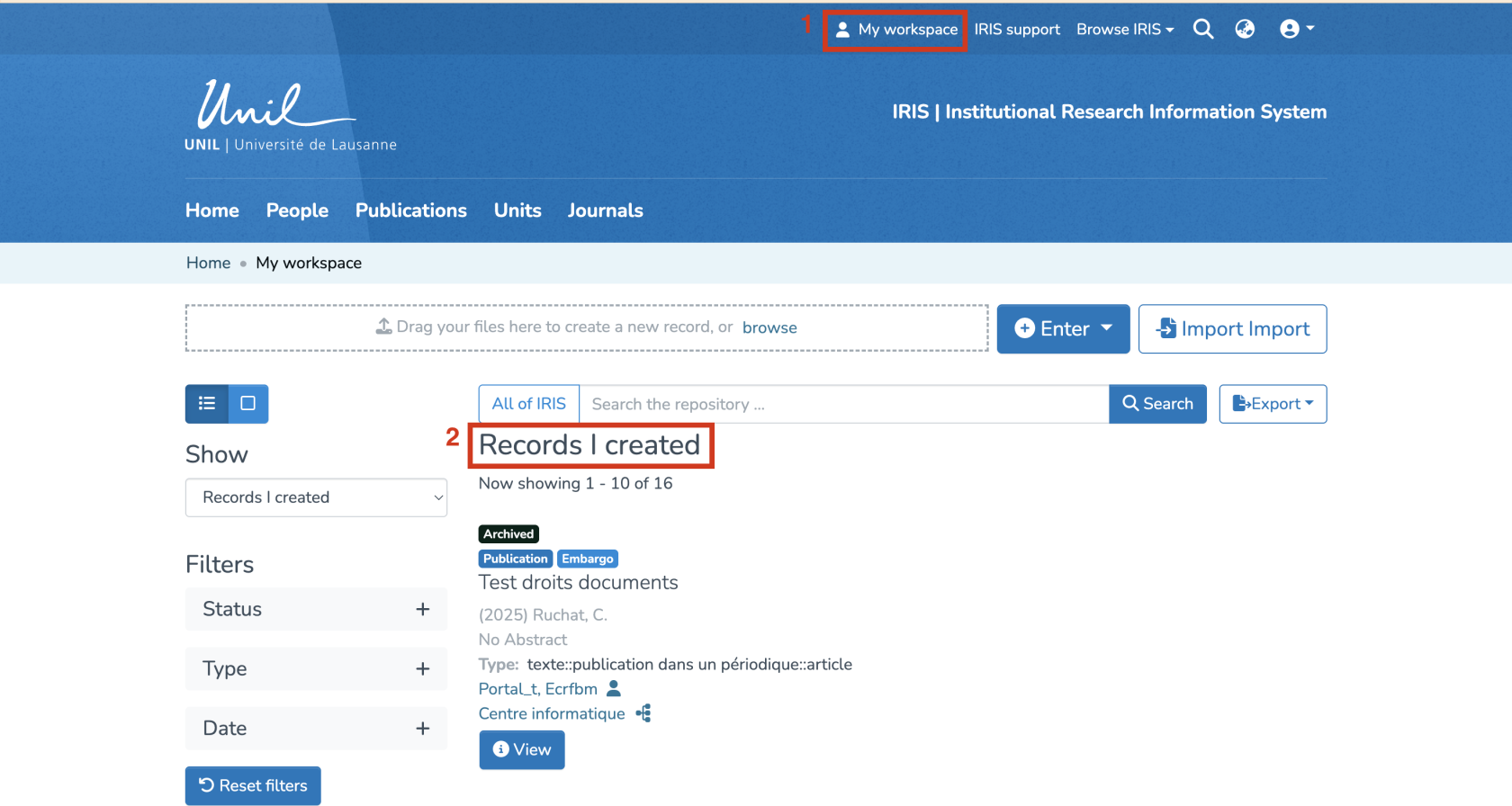](https://wiki.unil.ch/recherche/uploads/images/gallery/2025-09/9n4image.png) #### Delete the Record - Click on the red “Delete” button located beneath the relevant record. [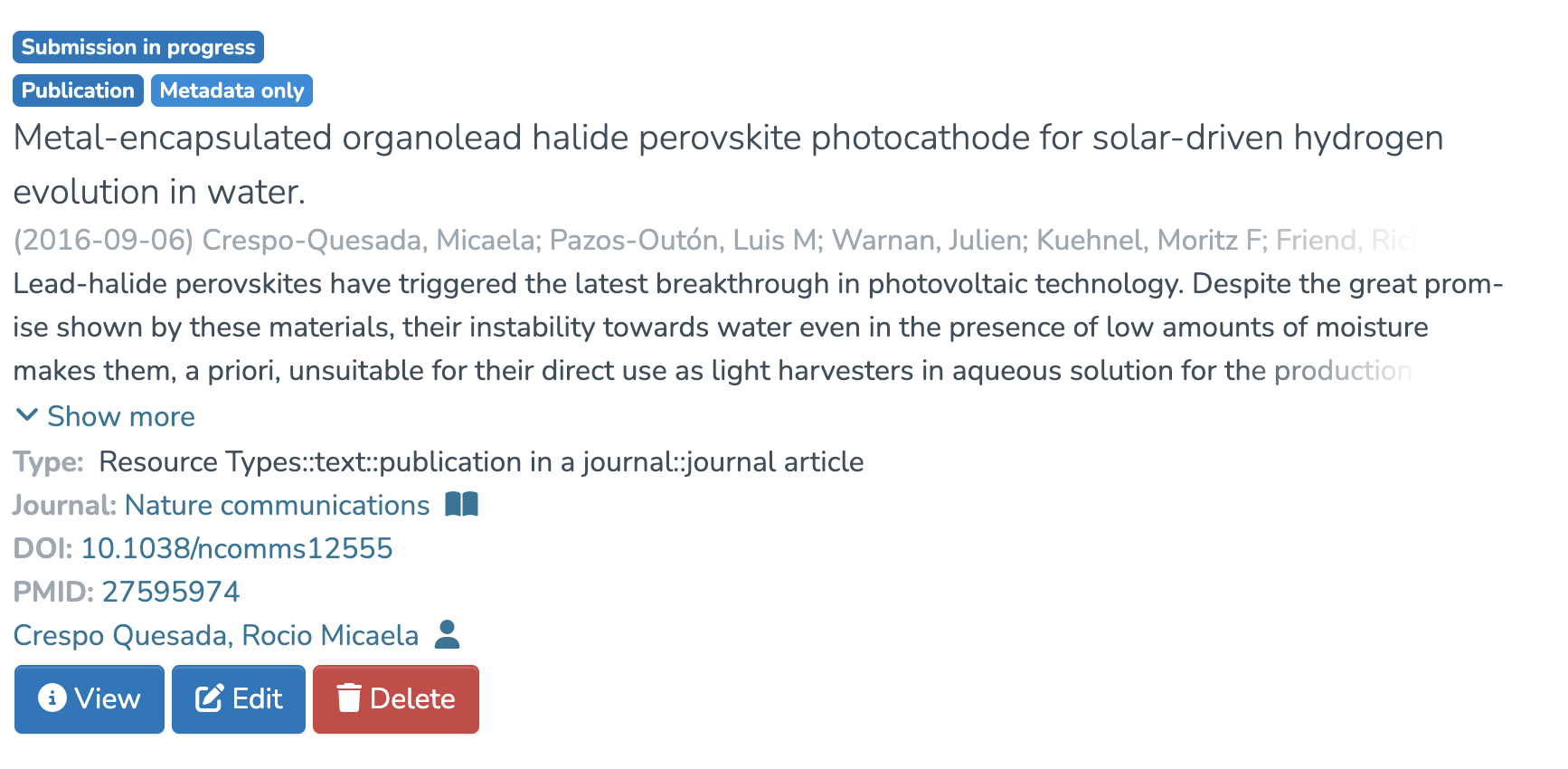](https://wiki.unil.ch/recherche/uploads/images/gallery/2025-09/qNZimage.png) #### Confirm Deletion - A warning message will appear: “This operation can't be undone. Are you sure?” If you are sure you want to delete the record, click “Yes, I’m sure.” [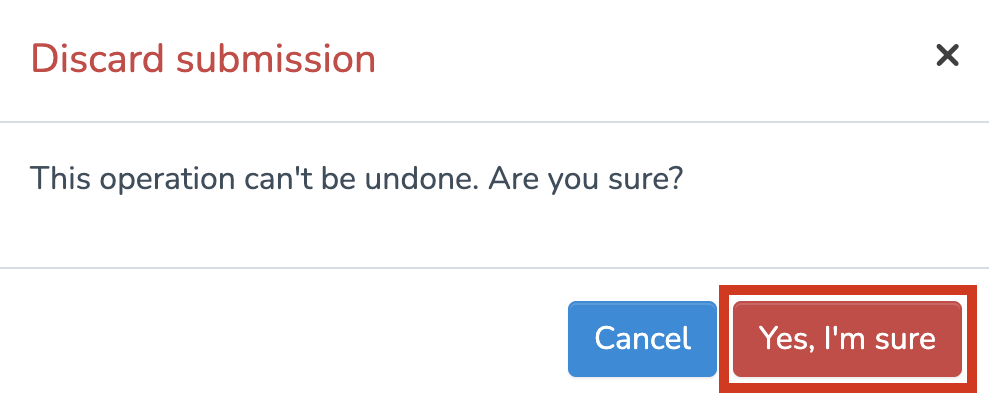](https://wiki.unil.ch/recherche/uploads/images/gallery/2025-07/6lHimage.png) #### Confirmation The record will then be permanently deleted and will no longer appear in your workspace.