*The voice in this video was generated by artificial intelligence.*
#### Access You can access your workspace directly from the main menu by clicking on **“My Workspace.”** [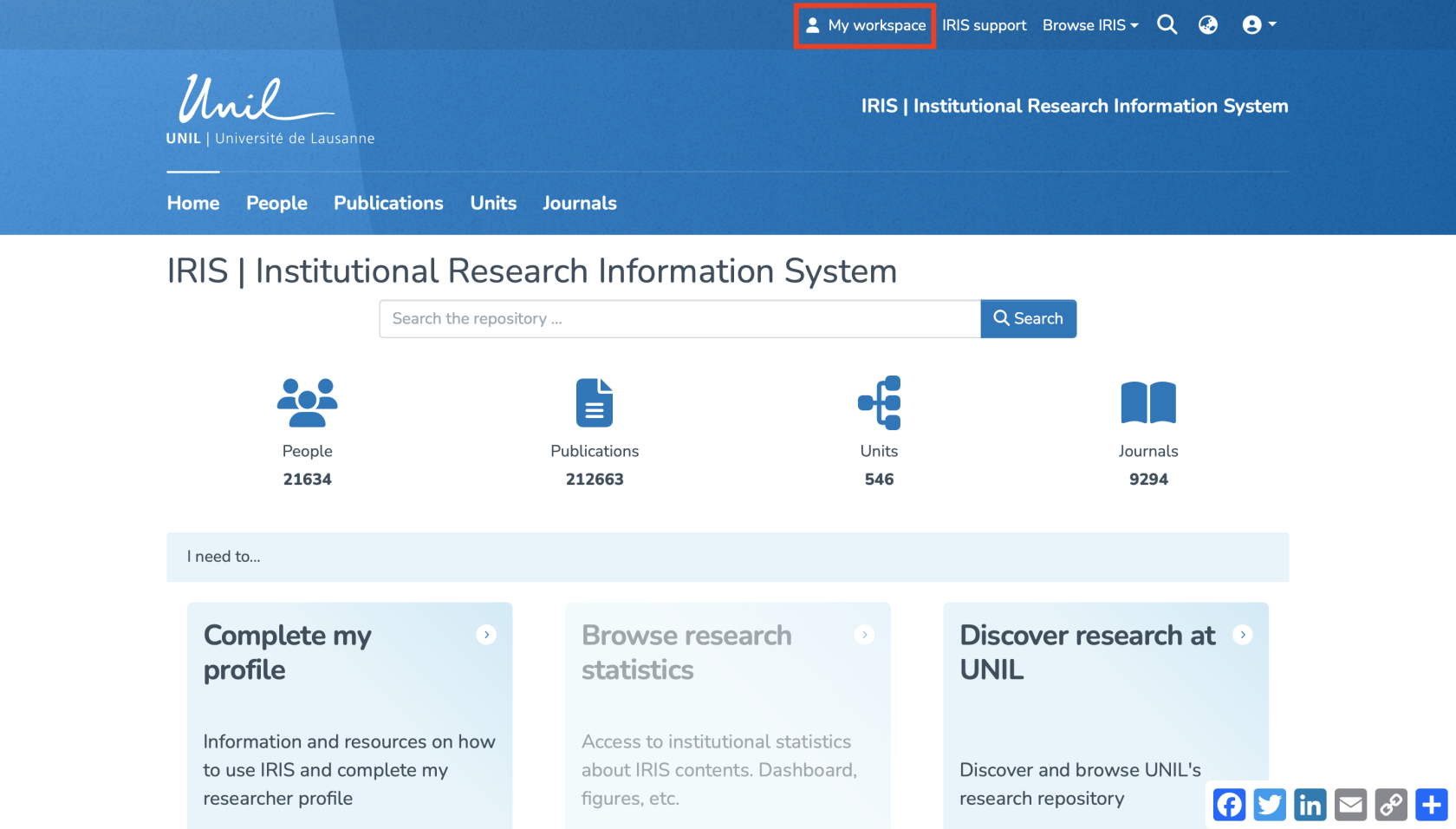](https://wiki.unil.ch/recherche/uploads/images/gallery/2025-08/bwPcapture-decran-2025-08-15-a-09-22-31.png) You can also access it by clicking (1) on your **profile icon**, then (2) on **“My Workspace.”** [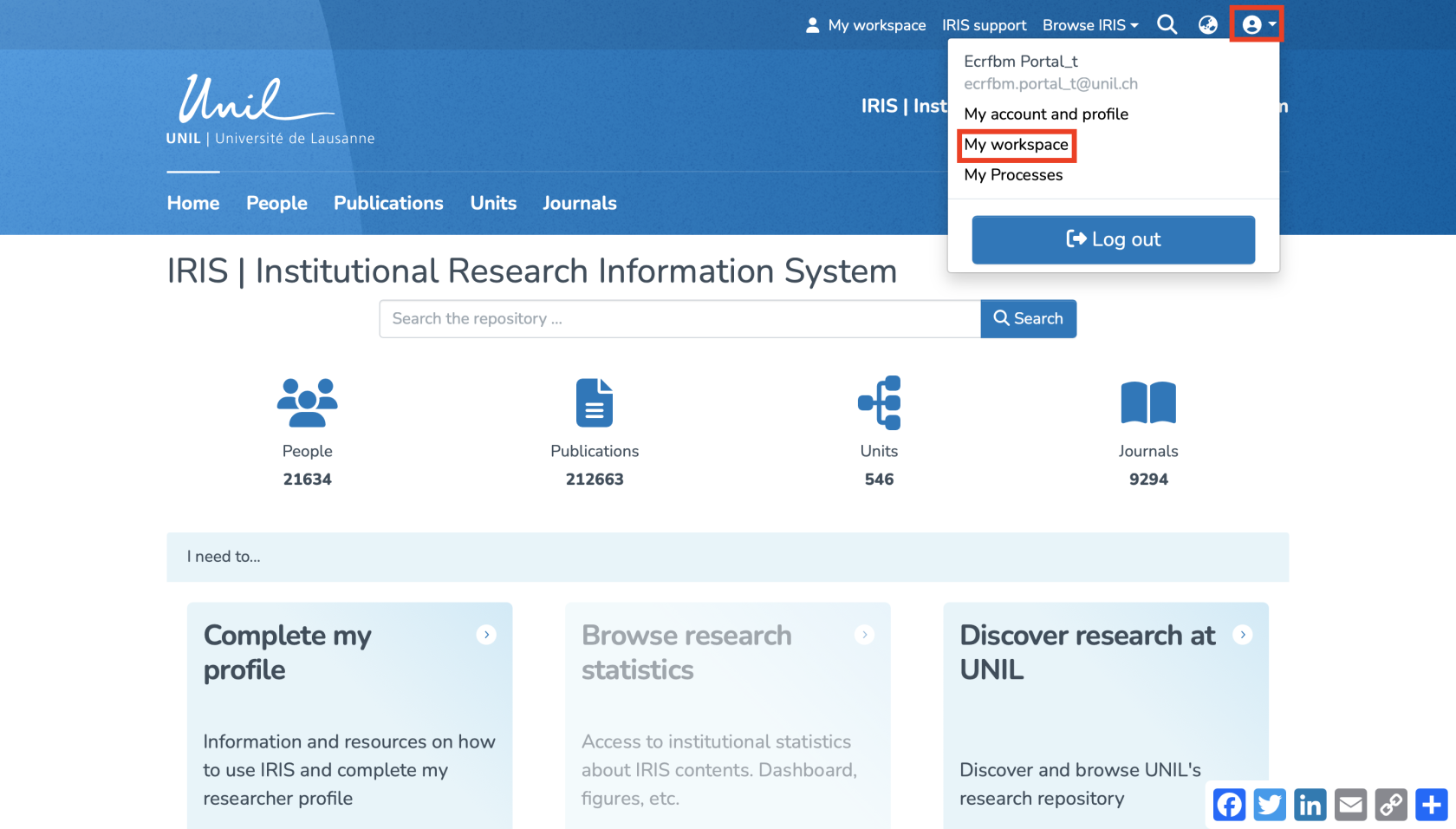](https://wiki.unil.ch/recherche/uploads/images/gallery/2025-08/H95capture-decran-2025-08-15-a-09-22-54.png) #### Overview The workspace is displayed as follows. From here, you can **create,** **import, visualize, modify** and **export** records. [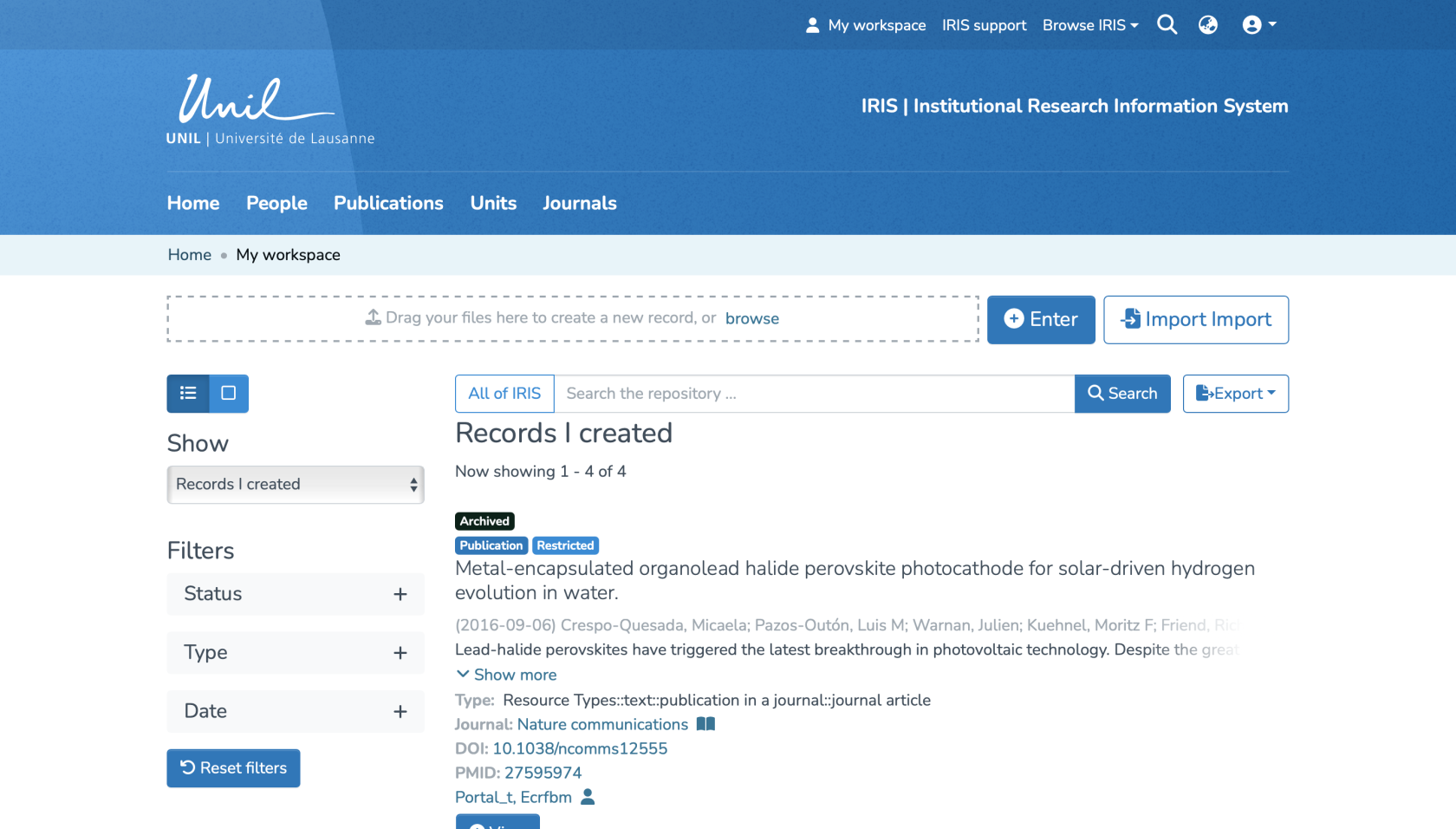](https://wiki.unil.ch/recherche/uploads/images/gallery/2025-08/capture-decran-2025-08-15-a-09-23-35.png) It is divided into three sections: **1. Records I created**: This view includes only the records you have entered yourself. You will find records at all stages (draft, in progress, archived), which you can edit, complete, or track. **2. Other linked records (submission in progress)**: This section displays only records currently in progress to which you are linked, but which you did **not** create yourself. Records that have already been archived do not appear here. **3. Records to validate**: If you are a validator, this section lists the records awaiting your review. You can take them in charge, edit them, approve them, or reject them, as needed. [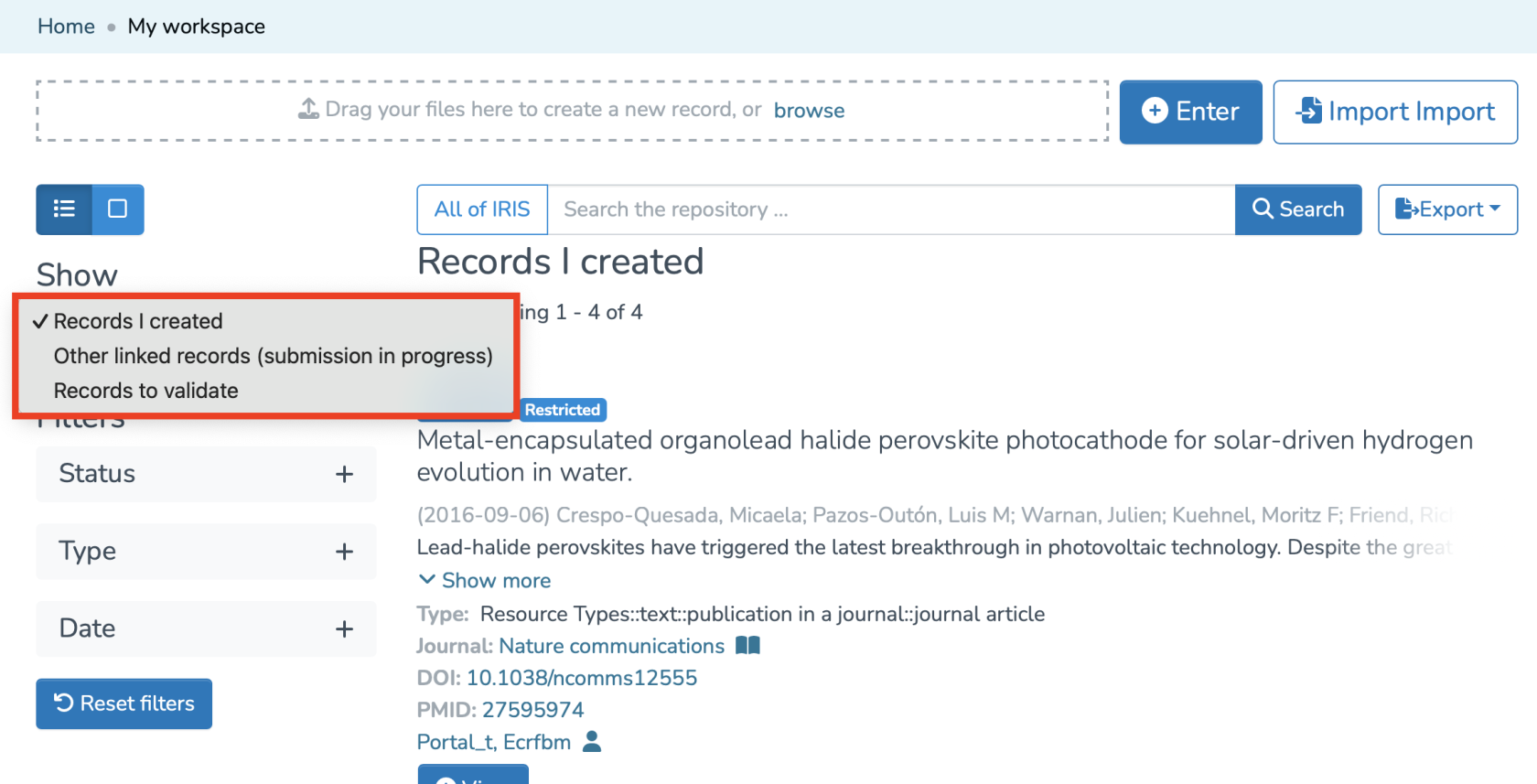](https://wiki.unil.ch/recherche/uploads/images/gallery/2025-08/capture-decran-2025-08-15-a-09-24-15.png) To display all records you are linked to that are in **archived** status, you need to access your **[researcher profile](https://wiki.unil.ch/recherche/books/user-guide/page/access-your-researcher-profile).**