
Access and print your certificate of registration and semester bills
Students can access and print their academic credentials from the “My Profile” application in the user menu.
Access to user profile

- Click on the user menu choose the submenu “My administrative data”
Administrative data and attestations
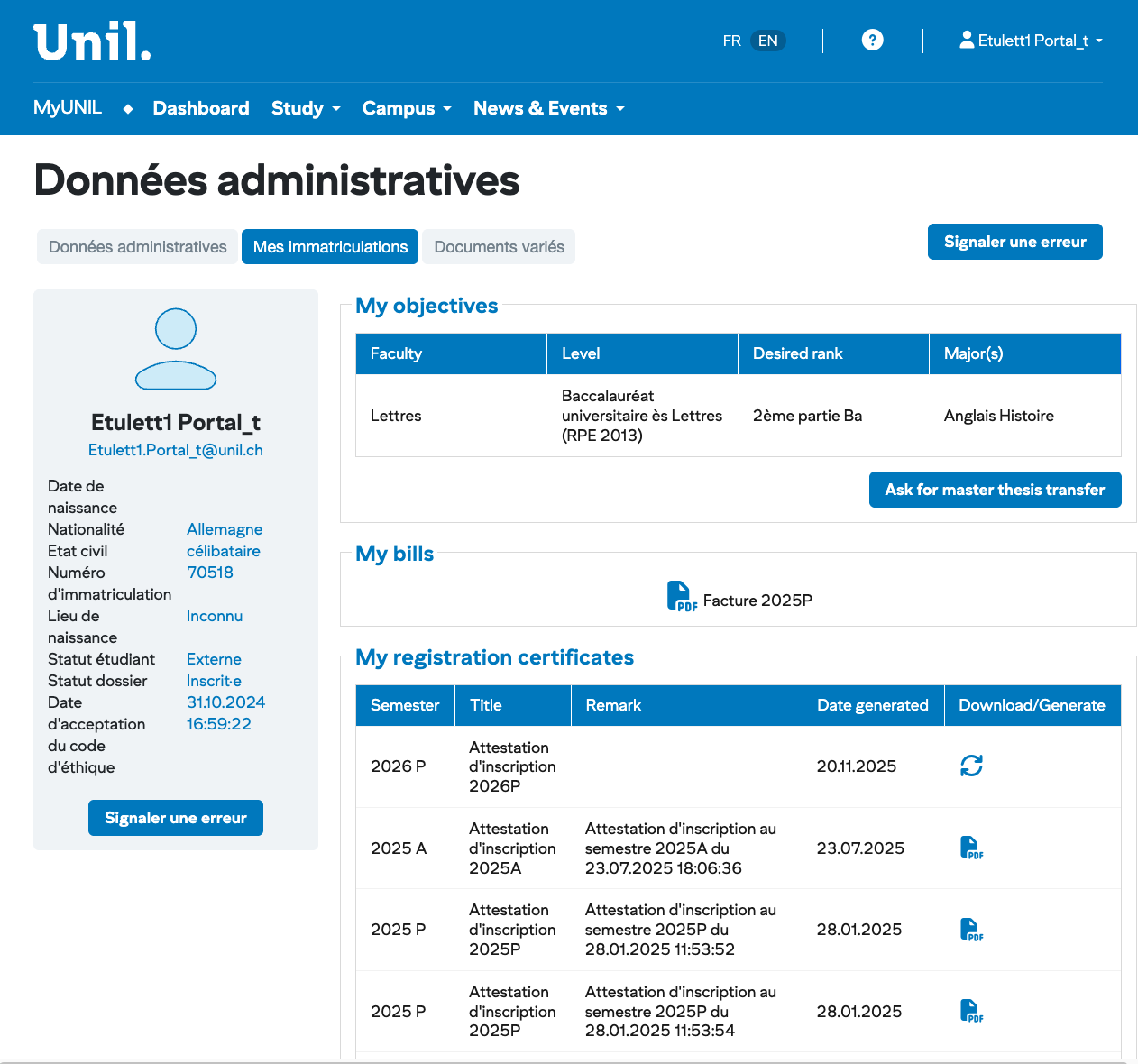
The administrative data of the user are displayed on this page. For students, their registrations, as well as their registration certificates for the various semesters are also listed.
- PDF of the certificate of the current semester
- Access to the objectives and the list of all registration certificates
If the registration certificate of the current semester is not present at the left panel, you can generate it at anytime from the list of all registration certificates.
Registrations and list of all certificates
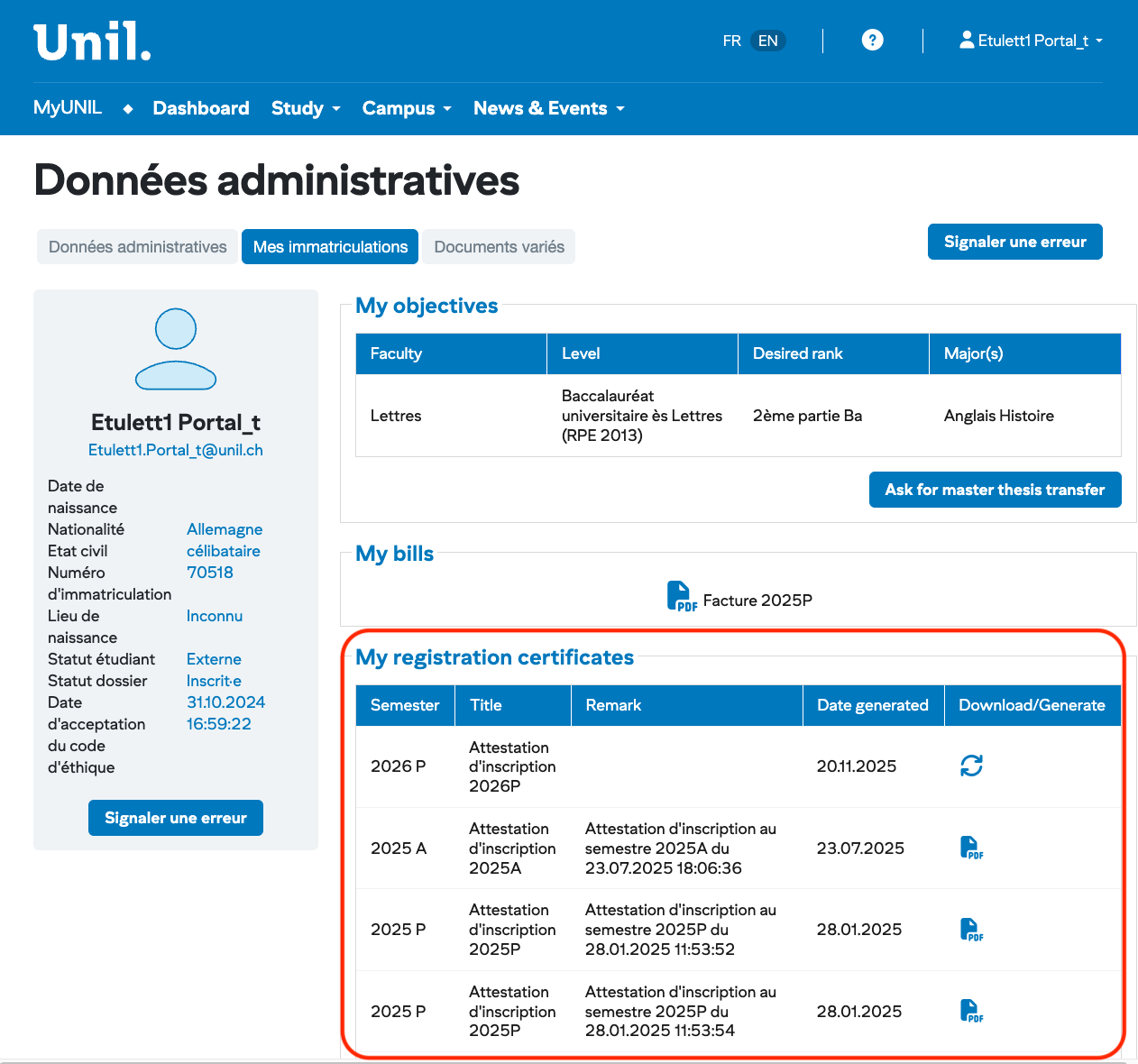
- PDF of the certificate of the current semester
- List of all registration certificates with download and/or generation
As all registration certificates of all semesters are listed here, yon can generate them again after some changes about cursus, postal address…
If the certificate of the current semester is not present at the left panel, you can generate it at anytime from the list of all registration certificates.
ListAccess ofyour bills invoices
The students have to download their invoices for the tution fees directly from their "MyUNIL" profile.
- After logging into your profile, click on the avatar or profile picture and select the "My Administrative Data" submenu
- To access your registration fee, click on 'My Registrations'. The invoices for registration fees will be available under the 'My bills' section, directly under 'My Objectives'.
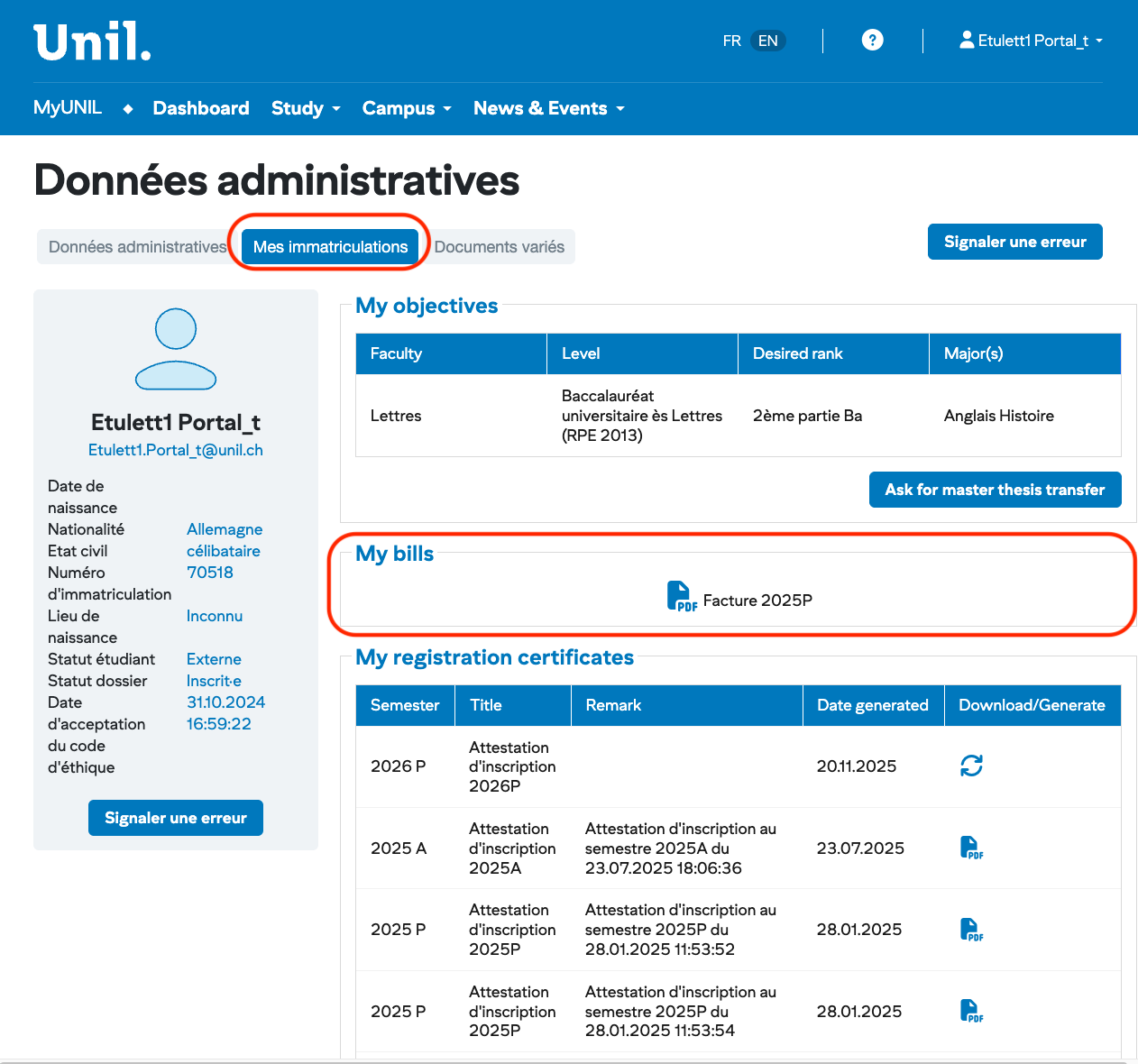
All registration bills of all semesters are listed here.