
External users: request an UNIL IT account (neither student nor employee)
Description
A UNIL IT account is not automatically created for collaborators external to UNIL (i.e., people who are not enrolled in a study program or employed by UNIL). The procedure below explains how external users can obtain a UNIL IT account.
Procedure
Step 1 - Creating an edu-ID account
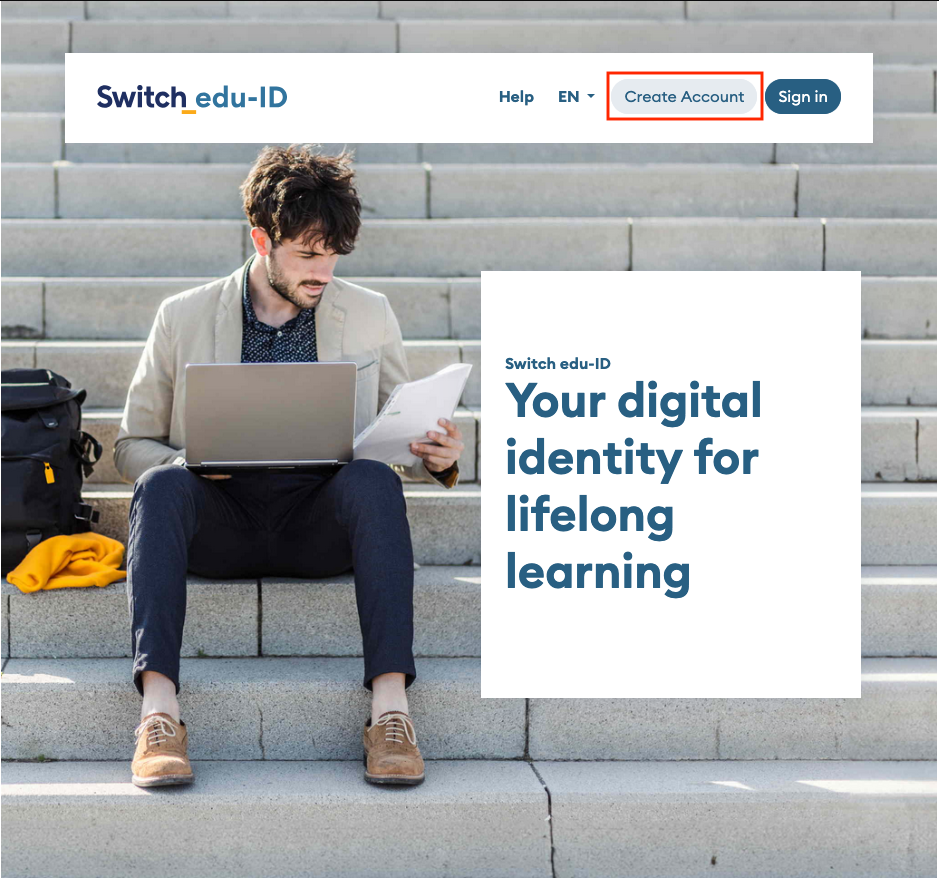
- Go to https://eduid.ch/, select Create account.
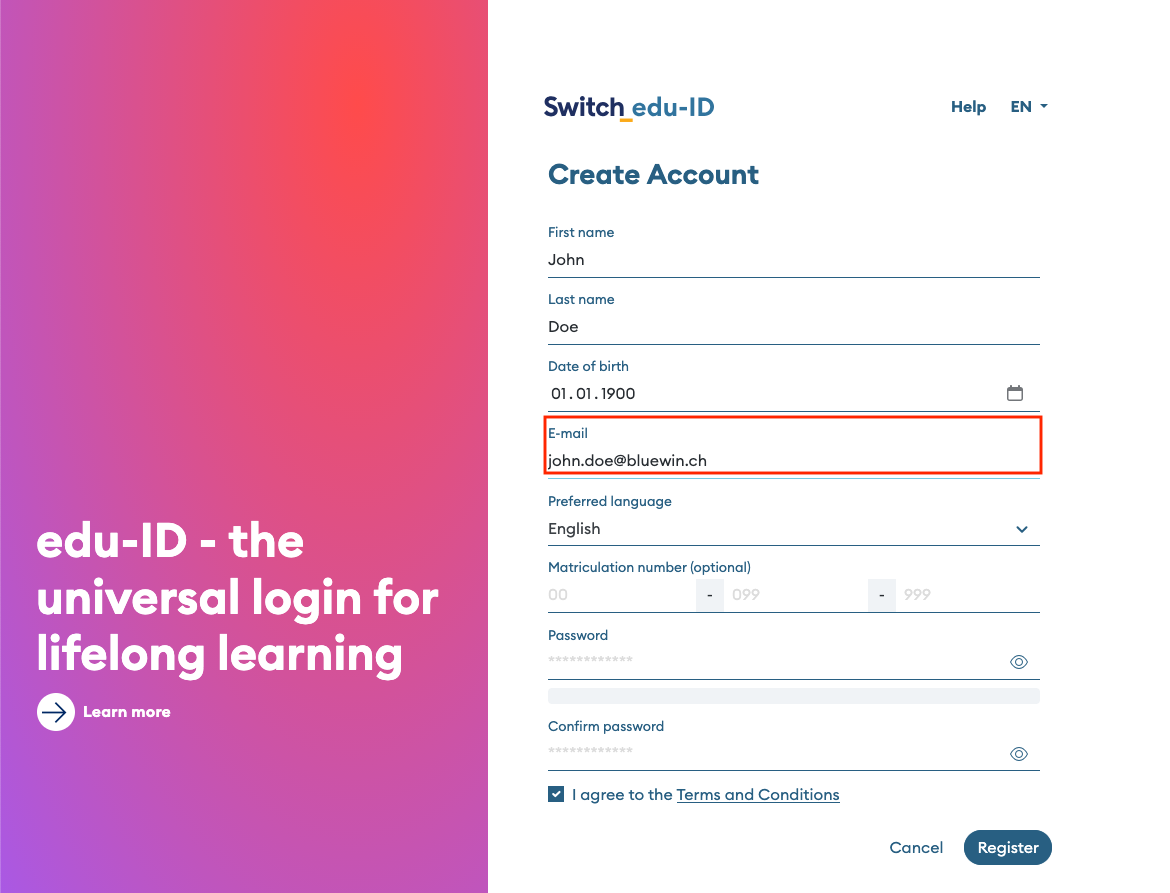
- Create an account using a private e-mail address (e.g. @gmail.com; @bluewin.ch, etc.) and follow Switch's instructions to verify it.
Step 2 - Request a UNIL IT account
- Go to the UNIL IT account creation request form and log in with your edu-ID account (if you do not have an edu-ID account yet, please follow the procedure described on this page in step 1).
- The form will display your edu-ID information (last name, first name, the private e-mail address you provided – instructions for activating your UNIL account will be sent to this e-mail address) and will link you to the user group “External users of the Faculty of Biology and Medicine (FBM) or CHUV.”
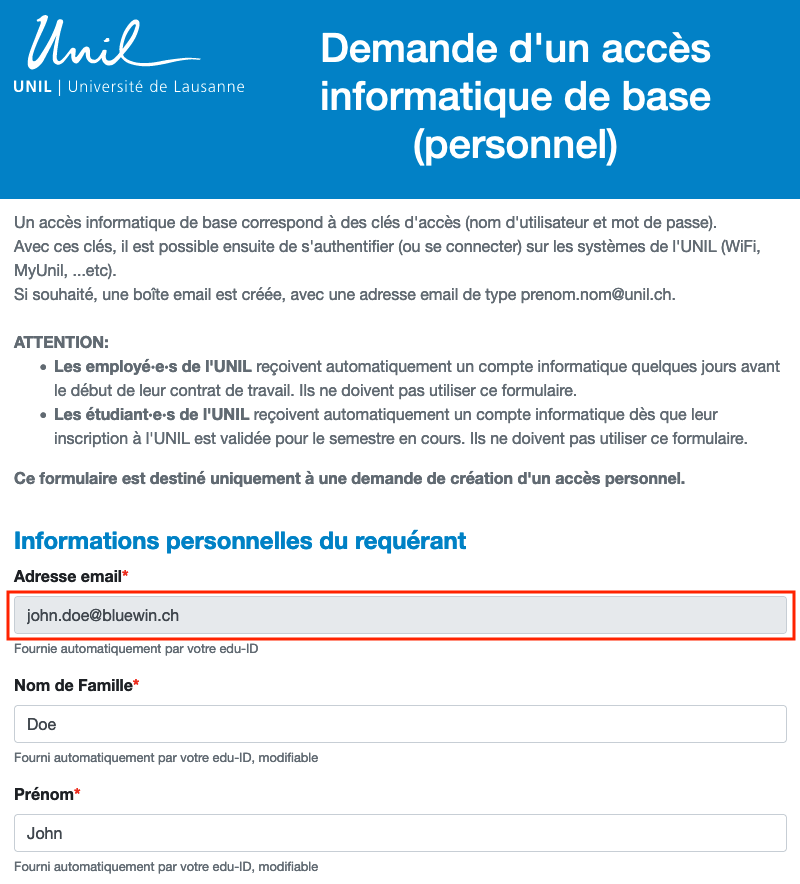
- Fill out the UNIL account application form and pay close attention to the following points:
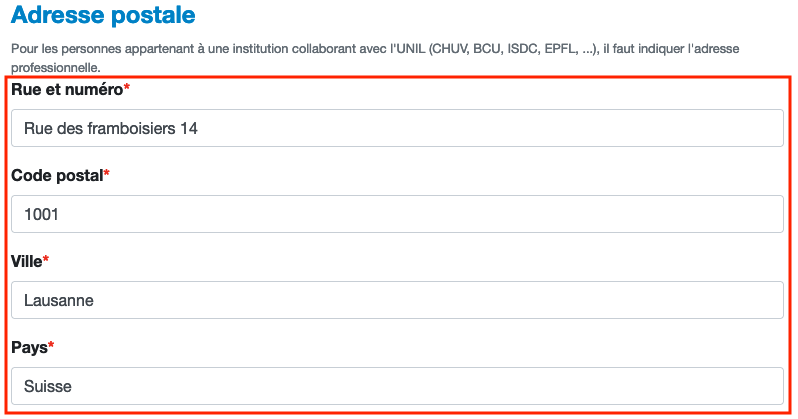
- "Adresse postale": enter your private postal address.
-
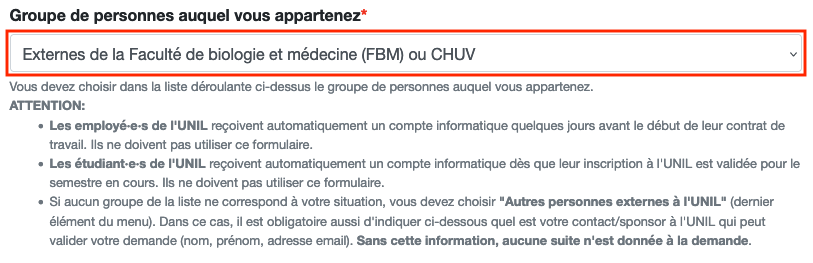
- "Groupe de personnes auquel vous appartenez": make sure you select External to the Faculty of Biology and Medicine (FBM) or CHUV
-
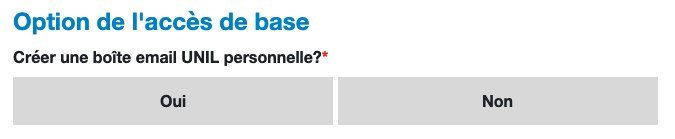
- "Créer une boite email UNIL personnelle?": select No if all you need is a username and a password.
If you are filling out the form to obtain an @unil.ch e-mail address, select Yes.
- "Créer une boite email UNIL personnelle?": select No if all you need is a username and a password.
-
- "Date de fin de la collaboration": indicate for how long you will need UNIL access (maximum 18 months).

-
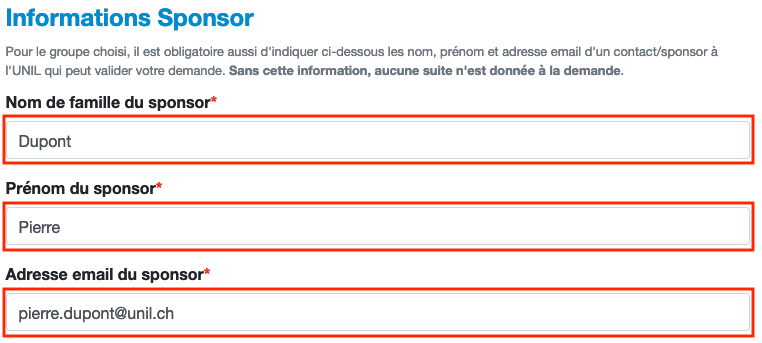
- "Informations Sponsor": provide the contact details of the person at UNIL who hired you and who will supervise you during this collaboration. Without this information, your request will not be processed.
-
- "Justification/explication": explain the purpose of your collaboration and the reason why you need to access UNIL systems or applications.

- Instructions for activating your UNIL IT account online will be sent to you by e-mail to the address displayed in the e-mail address section under Informations personnelles du requérant.
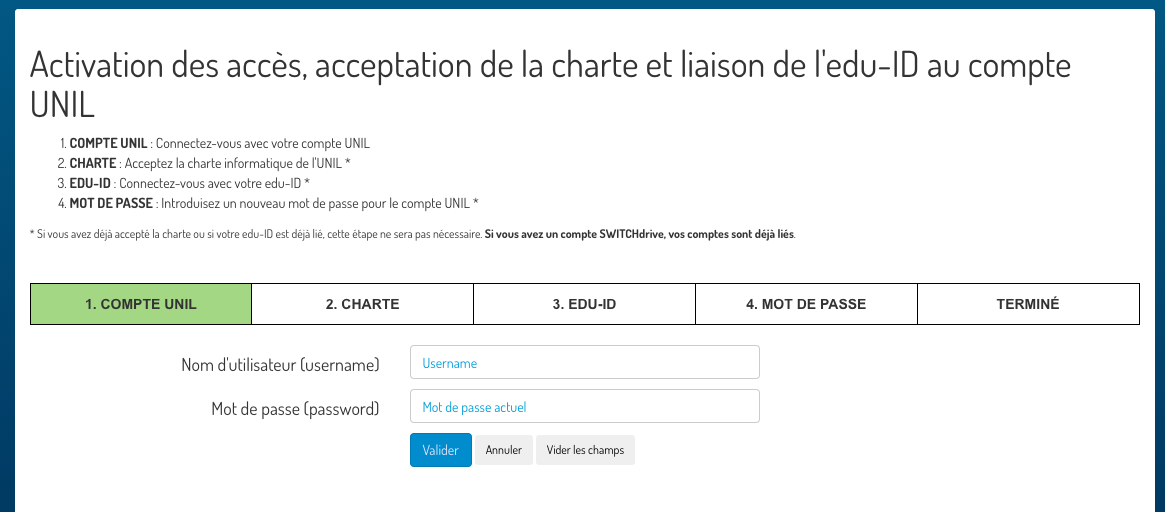
A UNIL account for external users is valid for a maximum period of 18 months. One month before it is automatically blocked, you will receive instructions by e-mail on how to renew it.