
CHUV users: request a UNIL IT account to access UNIL services (PyRAT, NAS server, etc.)
Description
This article is intended for CHUV employees involved in scientific activities at the FBM and describes the procedure to obtain a UNIL IT account in order to access UNIL services (e.g., PyRAT, NAS server, etc.).
If you already have an edu-ID account, please follow the procedure from step 2 onwards.
Procedure
Step 1 - Creating an edu-ID account
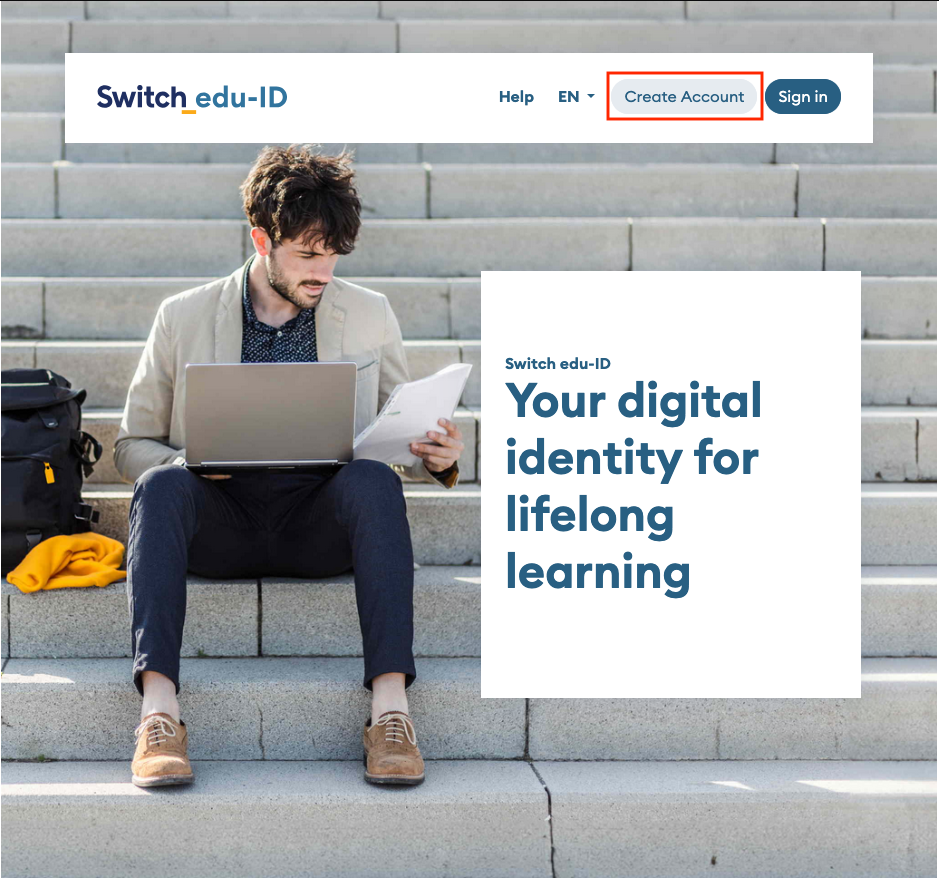
- Go to https://eduid.ch/, select Create account.
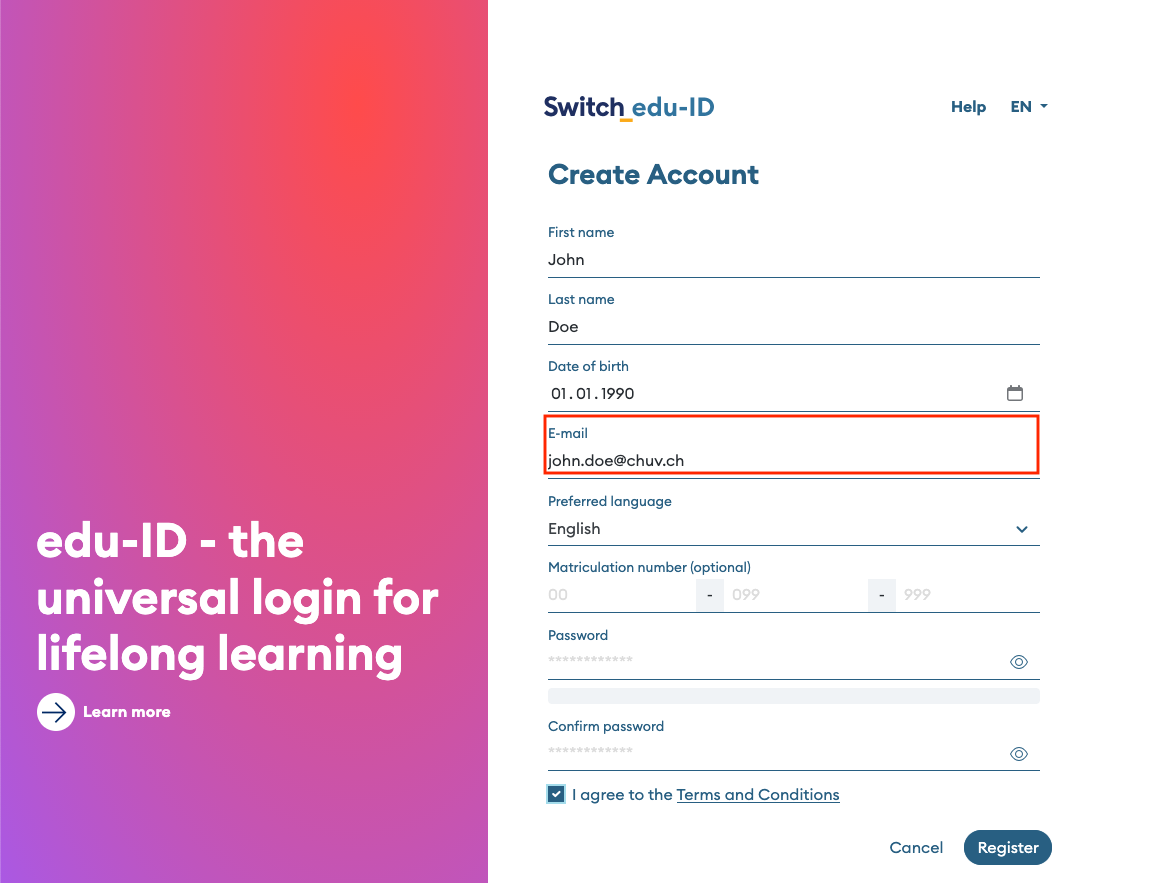
- Create an account using a private e-mail address or your @chuv.ch email address and follow Switch's instructions to verify it.
Step 2 - Request a UNIL IT account
- Go to the UNIL IT account creation request form and log in with your edu-ID account (if you do not have an edu-ID account yet, please follow the procedure described on this page in step 1).
- The form will display your edu-ID information (last name, first name, the private or @chuv.ch e-mail address that you provided – the instructions for activating your UNIL account will be sent to this e-mail address) and will link you to the user group “CHUV – employee with scientific activities at UNIL”.
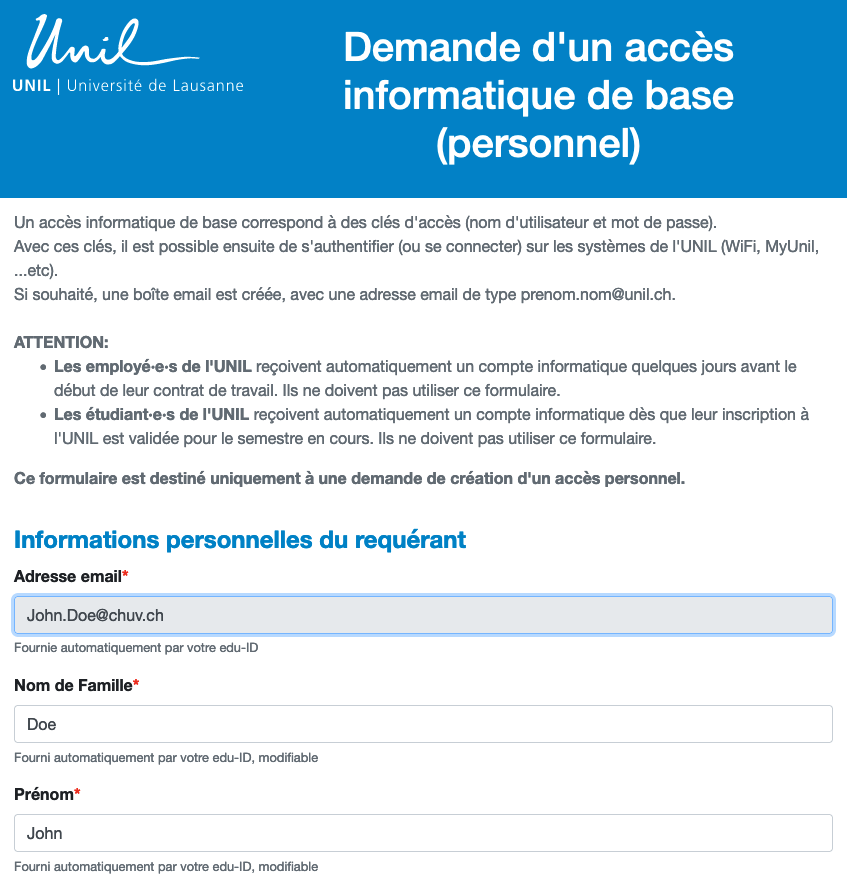
- Fill out the UNIL account application form and pay close attention to the following points:
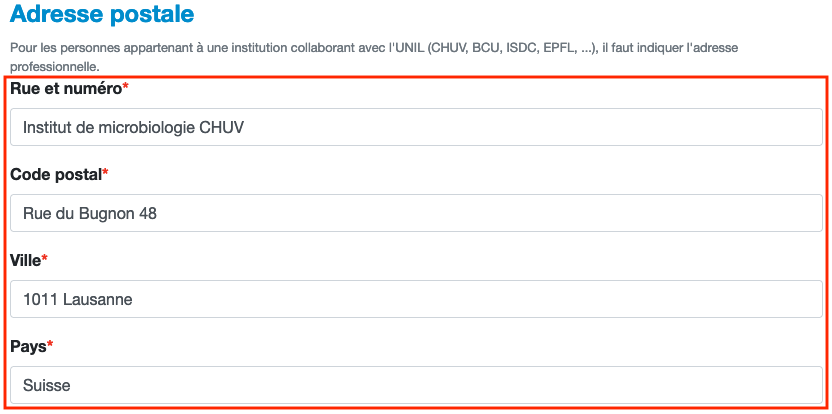
- "Adresse postale": enter your professional CHUV postal address.
Your UNIL digital identity will be linked to this physical address in UNIL systems.
- "Adresse postale": enter your professional CHUV postal address.
-
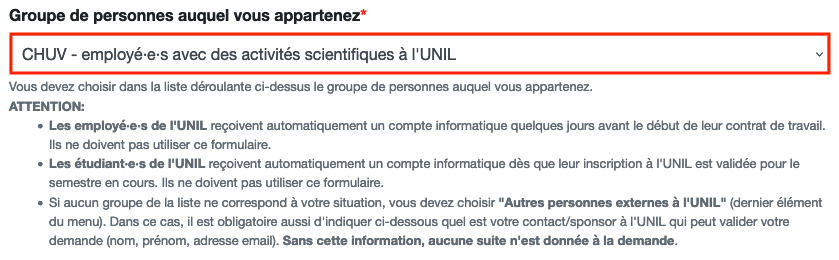
- "Groupe de personnes auquel vous appartenez": make sure you select CHUV - employee with scientific activities at UNIL.
- "Groupe de personnes auquel vous appartenez": make sure you select CHUV - employee with scientific activities at UNIL.
-
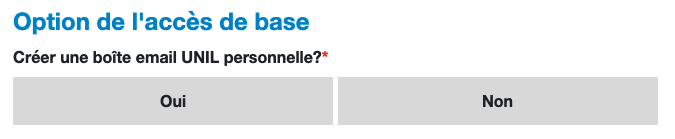
- "Créer une boite email UNIL personnelle?": select No if all you need is a username and a password.
If you are filling out the form to obtain an @unil.ch e-mail address, select Yes.
- "Créer une boite email UNIL personnelle?": select No if all you need is a username and a password.
-
- "Date de fin de la collaboration": indicate the date on which your collaboration with UNIL ends

-
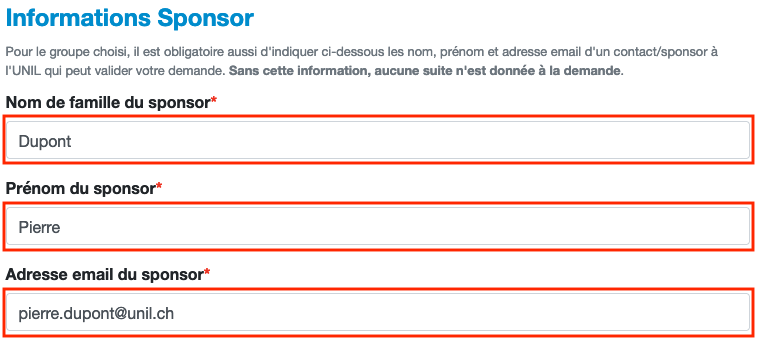
- "Informations Sponsor": provide the contact details of the person at UNIL who hired you and who will supervise you during this collaboration. Without this information, your request will not be processed.
-
- "Justification/explication": explain why you need a UNIL IT account (e.g., access to PyRAT, access to UNIL's NAS storage service, etc.) and put the name of your supervisor and the name of your CHUV laboratory.

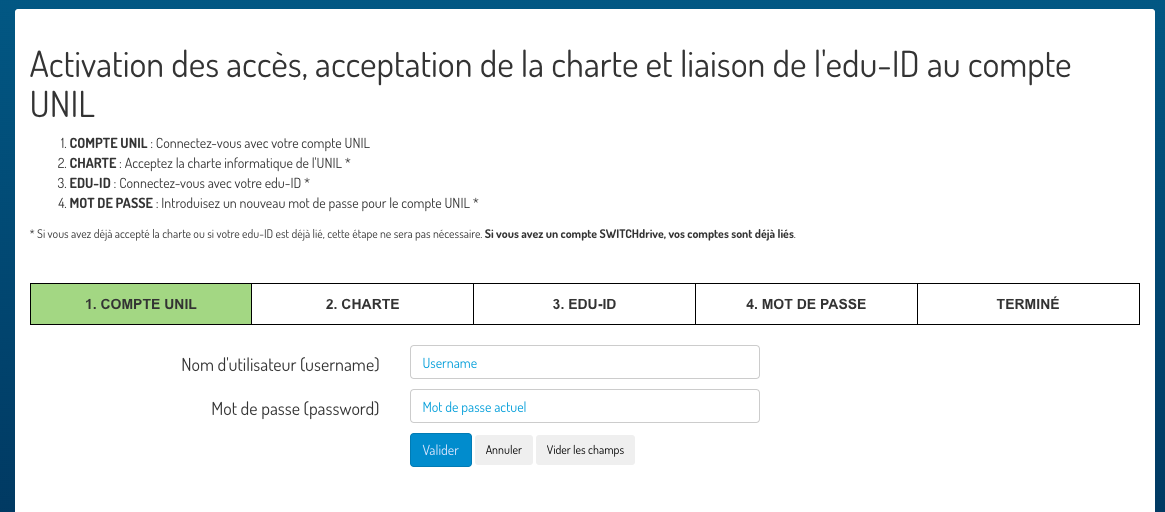
- Instructions for activating your UNIL IT account online will be sent by e-mail to the address displayed in the e-mail address section under "Informations personnelles du requérant".
- Once your UNIL IT account has been validated, notify your UNIL supervisor who can then ask the FBM support to grant you the necessary access to UNIL services (e.g., PyRAT, NAS server, etc.) .
The UNIL IT account for CHUV employees must be revalidated periodically. One month before it is automatically blocked, you will receive instructions on how to renew it by e-mail at your @unil.ch and private or @chuv.ch e-mail addresses.