
How can I have access to a shared calendar ("shared mailbox")?
Produits concernésProducts
Name |
|
System |
Windows / Mac |
| Application |
Outlook / Outlook Online |
Description
SurUpon demande,request, unea shared mailboxcalendar peut(part êtreof misea àshared dispositionmailbox) descan groupesbe etmade unitésavailable deto travailgroups quiand sontunits àthat laare recherchelooking d'unefor solutiona institutionnellegeneric pourcalendar disposernot d'unlinked calendrierto partagéa non relié à un comptepersonal UNIL individuelIT account. LesShared calendrierscalendar partagéscan peuventthen enbe suitedisplayed être affichés dansin Outlook (Windows, MacMac, ouor Web)Online) etand gérésmanaged àusing l'aideexisting deauthorization groupegroups.
Procedure
Request existants.the creation of a generic calendar (part of a “shared mailbox”)
To request the creation of a shared calendar, please contact FBM IT support, specifying the desired name for the calendar and the people who need access to it. Please note that the shared calendar will be linked to an inbox on which an automatic reply indicating that it is not being checked can be configured.
MarcheHow àto suivre
access Demandera la création d'un calendrier boite e-mail générique de type "shared mailbox"
Pour disposer d'un calendrier partagé, veuillez vous adresser au support informatique FBM en précisant le nom souhaité pour le calendrier et les personnes qui doivent y accéder. Veuillez prendre note que le calendrier partagé sera lié à une boite de réception sur laquelle un répondeur automatique indiquant qu'elle n'est pas relevée pourra être configuré.
Accéder à un calendrier partagécalendar
Outlook (Windows / Mac)
OuvrirOpen Outlooketandallergodanstol'onglettheCalendrierCalendar.tab.
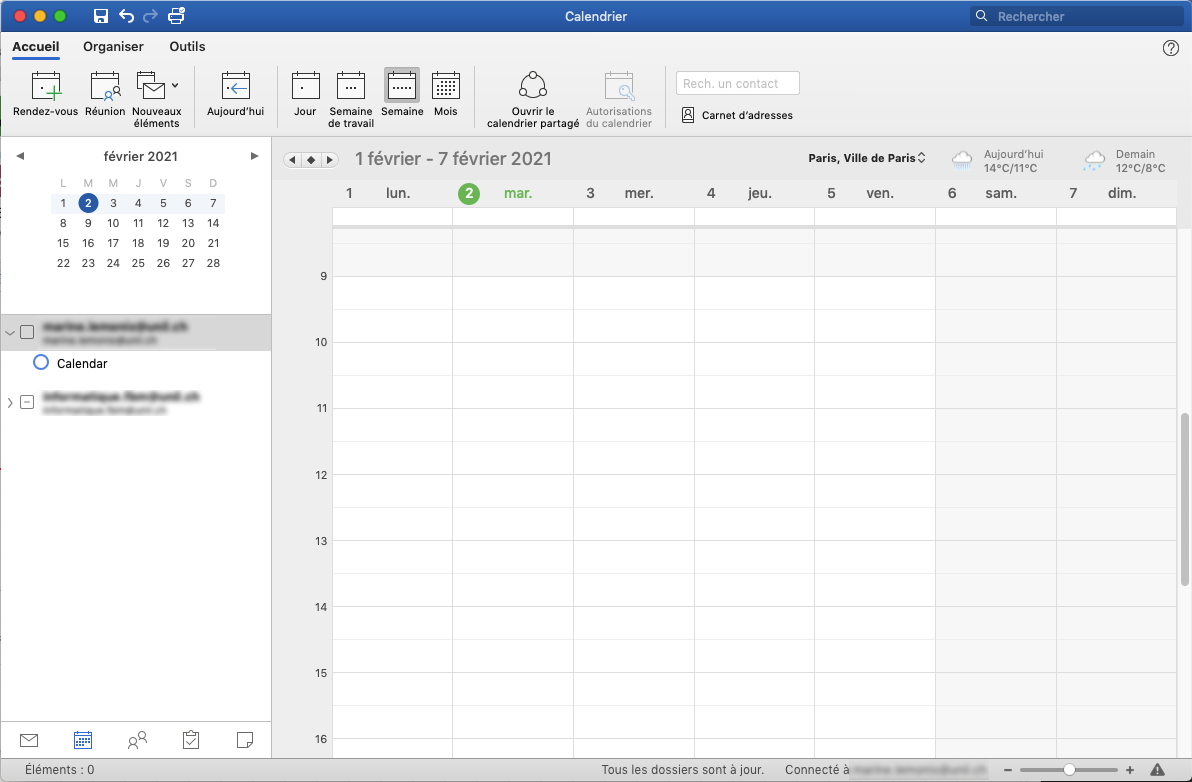
ChoisirClickl'optiononOuvrirOpenleacalendriersharedpartagécalendardansinlethebandeau.ribbon.

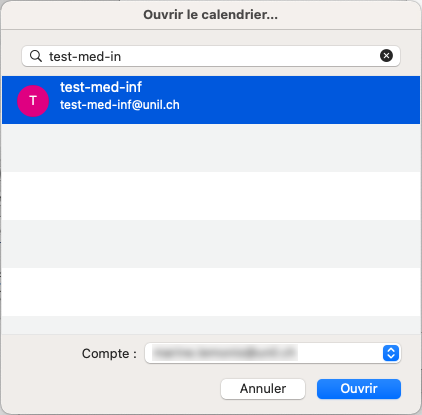
DansInlathefenêtrenewquiwindow,s'ouvre,searchchercherforlethenomcalendardunamecalendrierandetclickcliquer suronOuvrirOpen.
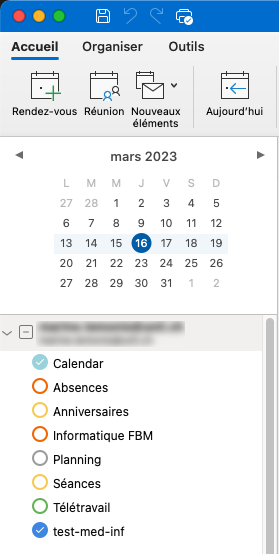
LeThecalendriershareds'affichecalendarenissuitedisplayeddansinlathelistelistdeofvosyourcalendriers.calendars.
Outlook Online
SeLogconnecter surin outlook.office.comavecwithsesyouridentifiantsUNILUNIL,credentials,allergodanstol'onglettheCalendrierCalendarettabcliquerandsurclick onAjouterAddun calendriercalendar.
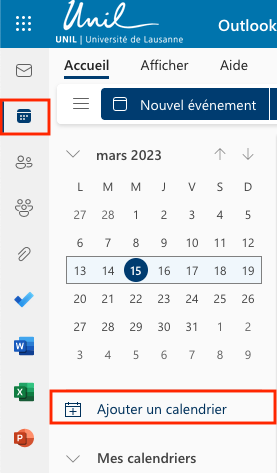
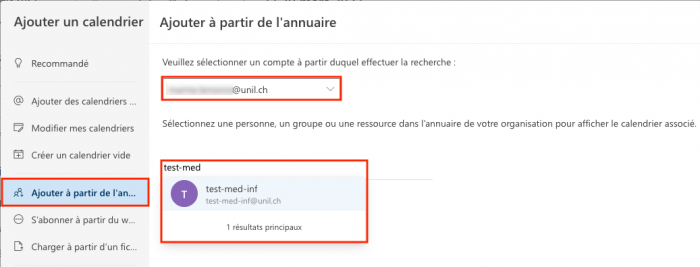
CliquerClicksuronAjouterAdd.
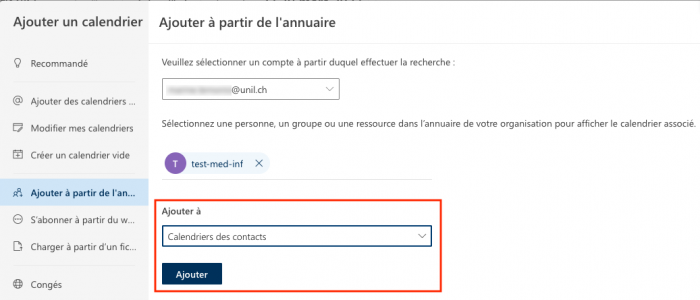
LeThecalendriershareds'affichecalendarenissuitedisplayeddansinlathelistelistdeofvosyourcalendriers.calendars.
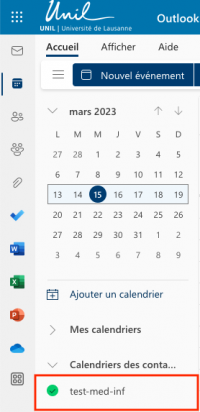
RéférencesReferences
Documentation : Afficher un calendrier partagé (Wiki du Ci)