Restore a previous version of a file on the NAS
Products
| Name | Version |
|
| System | Windows |
|
| Application |
NAS |
Description
To recover a previous version of a file that has been recently modified or deleted on the NAS (up to approximately one week ago), simply follow the steps below.
Procedure
Windows
-
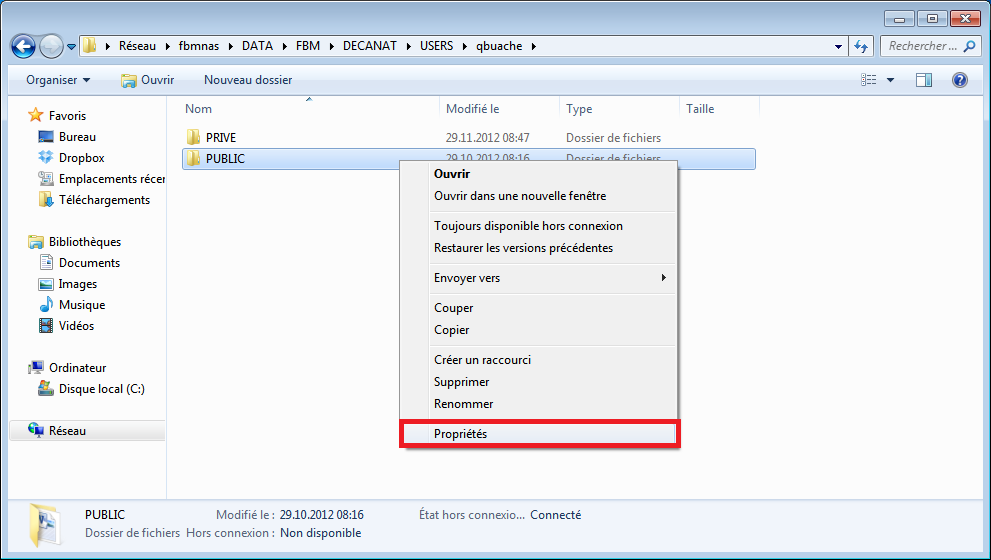
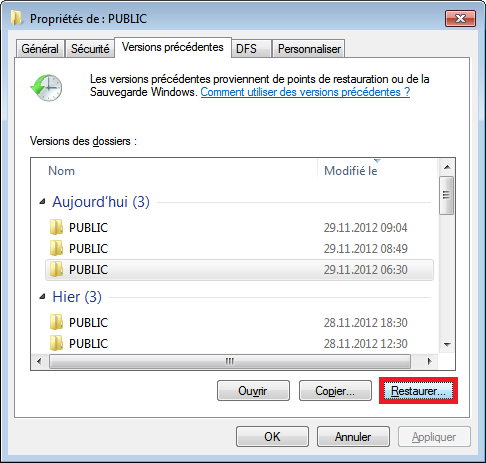
Right-click on the folder containing the files you want to restore, then select "Properties".
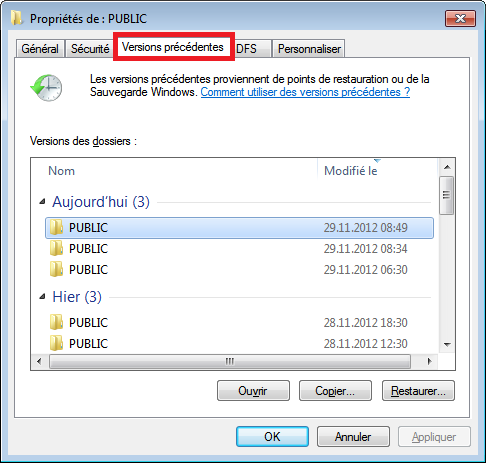
Choose one of the following two options to restore the file:
- Double-click on one of the versions listed, which will open a new window as shown below, so that you can manually retrieve the modified (or lost) files by copying and pasting them or dragging and dropping them into the desired folder.
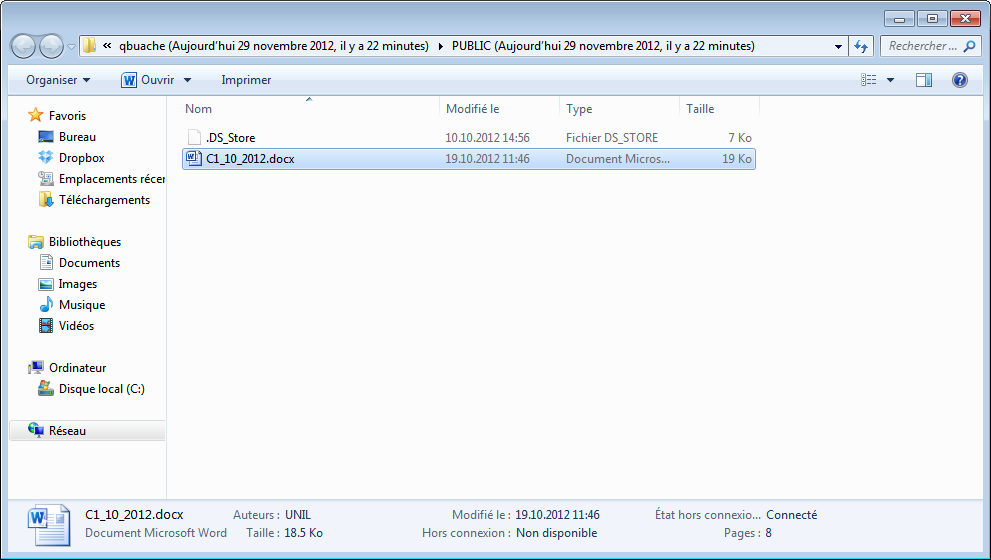
- Use the "Restore…2 button to restore the selected version
This operation will restore all files in the directory to their state as at the backup date. If any files have been modified since the backup date, those changes will be lost. Please note that files created after the backup date are not affected by the restore.
OSX
-
Download File Explorer (the free version is sufficient) from the App Store
-
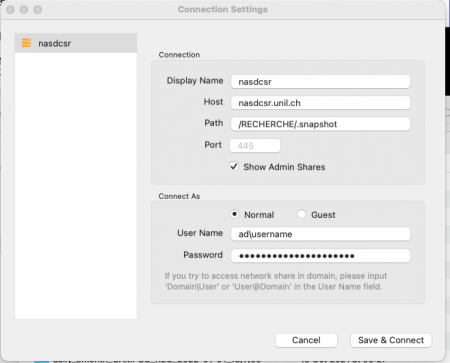
Configure the connection as follows: