
ORCID – SNSF Portal Integration
ORCID provides a reliable way to link your research outputs to your profile through a unique identifier associated with you as a researcher.
Linking your ORCID account with IRIS allows you to easily connect and synchronize your research activities between the two systems.
This integration facilitates the import and export of your publications, projects, and funding information, while ensuring the consistency and reliability of your data.
It also increases the visibility of your work, simplifies the management of your research outputs, and helps ensure compliance with funding body requirements, thereby strengthening your impact within the scientific community.
It is also possible to link your ORCID account to the SNSF portal. This connection is particularly important, as it allows you to import your references from ORCID into your SNSF profile and is required for the submission of a proposal.
Linking ORCID to the SNSF Portal (portal.snf.ch)
If the connection was not established when creating your SNSF account, you can configure it at any time from your profile.
To do so:
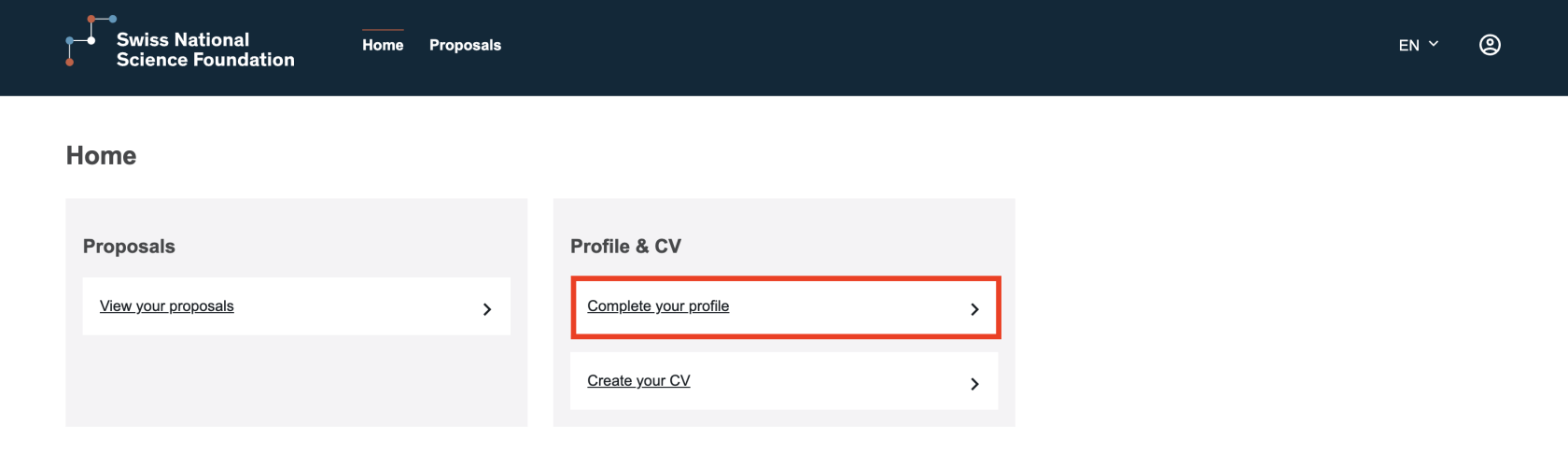
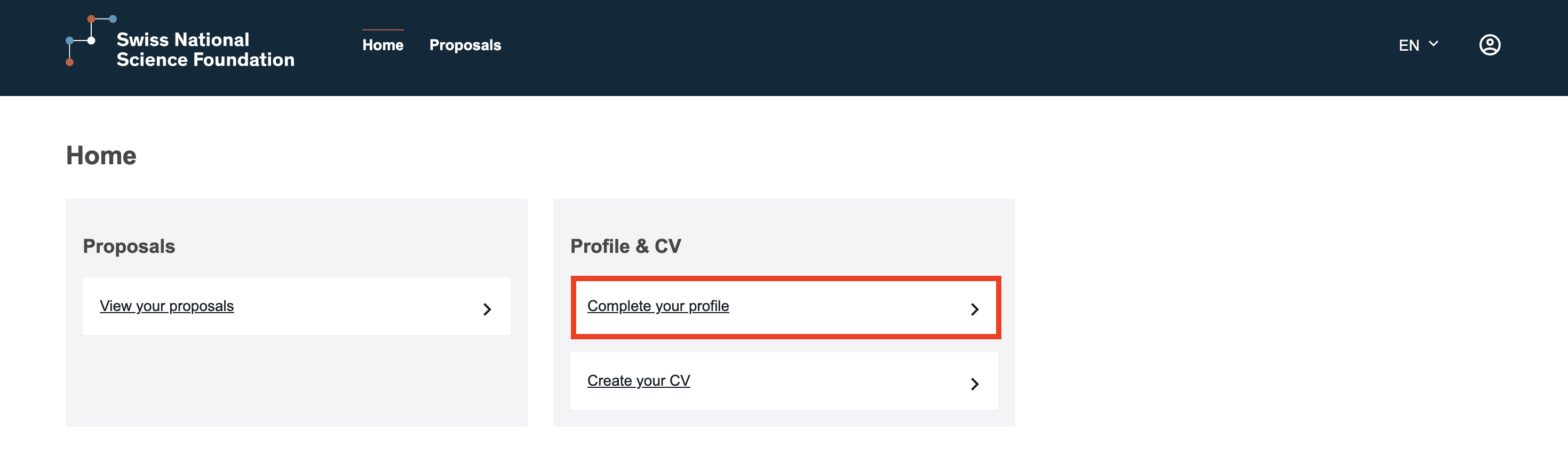
- Click on “Complete your profile” under “Profile & CV”.
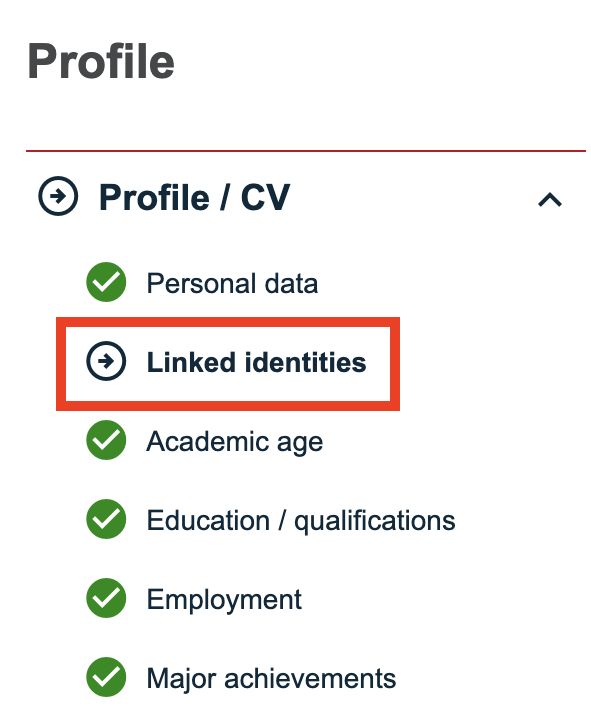
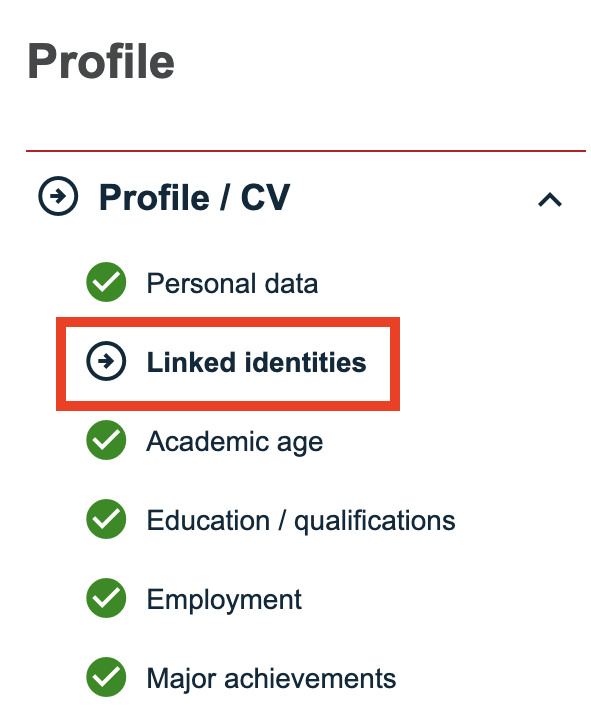
- Go to the “Linked identities” section.
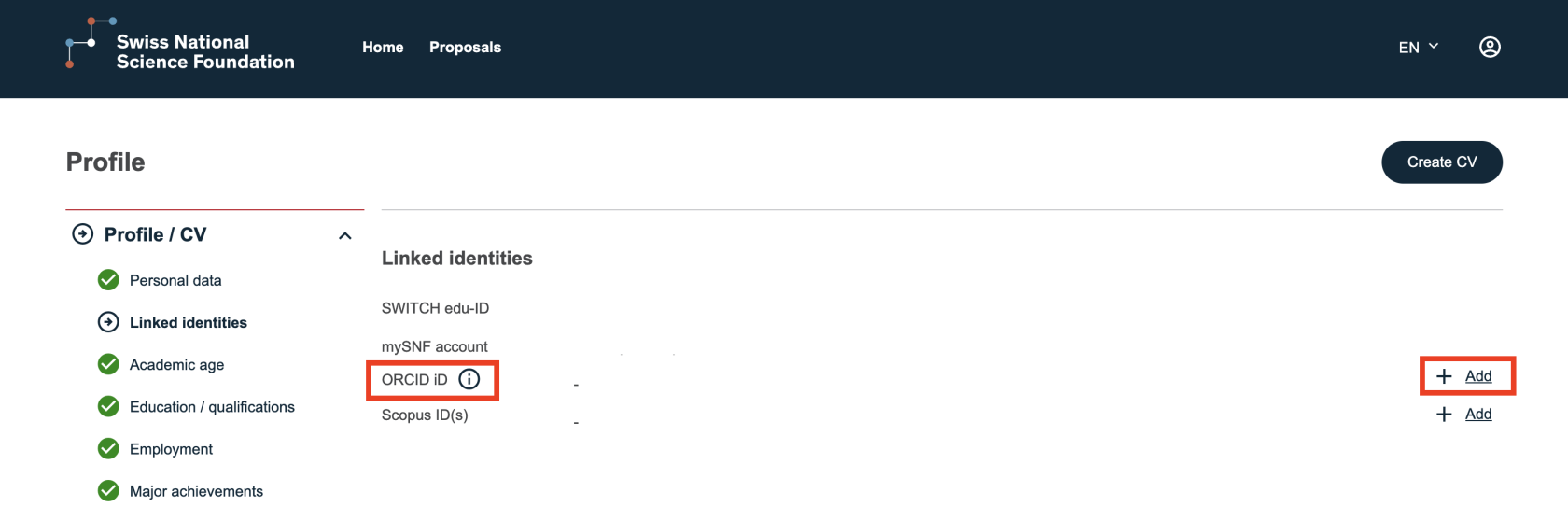
- A dedicated line for the ORCID iD is available.
- Click “Add” to link your account.
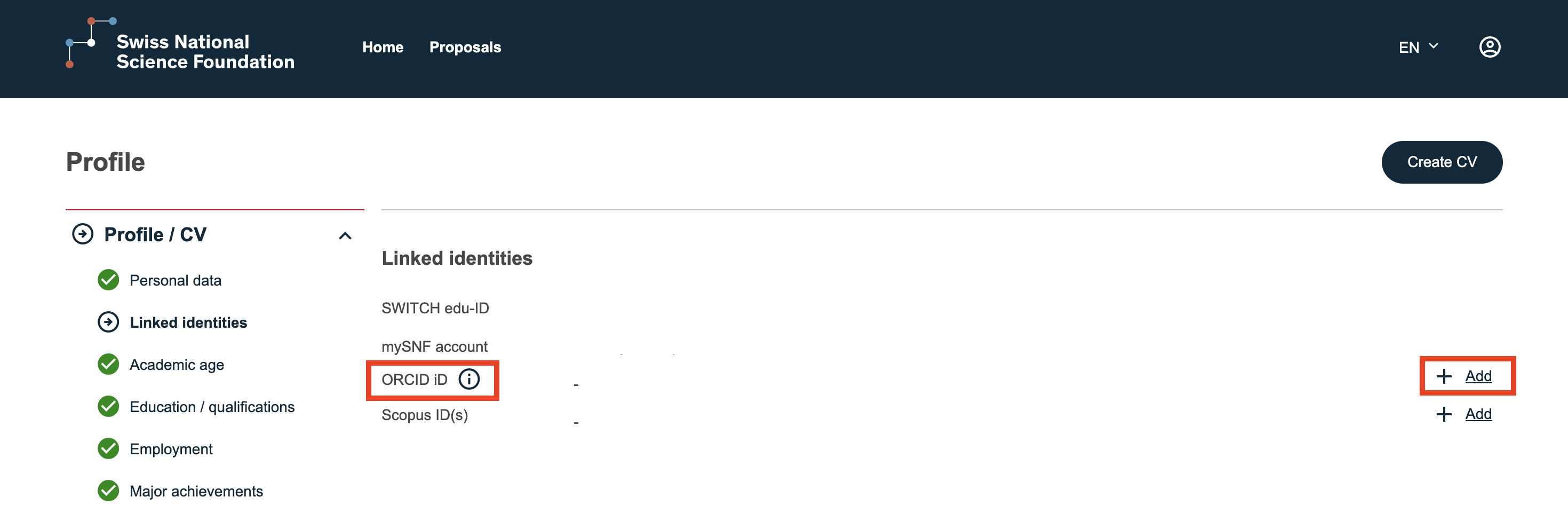
You will then be redirected to the ORCID login page.
After entering your credentials, the connection will be established and your two accounts will be linked.
You will automatically return to the “Linked identities” section. A confirmation message will indicate that the ORCID connection has been successfully completed.
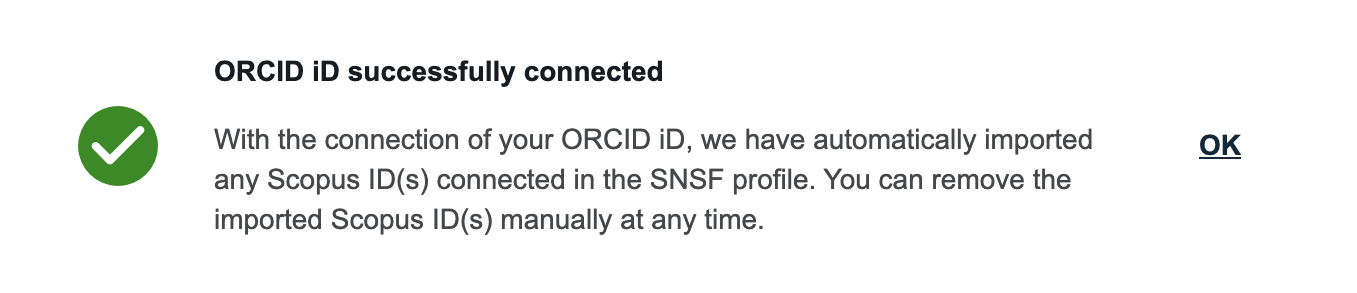
You will then be able to import your references from ORCID into your SNSF profile.
Importing ORCID References into the SNSF Portal
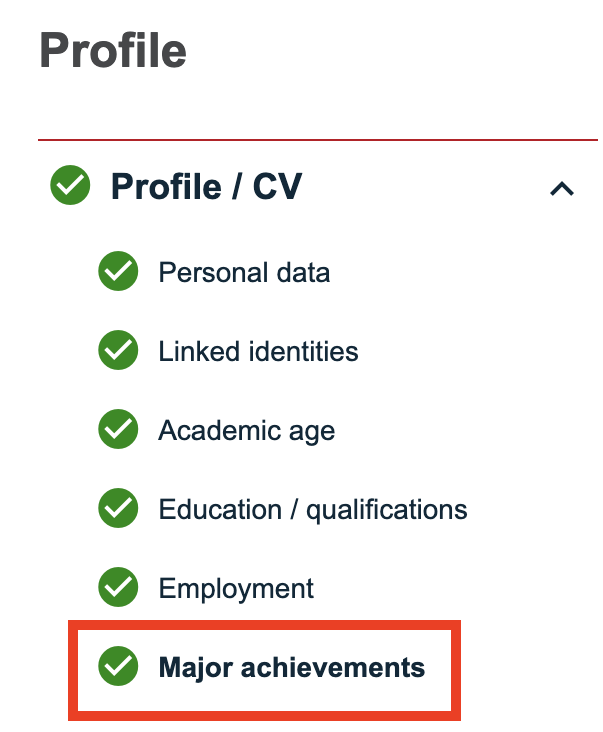
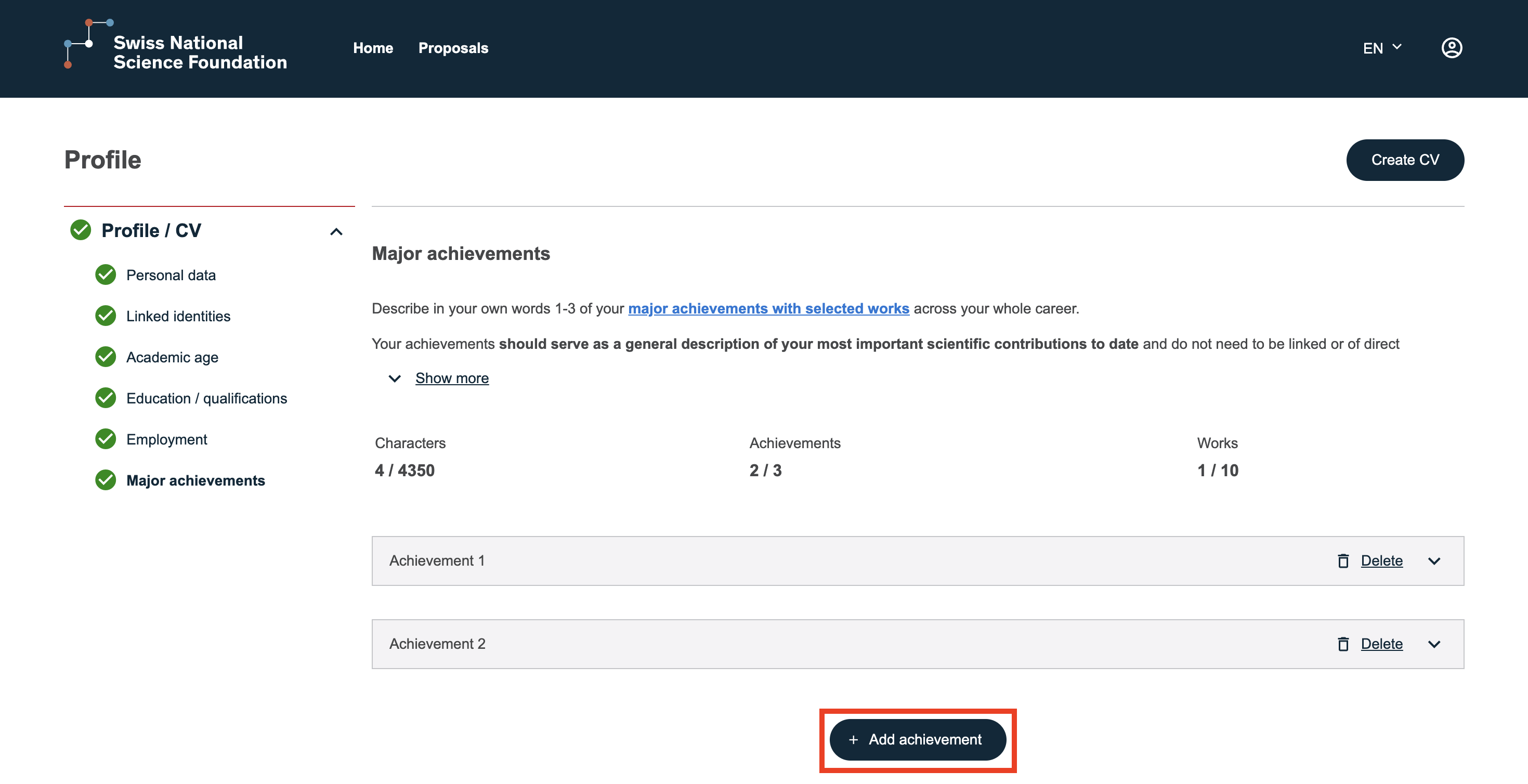
- Go to the “Major Achievements” section.
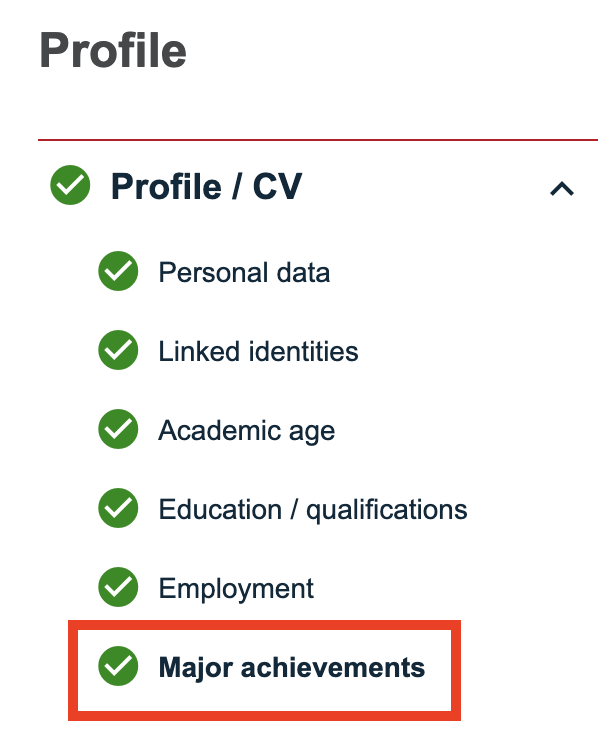
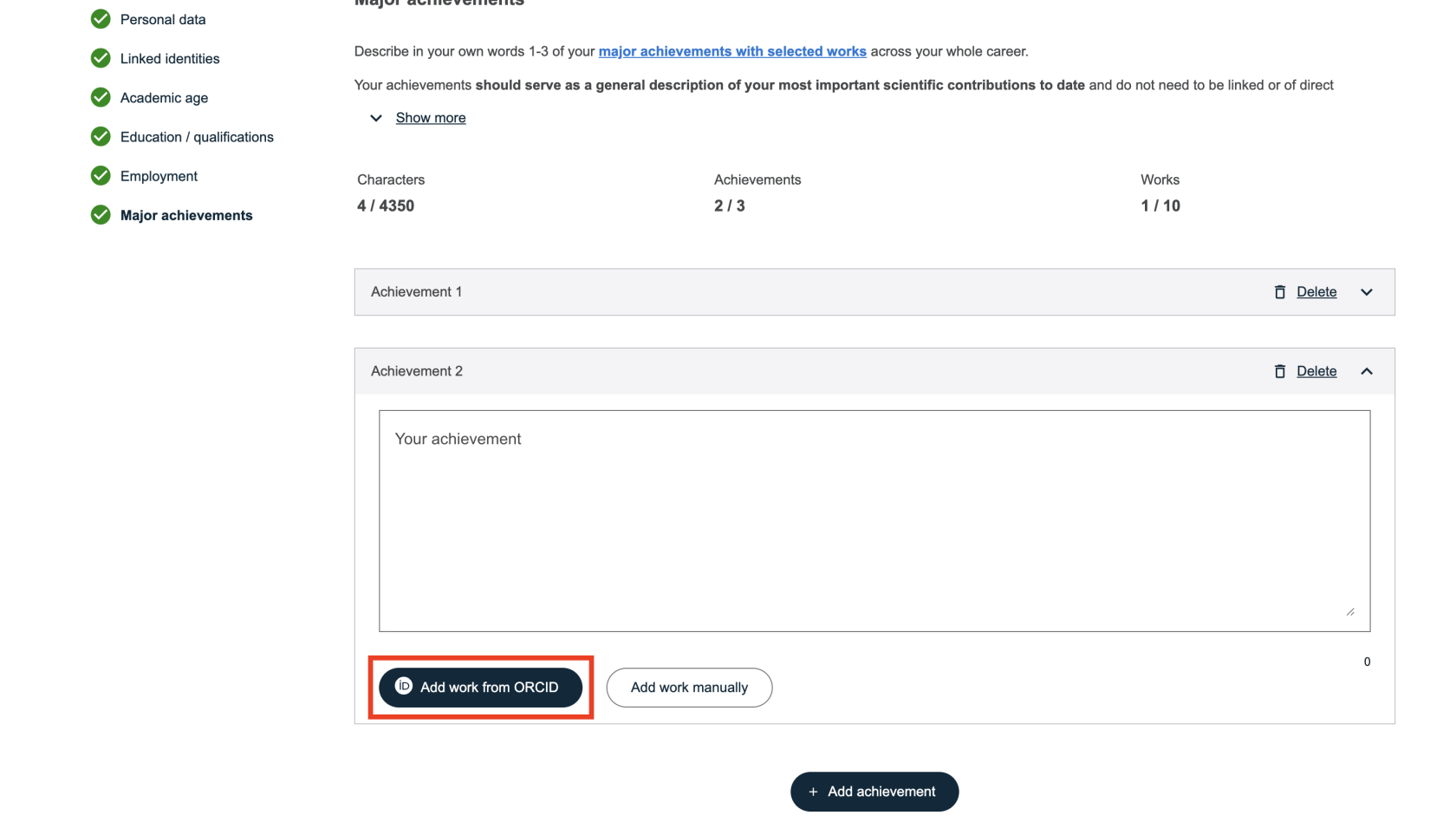
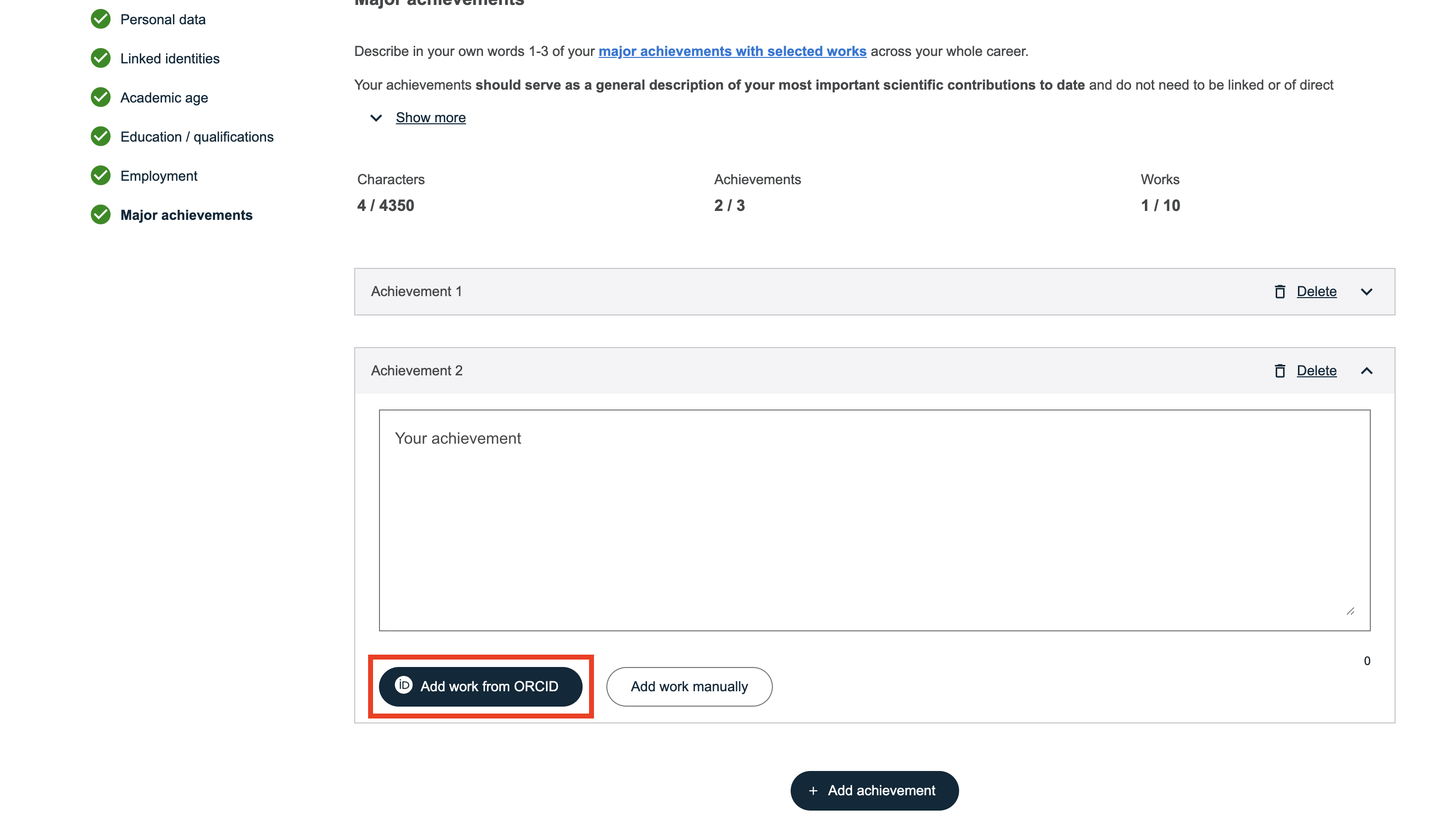
- To import a reference into a new achievement, click “Add achievement”, then select “Add work from ORCID”.
If the achievement already exists, click directly on “Add work from ORCID” under the relevant entry.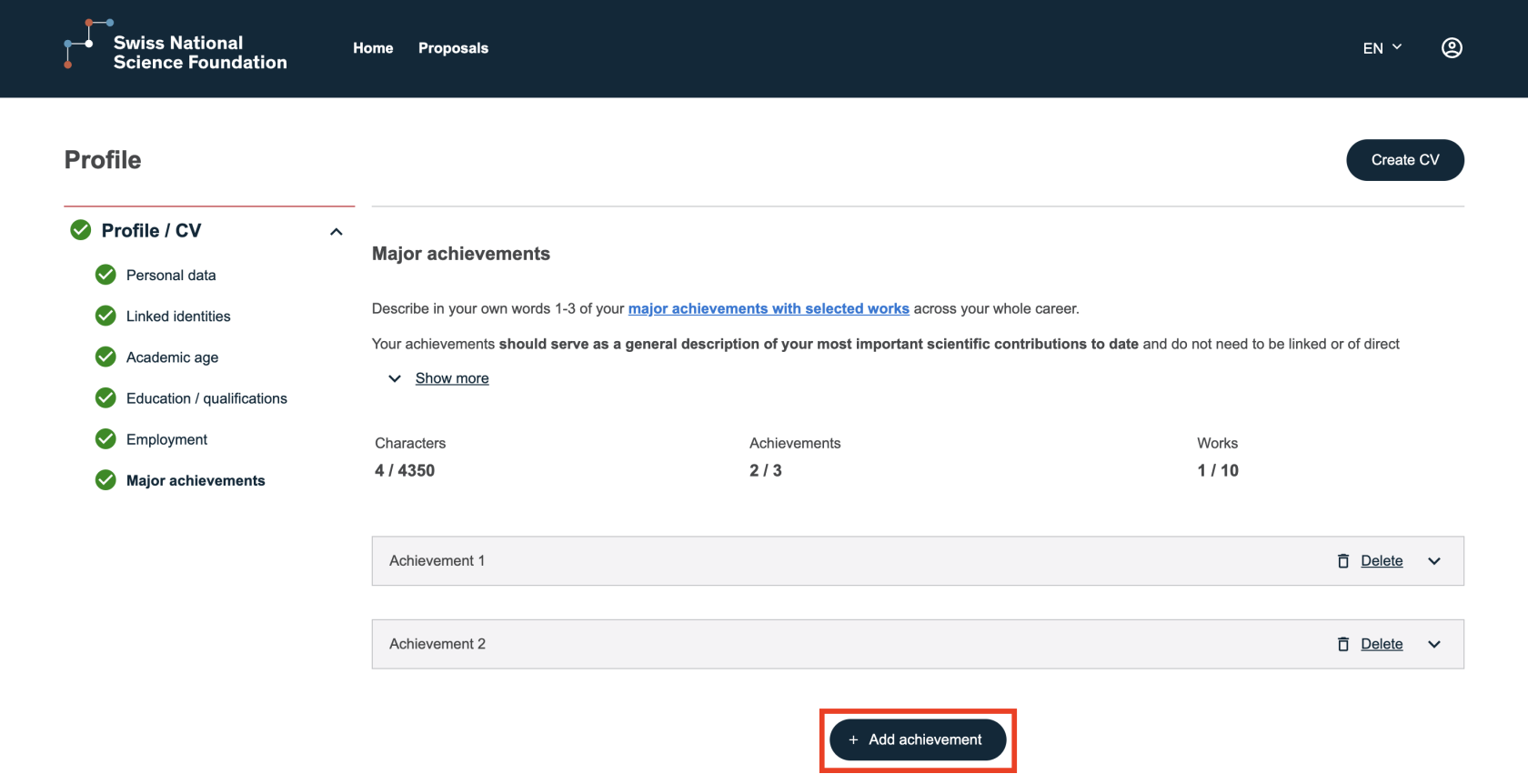
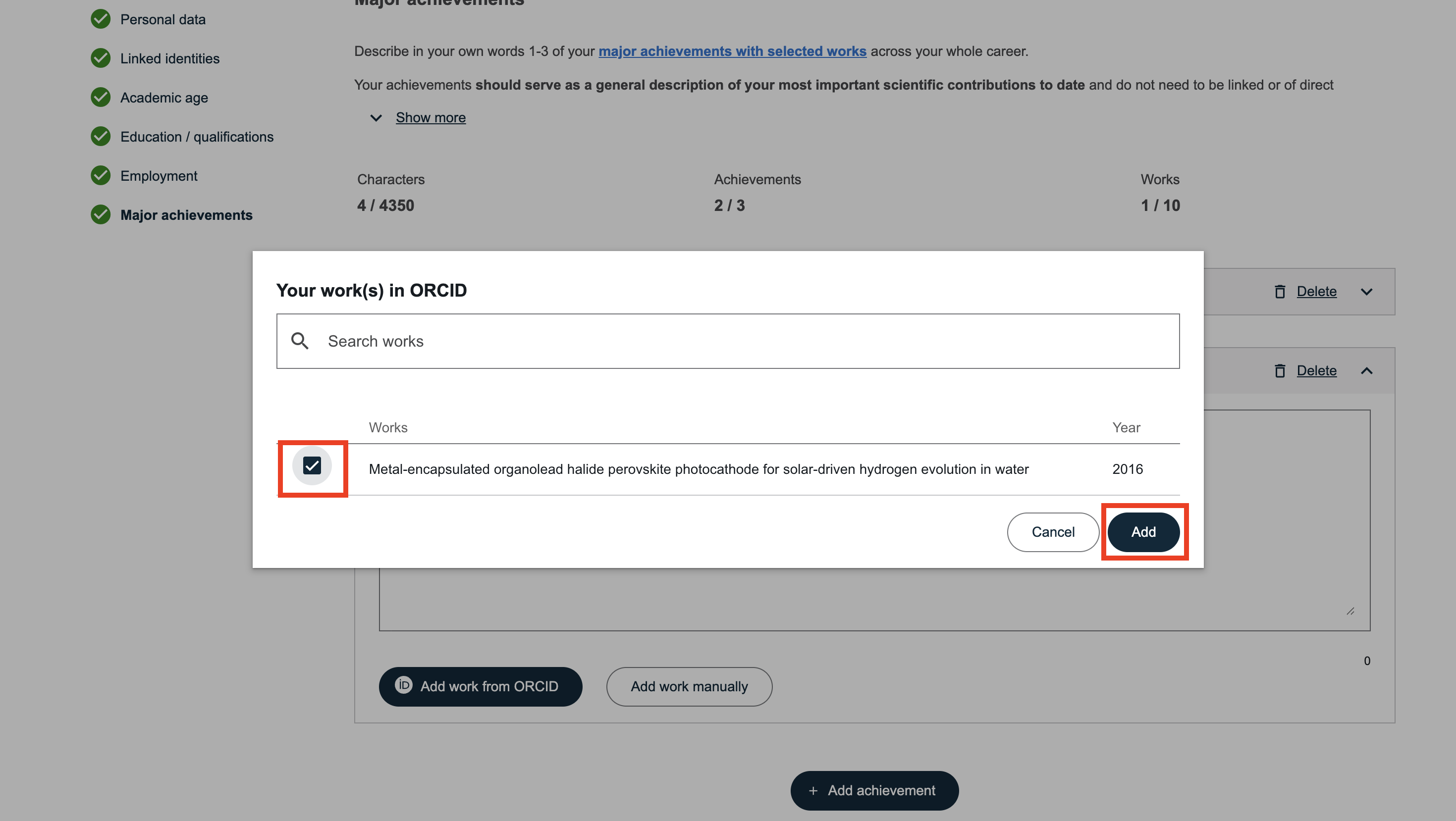
- Select the reference(s) you wish to import and click “Add”.
References added in this section allow you to highlight your most important work in your SNSF profile.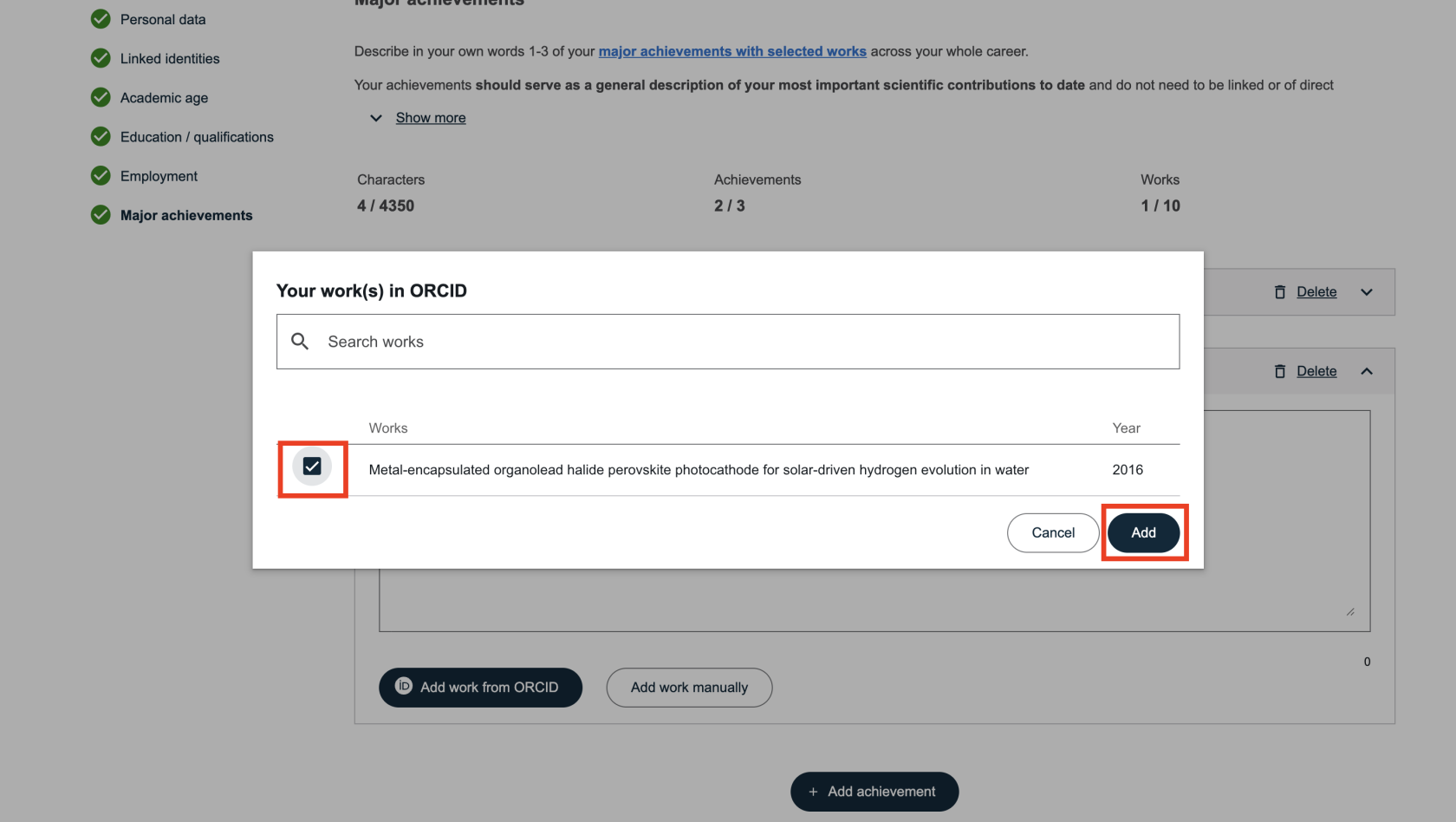
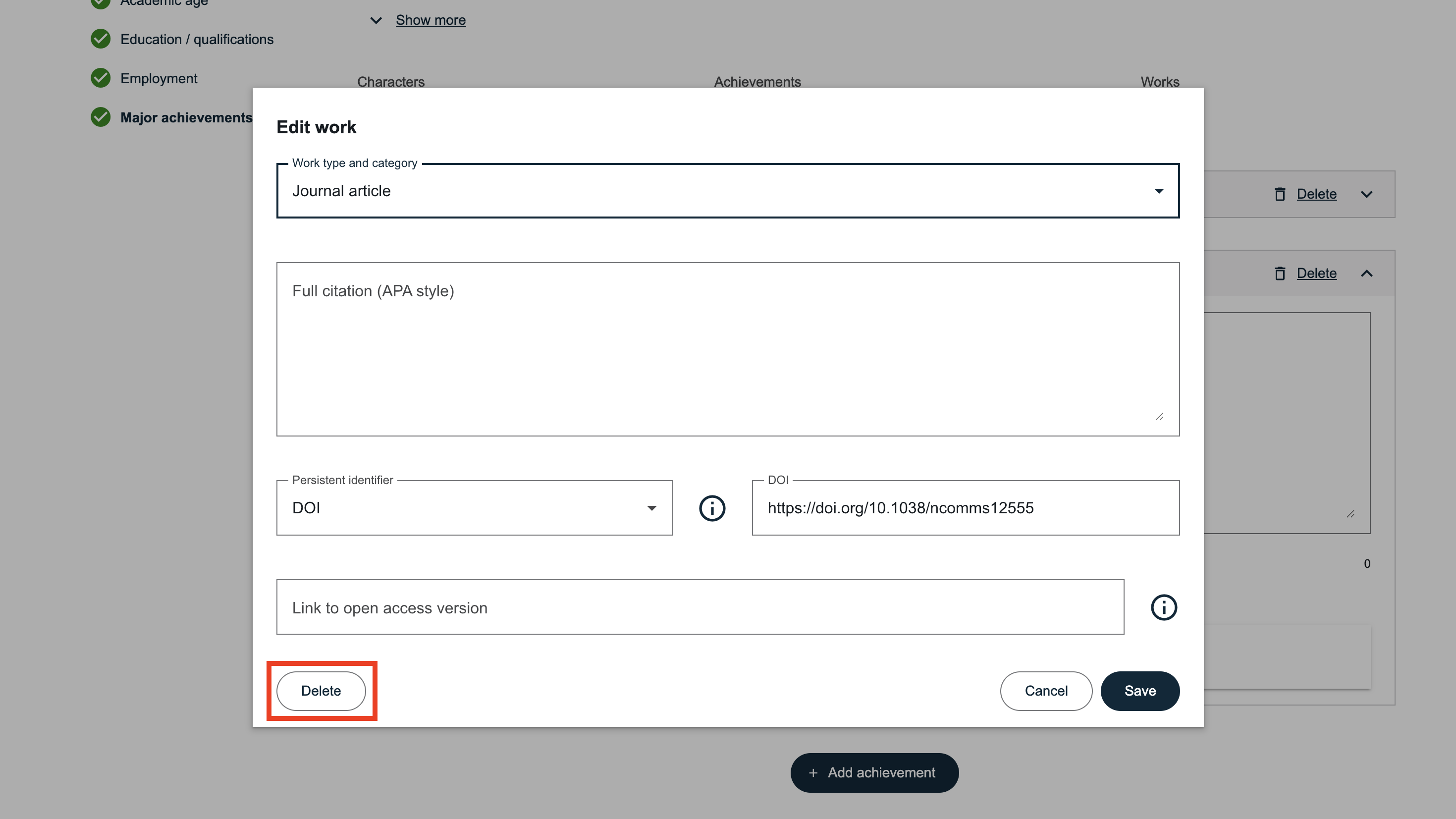
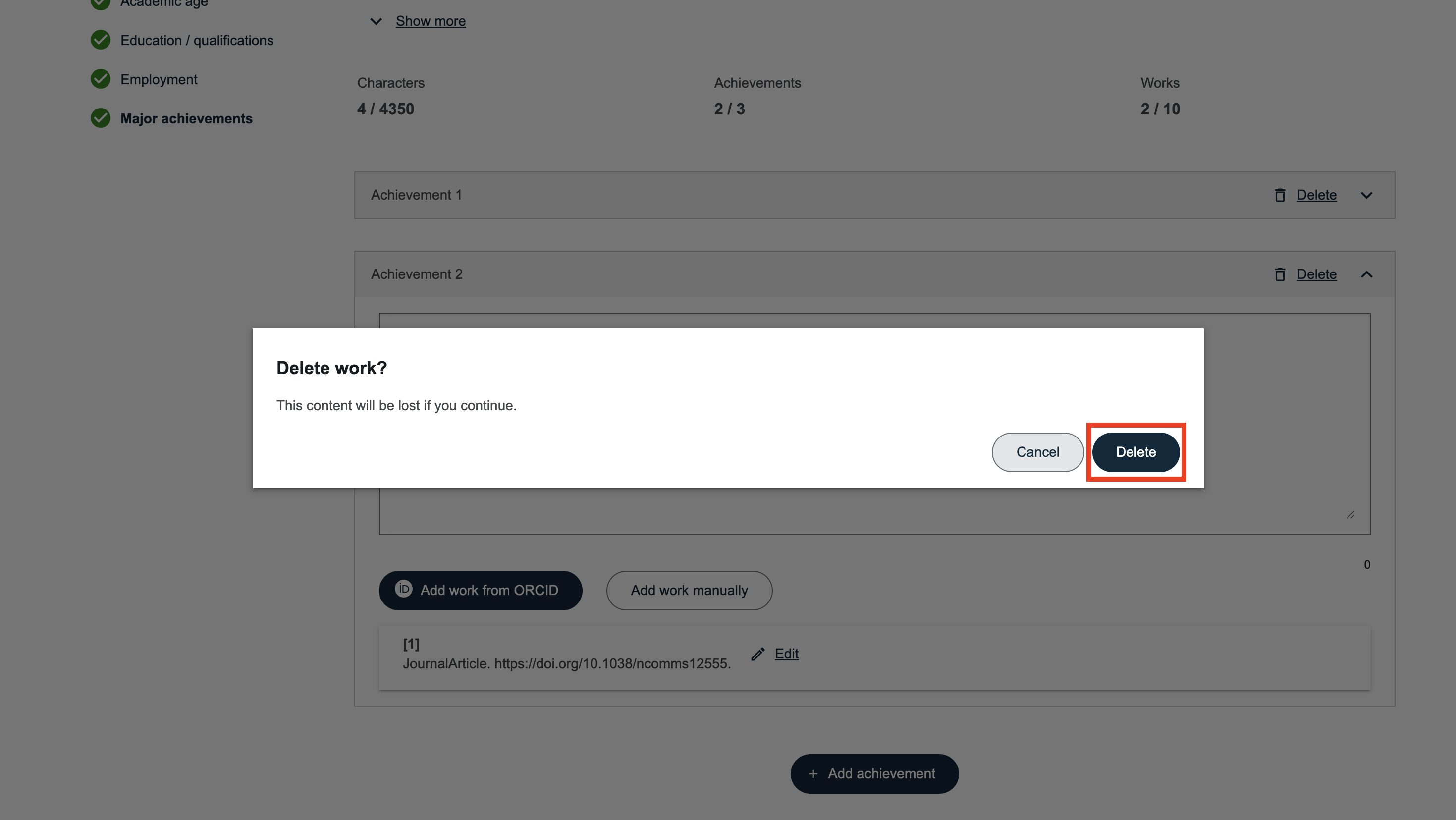
Editing or Deleting a Reference
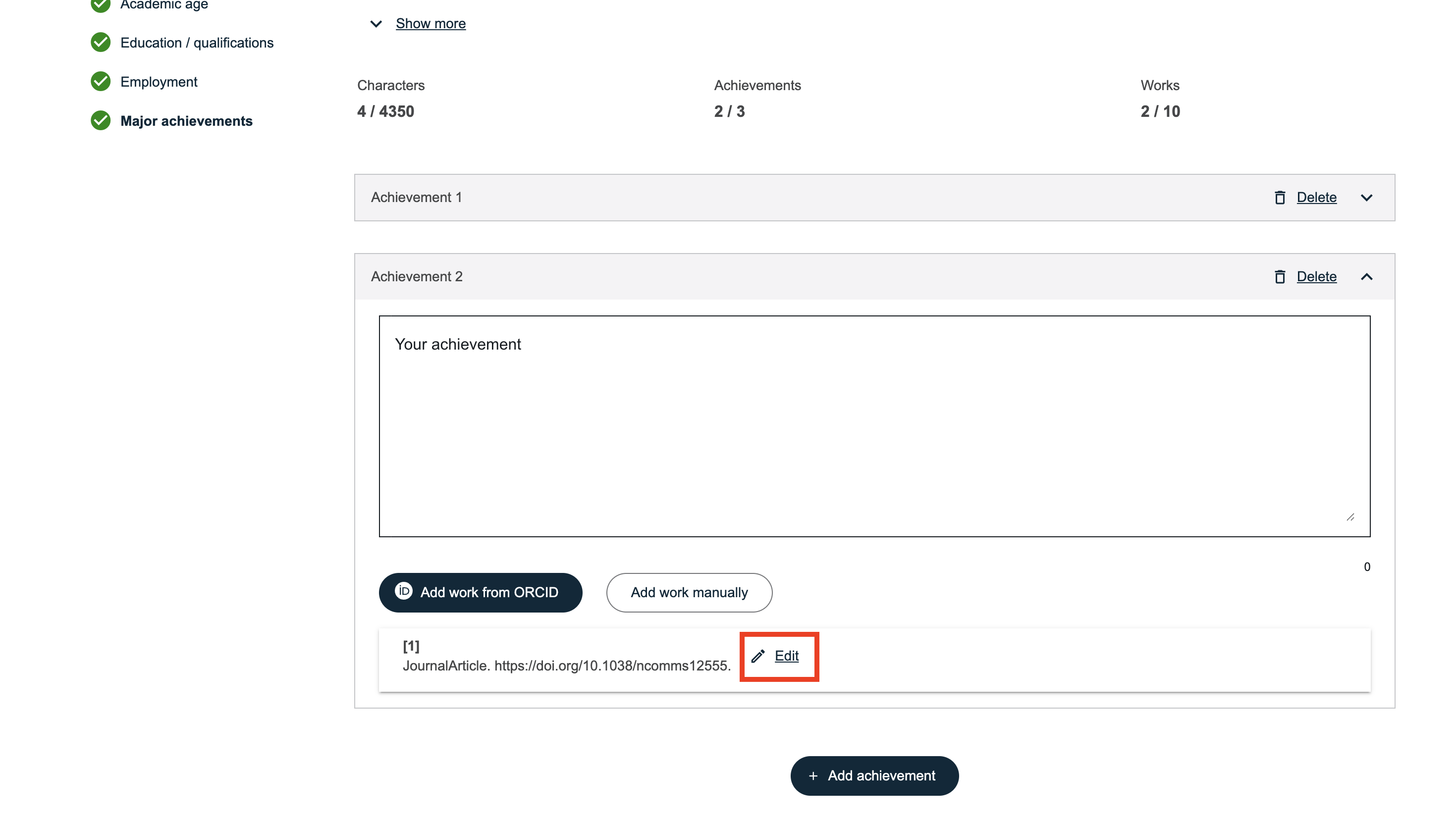
After importing a reference, you can click “Edit” to adjust the information or delete the reference if necessary.
Source of References
Among your ORCID references, only those whose source is IRIS can be imported correctly.
Older references containing Serval URLs will no longer be redirected. It is therefore essential to remove the “Unisciences” sources from your ORCID profile to avoid outdated links.
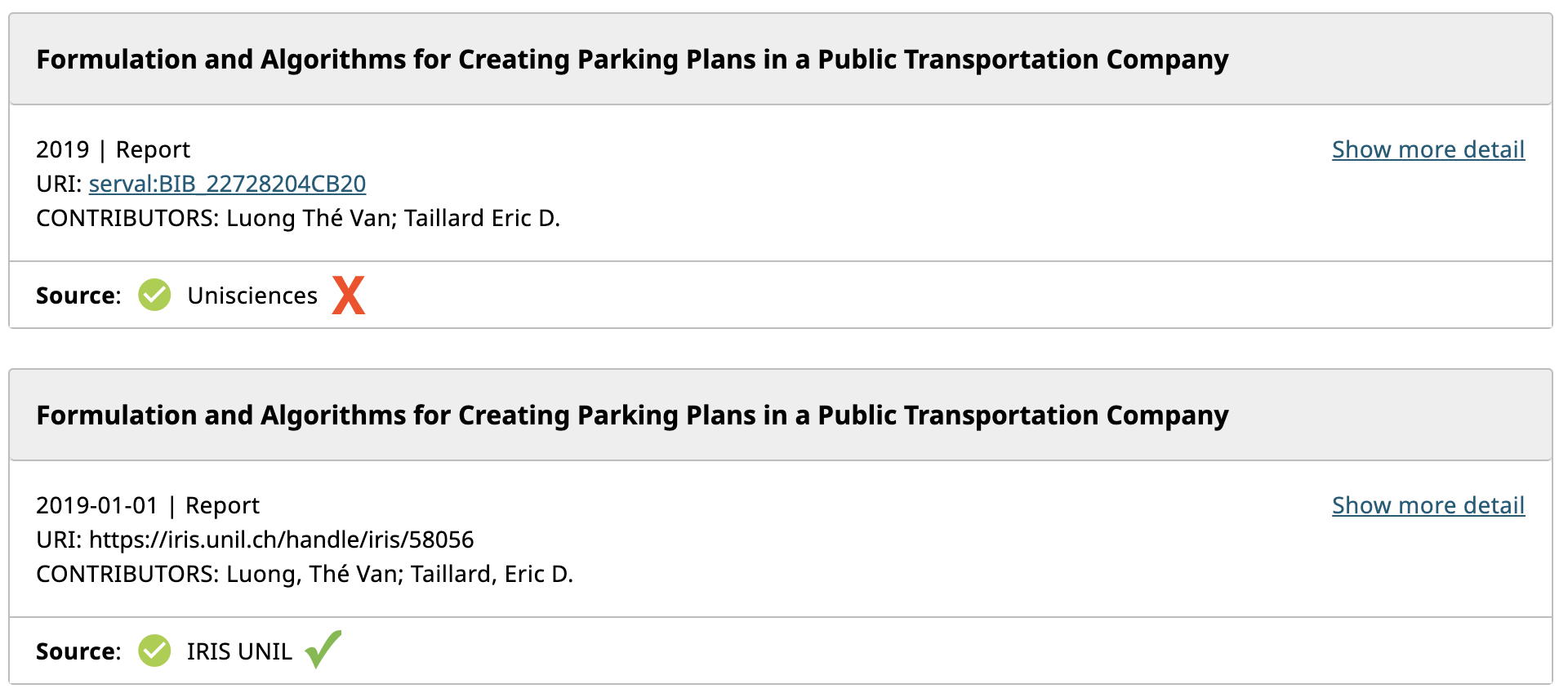
If some references in your ORCID profile still originate from Unisciences:
-
Delete them from your ORCID profile;
-
Export them again from IRIS to ORCID;
-
You will then be able to import them into the SNSF portal.
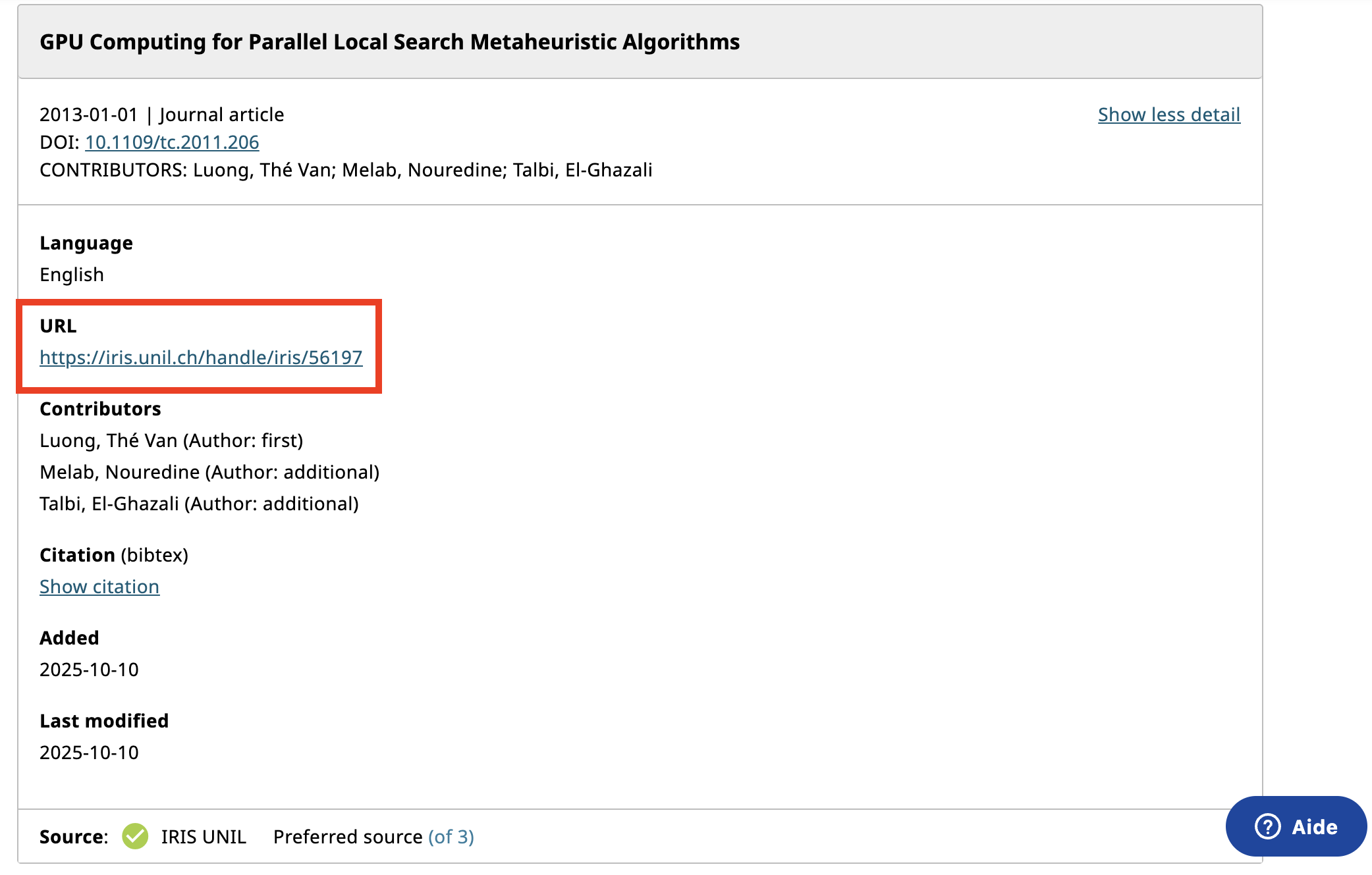
Please also ensure that the links associated with your references are correct.
Creating and Downloading Your CV in the SNSF Portal
The SNSF portal allows you to automatically generate an academic CV based on the information provided in your profile.
Checking Data Completeness
Before creating your CV:
-
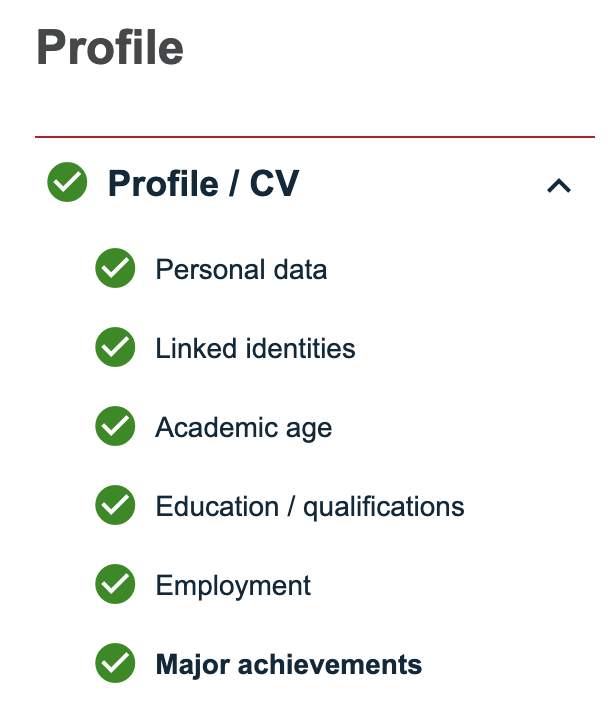
Make sure all sections of your profile are complete.
-
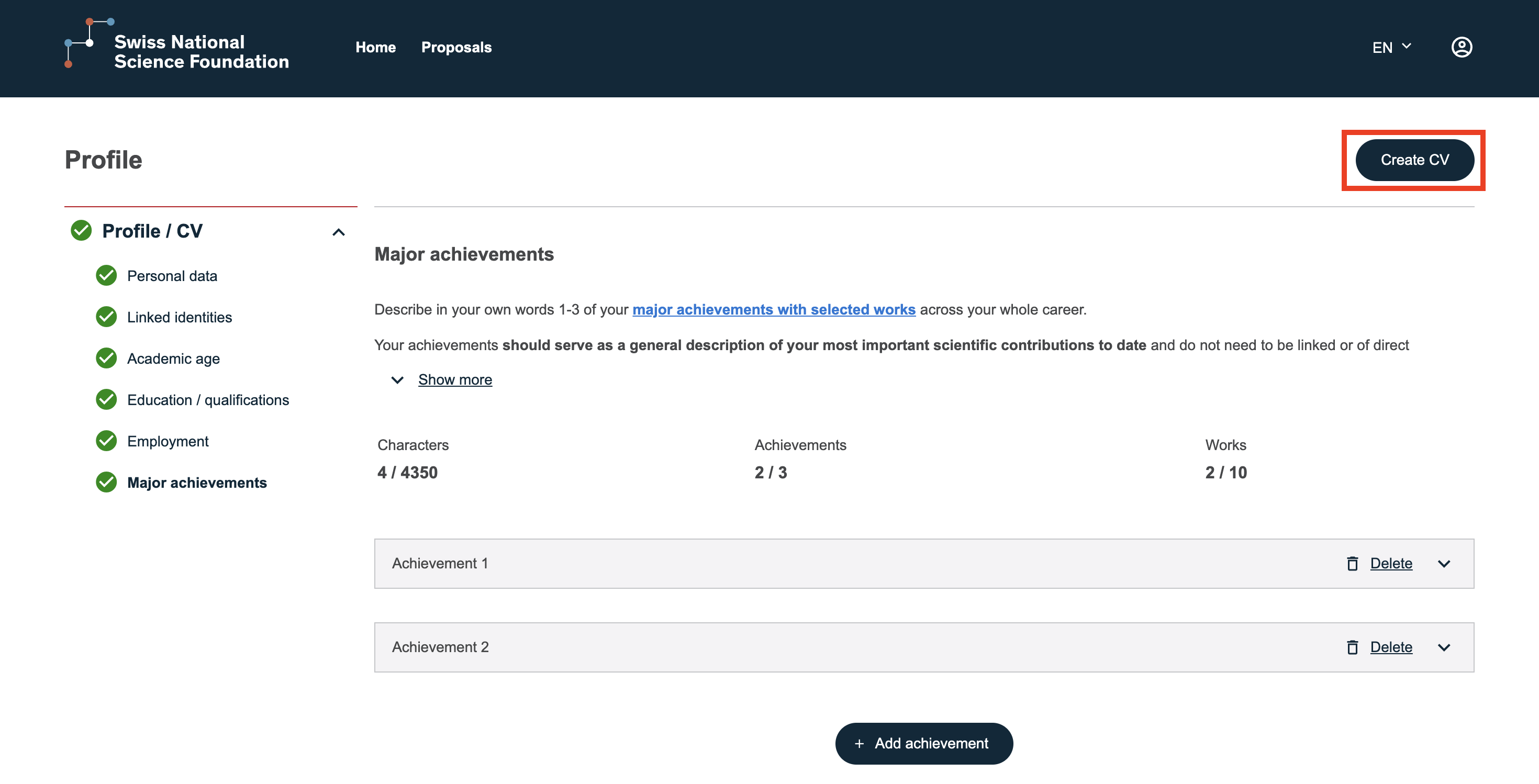
A green indicator appears next to correctly completed sections.
-
If information is missing, the CV cannot be generated.
Generating Your CV
Once your profile is complete:
-
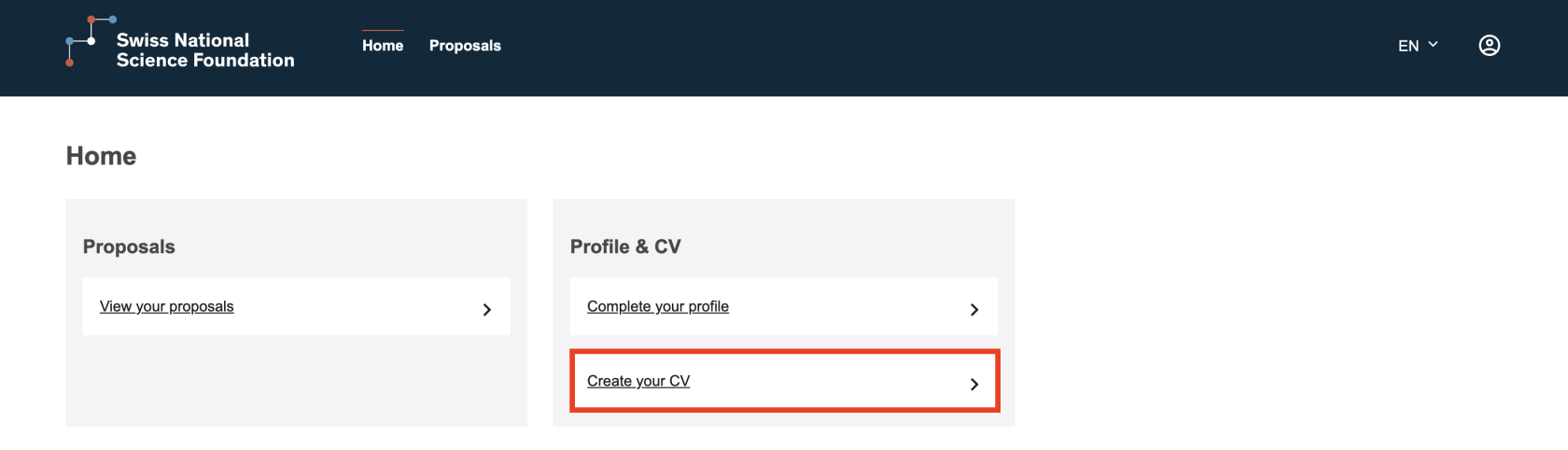
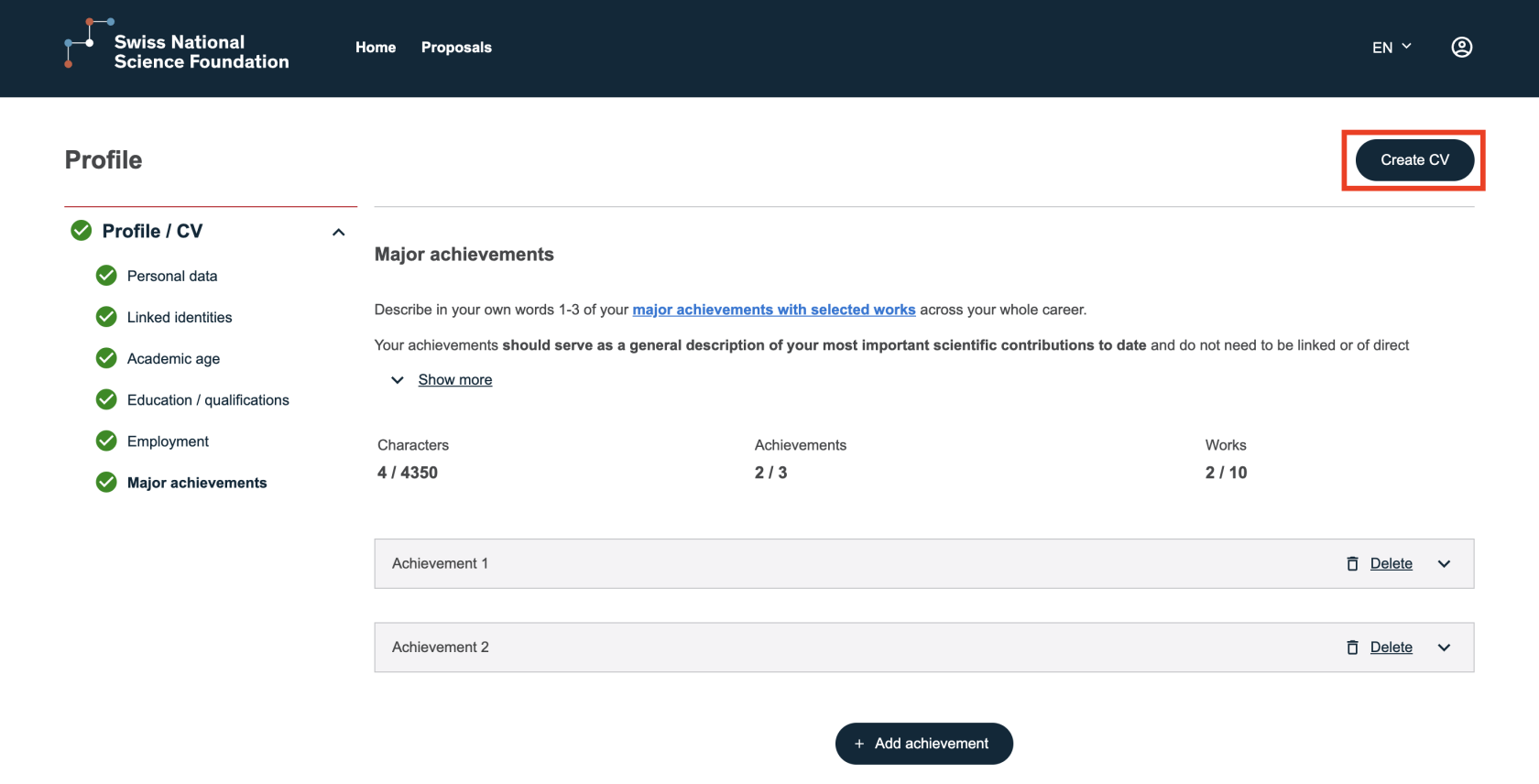
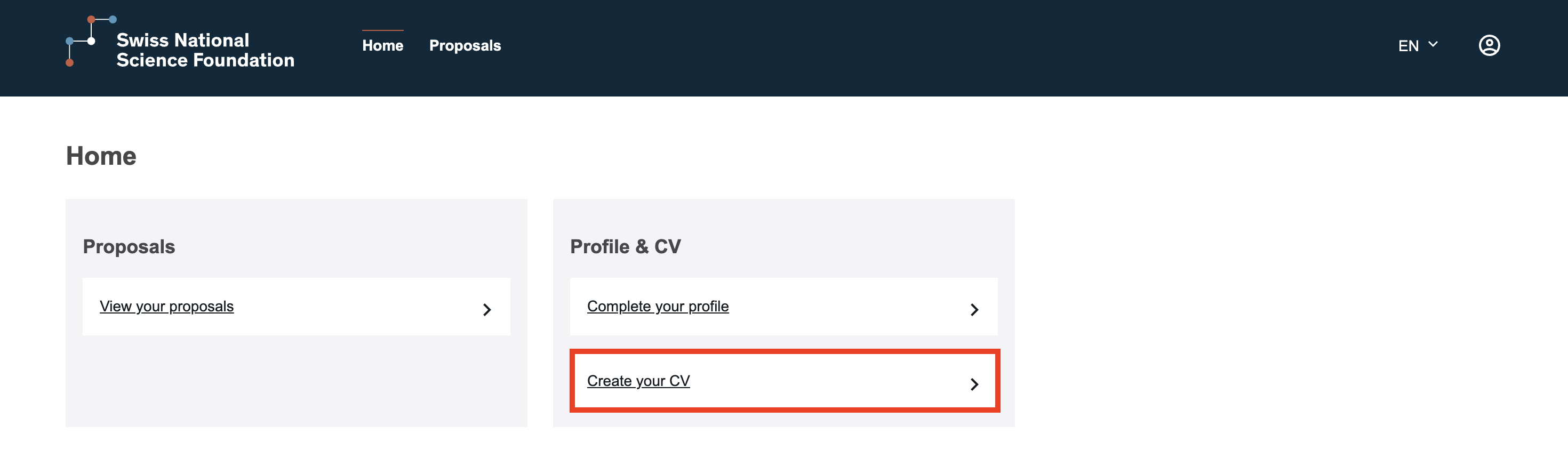
Click “Create your CV” from the homepage or from your personal data page.
-
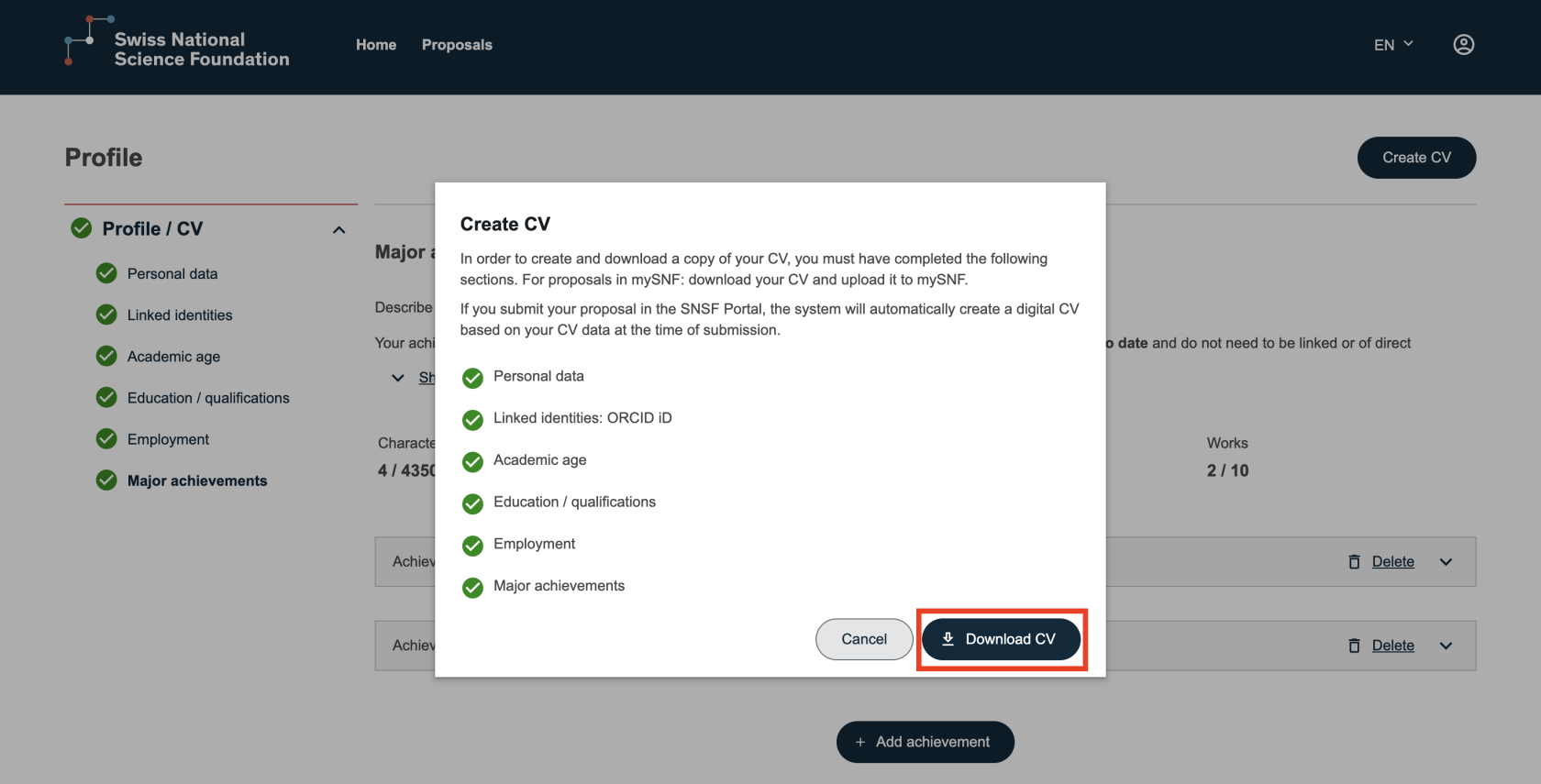
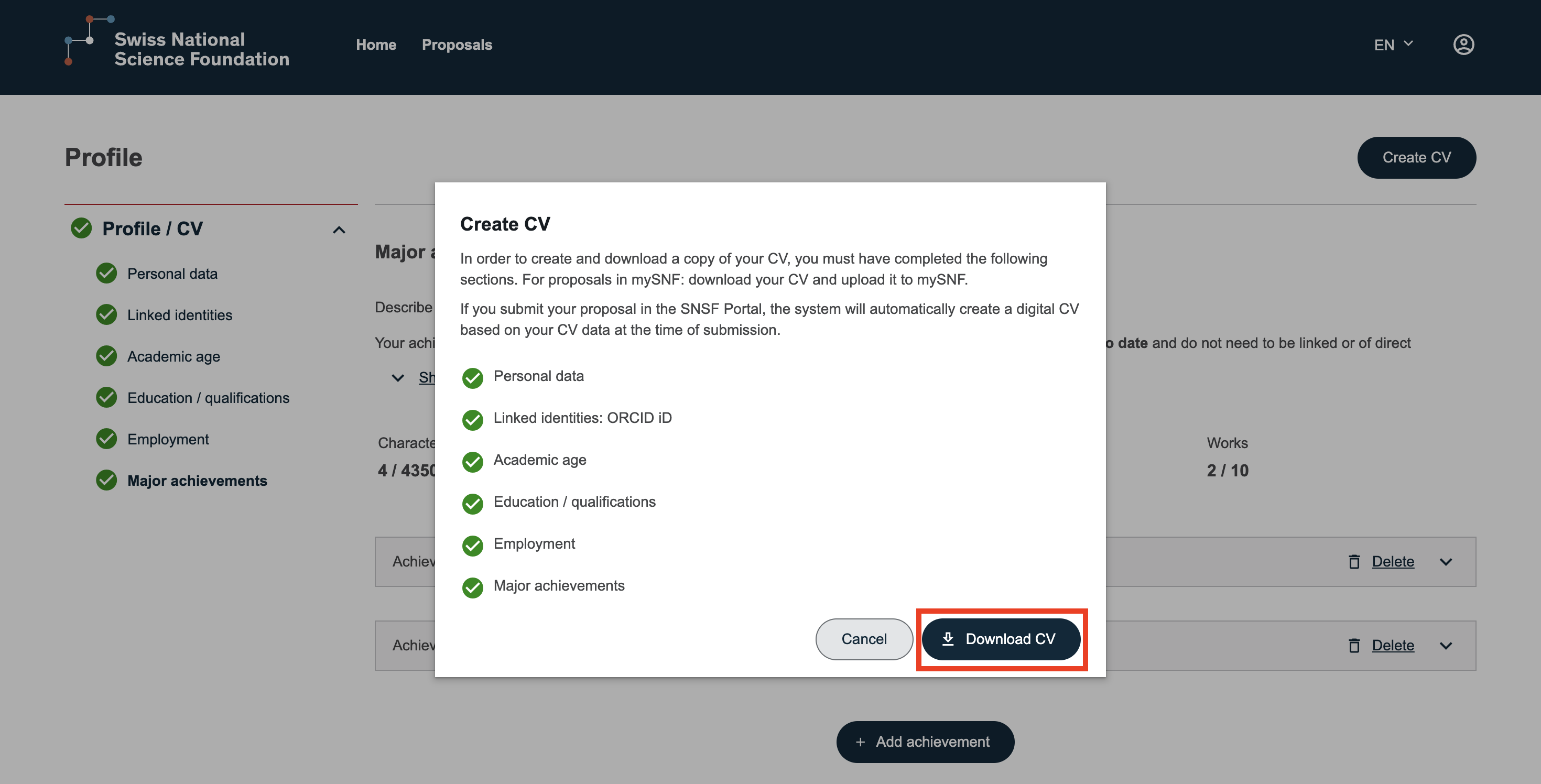
Click “Download CV”.
-
Select “Confirm and download CV”.
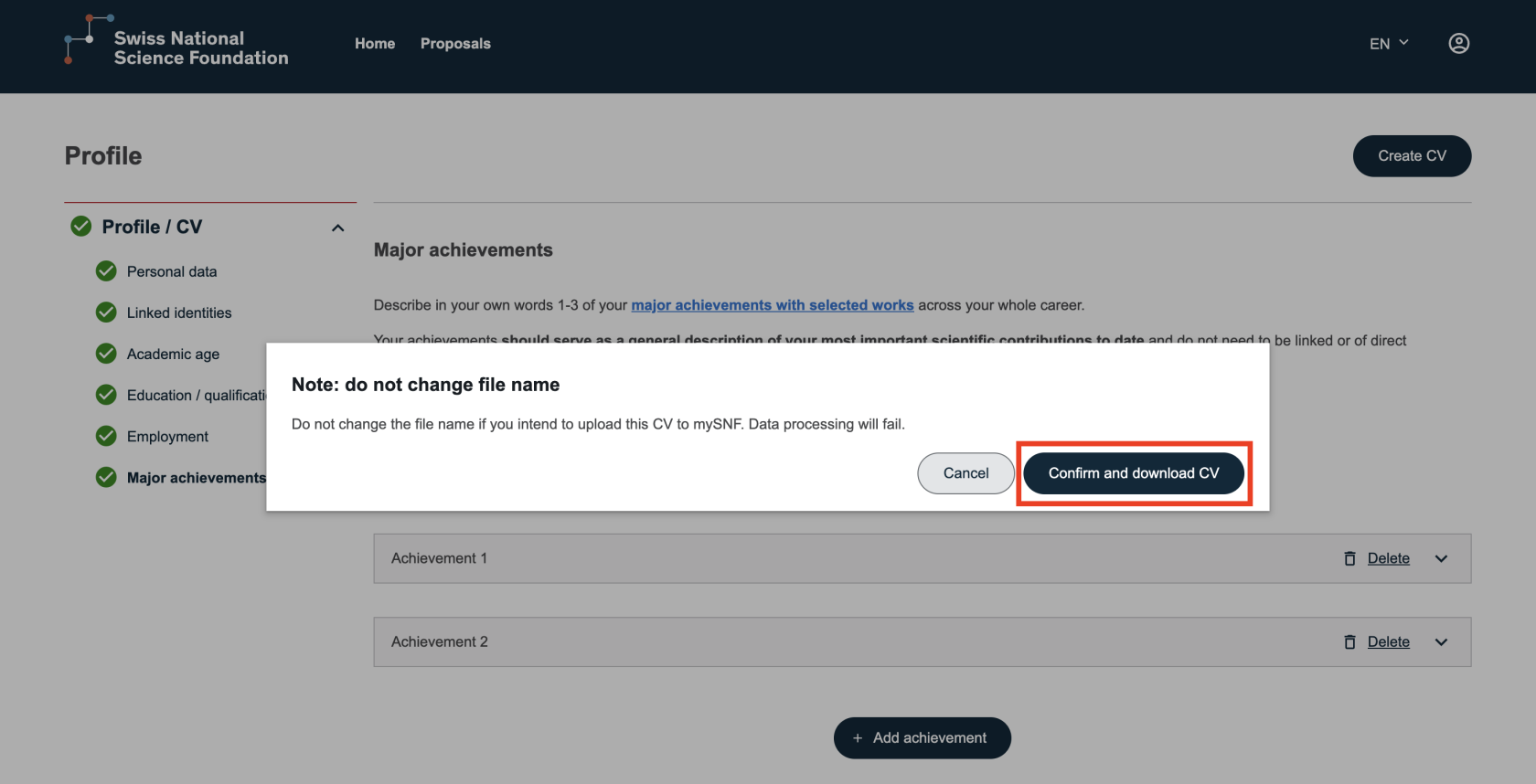
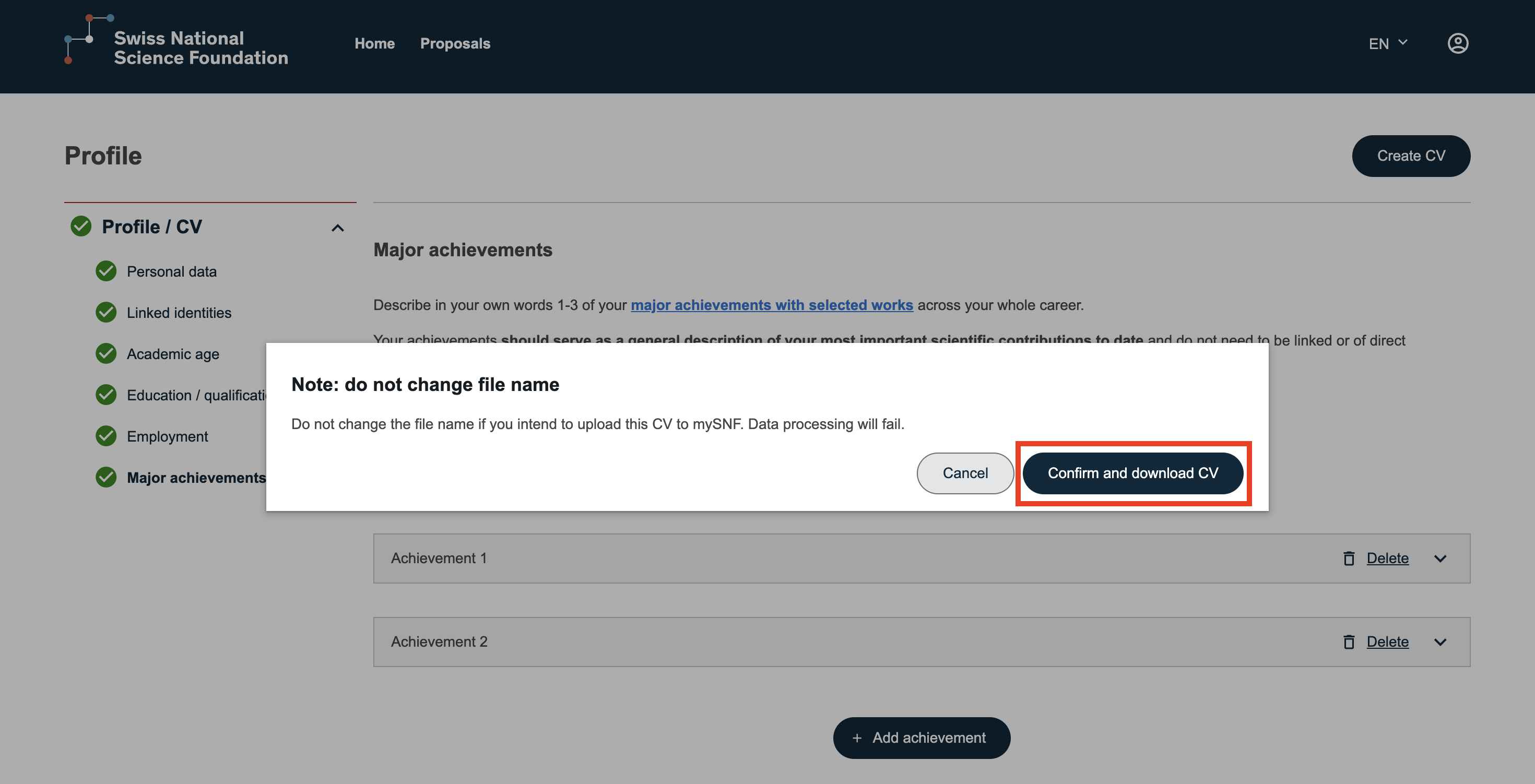
The document will then be downloaded automatically.
Updating Your CV
If you modify your personal data, these changes will automatically be reflected in your CV.
Simply download it again to obtain the updated version.