
Welcome to MyUNIL
MyUNIL is your personal virtual office at the University of Lausanne. Accessible from any device connected to the Internet, this portal centralises all the tools and information essential to your university life.
Portal Access
https://my.unil.ch
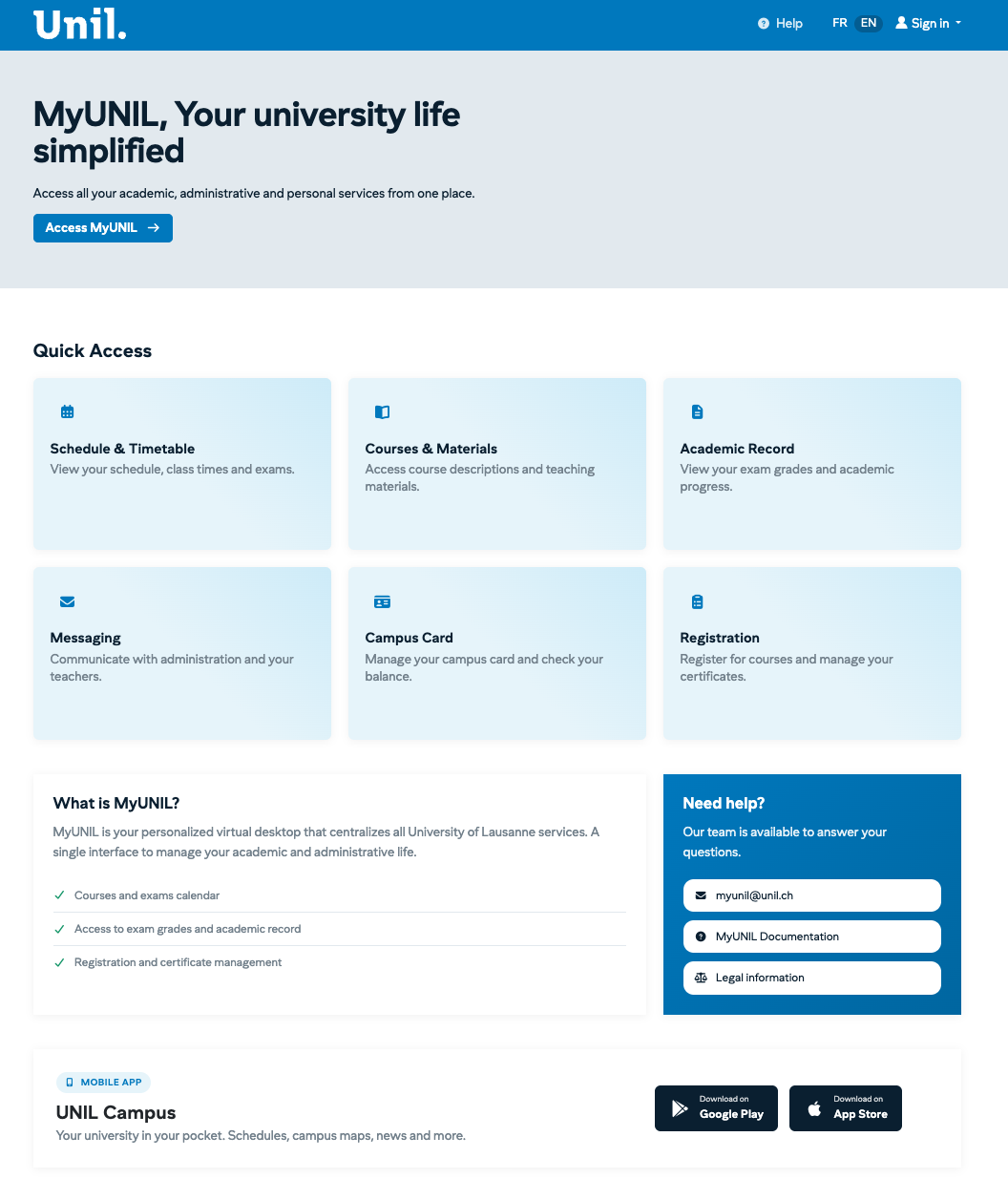
What is MyUNIL?
MyUNIL is an adaptive and personalised web portal that offers unified access to various university information sources and services. It allows you to interact with your academic and administrative content from a single, intuitive environment.
The portal is available 24/7, except for announced or accidental service interruptions.
Main Features
MyUNIL gives you access to the following tools:
| Feature | Description |
|---|---|
| Agenda | View your course and exam timetables. Synchronise them with your smartphone or Google Calendar. |
| Messaging | Access your university emails directly from the portal. |
| Course Documents | View course materials made available by your lecturers. |
| Academic Record | View your curriculum, exam results and grade reports. |
| Administrative Data | Access your enrolment certificates and personal information. |
| Campuscard | Manage your campus card: top-up, block/unblock. |
| News | Stay informed about university events and news. |
How to Log In
Authentication on MyUNIL uses the SWITCH edu-ID system:
-
Go to https://my.unil.ch
-
Click on the button corresponding to your situation:
- UNIL users: if you have a UNIL account
-
Enter your edu-ID credentials (email address and password)
-
Validate two-factor authentication if it is enabled
⚠️ Security Advice
To ensure the security of your data, remember to log out after each use, particularly on a shared computer.
Discovering the Interface
The MyUNIL interface is designed to be intuitive and efficient. Here are the main elements:
User Space
The UNIL logo is located at the top left. Your avatar, located at the top of the screen, gives access to your personal information and logout.
Navigation Bar
Search and Help
A search engine is available at the top right. Links to help and contact are also accessible from this area.
Filters and Actions
Each application has a filter and action bar allowing you to act on the displayed content. The action buttons on the right allow you to perform specific operations depending on the tool being used.
Who is MyUNIL for?
MyUNIL is intended for the entire university community:
-
Students: access your courses, timetables, results and administrative documents
-
Lecturers and teachers: manage your course spaces and share documents with your classes
-
Administrative and technical staff: view your salary and administrative data
Need Help?
If you encounter difficulties or have questions about using MyUNIL, several resources are available to you:
-
Online documentation: consult the IT Centre wiki
-
Contact: myunil@unil.ch
-
Integrated help: use the "Aide" (Help) link available in the portal interface
This documentation is part of the official user help for the MyUNIL portal.
University of Lausanne – IT Centre